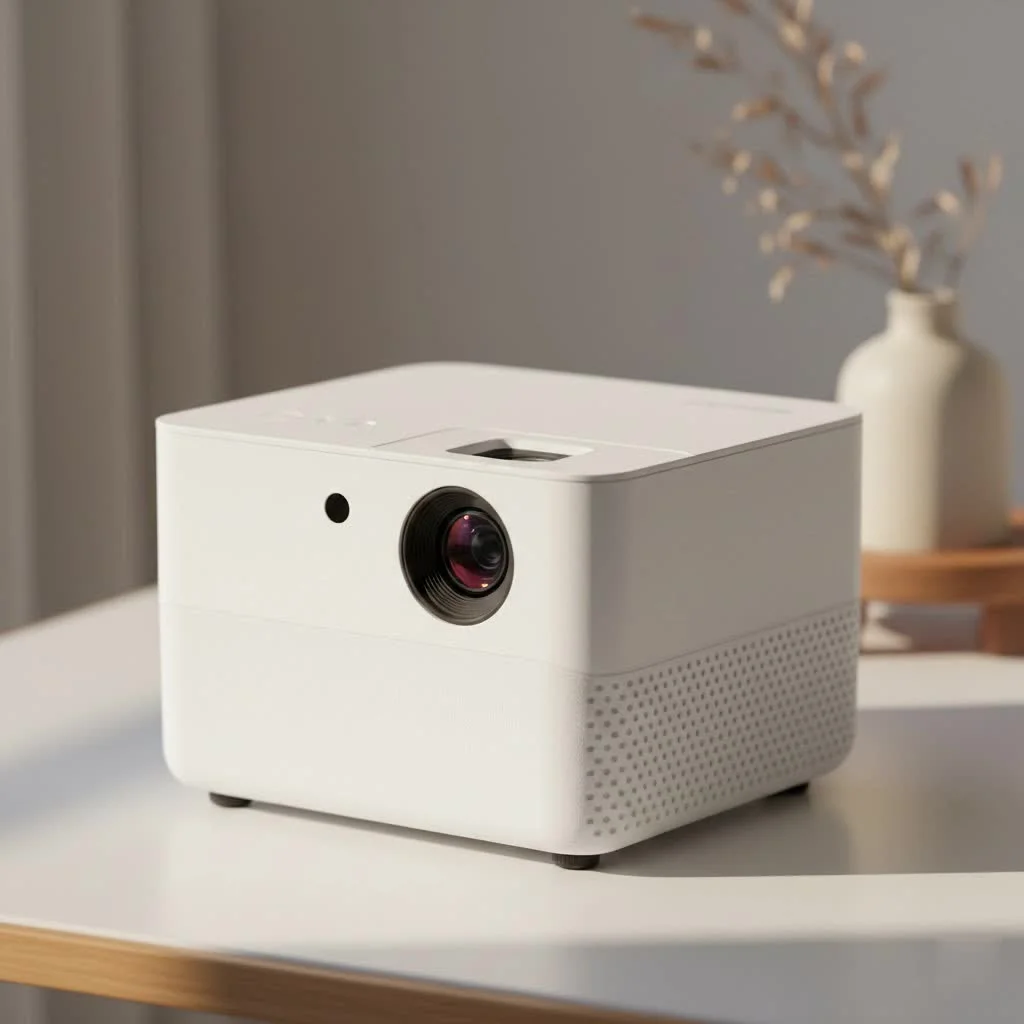
The AKASO mini projector is a compact, portable device that transforms any flat surface into a large screen, offering versatile entertainment for home or travel. These projectors typically utilize DLP technology for sharp images, weigh less than a pound, and often feature a built-in rechargeable battery providing 2 to 3 hours of playback on a single charge. They are ideal for movie lovers, travelers, and professionals needing on-the-go presentations, striking a balance between performance, features, and affordability.
What Sets the AKASO Mini Projector Apart?
AKASO has established itself in the electronics market, known for its action cameras. They’ve applied a similar philosophy of creating robust, user-friendly, and affordable technology to their mini projector line. Unlike bulky traditional projectors, an AKASO mini projector is designed for portability and convenience without significant compromise on quality.
These projectors typically use DLP (Digital Light Processing) technology, similar to many cinemas, to create sharp and vibrant images. They are incredibly lightweight, often weighing less than a pound, and many models feature a built-in rechargeable battery, offering true wire-free entertainment wherever you go.
Key Features to Look For
When exploring the AKASO range, you’ll encounter several features. Understanding them is key to choosing the right model for your needs.
- Brightness (Lumens): Brightness in projectors is measured in lumens. While mini projectors won’t compete with full-sized models, AKASO models offer sufficient brightness (typically 50 to 250 ANSI lumens) for dark or dimly lit environments. For the best experience, a darker room is always recommended.
- Resolution: Most AKASO mini projectors have a native resolution of 854x480p (WVGA), which is standard for pico projectors in this category. They can accept and downscale inputs from 1080p or even 4K sources, ensuring compatibility with modern devices.
- Battery Life: This is crucial for portability. Many AKASO projectors provide around 2 to 3 hours of playback on a single charge, which is enough for a full-length feature film. Some can even double as a power bank to charge your phone.
- Connectivity: Versatility is a major strength. Expect to find HDMI, USB, and Wi-Fi capabilities. This allows you to connect laptops, gaming consoles, streaming sticks, and smartphones with ease.
- Built-in OS: Many models run on an Android operating system, giving you direct access to apps like Netflix, YouTube, and Prime Video from the projector itself, without needing to connect another device.
As tech analyst David Chen notes, “The magic of a modern pico projector like those from AKASO isn’t just in its size, but in its smart capabilities. Having an OS and Wi-Fi built-in removes the friction that once made portable projection a hassle.”
How Do I Set Up My AKASO Mini Projector?
Getting started is surprisingly simple and one of the biggest selling points. Here’s a typical step-by-step guide to get you up and running in minutes.
- Charge It Up: Before your first use, fully charge the projector’s internal battery using the provided adapter.
- Find Your Surface: Choose a flat, light-colored wall or a projector screen. The further back you place the projector, the larger the image will be.
- Power On and Focus: Turn the projector on. You’ll see an image appear. Use the small focus wheel, usually located on the side of the lens, to dial in a sharp, clear picture.
- Correct the Angle: If your image looks like a trapezoid instead of a rectangle, it’s because the projector isn’t perfectly perpendicular to the wall. Use the automatic or manual keystone correction feature in the settings to square the image.
- Connect Your Device:
- Wireless (Wi-Fi): Connect the projector to your Wi-Fi network. You can then use screen mirroring (Miracast for Android, AirPlay for iOS) to cast your phone or tablet’s screen.
- HDMI: Use the included mini HDMI to HDMI cable to connect a laptop, Roku, or PlayStation.
- USB: Plug in a USB flash drive to play movies or view photos directly from the device.
Performance and Real-World Use
So, how does it actually perform outside of a spec sheet? For its size, an AKASO mini projector is impressive. The image quality is clear enough for enjoying movies, TV shows, and even some casual gaming. The colors are vibrant, and the contrast is respectable for a pico projector.
The built-in speakers are functional for a small group in a quiet setting, but for a more immersive cinematic experience, I highly recommend connecting an external Bluetooth speaker or headphones. The fan noise is present, as it is with all projectors, but it’s generally quiet enough not to be distracting once your movie’s audio starts.
Who is This Projector For?
|
Our Picks for the Best Mini Projector in 2026
As an Amazon Associate I earn from qualifying purchases.
|
||
| Num | Product | Action |
|---|---|---|
| 1 | 【Officially-Licensed APP & Native 1080P】Thinnest 1.81\" Smart Mini Projector with WiFi and Bluetooth, Auto Focus & Keystone Portable Outdoor Projector, VOPLLS 4K Support Home Movie Projector |

|
| 2 | [Built-in Apps & 2025 Upgraded] Mini Projector Support 4K 1080P Auto Keystone 270° Rotatable with WiFi 6 and Bluetooth 5.4, Projector Portable Compatibile with HDMI/TV Stick/Memory Stick/Laptop-Black |
|
| 3 | Magcubic Mini Projector with WiFi 6 and Bluetooth 5.4, Portable Projector 4K Support, 5W Soundbase Speaker, Auto Vertical Keystone 180°Rotatable Smart Proyector for Movie Home Outdoor |
|
| 4 | SOOMFON Mini Projector 1080P Support - Portable Small Video Movie Projector Bluetooth 5.1 Auto Keystone Electric Focus for Bedroom/Wall/Home/Outdoor/iPhone/Android/TV Stick |
|
| 5 | [Compatible with Netflix & TOF Real-time Focus] Mini Projector with WiFi and Bluetooth, XuanPad Smart Projector 4K Support, Dolby Audio & Keystone, 210° Rotatable Stand for Home |
|
| 6 | Mini Portable Projector 4K WiFi 6 BT 5.2 Upgraded Portable Projector Full HD Supported for Phone /PC /TV /HDMI /PS5 /Laptop Auto Keystone Home Theater 180° Rotation [Built-in App] White |
|
| 7 | HAPPRUN Native 1080P Bluetooth Mini Projector, Full HD Portable Outdoor Movie Projector with Built-in Speaker, Compatible with Smartphone, HDMI, USB, AV, Fire Stick, PS5 for Home, Bedroom, Outdoor Use |
|
| 8 | Aurzen Roku TV Smart Projector with Wifi and Bluetooth, Roku Streaming Experience Built-in, 1080P FHD, Dolby Audio, Auto Focus & Keystone, Zoom, Movie Portable Outdoor Mini Projector, White |
|
| 9 | Aurzen EAZZE D1 Smart Projector with WiFi and Bluetooth, Netflix-Officially-Licensed, Auto Focus & Keystone, DoIby Audio, Native 1080P Movie, Portable Outdoor Mini Projector, White |
|
| 10 | [Short Throw/1200ANSI/Built in Apps] 4K Outdoor Projector with WiFi and Bluetooth, Auto Focus Projector with Dual-Mode Stand, Smart Portable Proyector with Netflix/YouTube/PrimeVideo & Dolby |
|
An AKASO mini projector is an excellent choice for several types of users:
- Movie Lovers: Create an impromptu movie night in your living room, backyard, or even on your bedroom ceiling.
- Travelers: It’s a fantastic travel companion for hotel rooms or Airbnb stays, ensuring you always have a big screen for entertainment.
- Professionals: Need to give a quick presentation on the go? Connect your laptop and project your slides onto any wall.
- Families: Keep kids entertained with cartoons on a big screen during a camping trip or family visit.
Frequently Asked Questions (FAQ)
How can I connect my iPhone to the AKASO mini projector?
You can connect your iPhone wirelessly using the screen mirroring feature. First, ensure both the projector and your iPhone are on the same Wi-Fi network. Then, on the projector, select the “Screen Mirroring” or “AirPlay” input. On your iPhone, open the Control Center, tap “Screen Mirroring,” and select the AKASO projector from the list.
Can I watch Netflix on the AKASO projector?
Yes. If your model has a built-in Android OS, you can download the Netflix app directly from the app store on the projector. Alternatively, you can connect a streaming device like a Fire TV Stick, Roku, or Chromecast via the HDMI port.
How bright is the AKASO mini projector?
Brightness varies by model but typically ranges from 50 to 250 ANSI lumens. This is ideal for use in dark rooms. For daytime viewing or in well-lit spaces, the image may appear washed out.
What is the maximum screen size?
You can project an image up to 100-150 inches, depending on the model and ambient light. However, for the best balance of brightness and clarity, a screen size of around 60 to 80 inches is often the sweet spot.
Does the projector have audio output?
Yes, nearly all models include a 3.5mm audio jack to connect headphones or external speakers. Most also feature Bluetooth connectivity for pairing with a wireless speaker or soundbar.
Final Thoughts
The AKASO mini projector is a powerful and versatile tool that truly delivers on its promise of portable big-screen entertainment. It strikes an excellent balance between performance, features, and affordability. While it won’t replace a high-end home theater system, its strength lies in its convenience and adaptability. Whether you’re a film enthusiast, a frequent traveler, or just looking for a fun way to share content with friends and family, this pocket-sized powerhouse is a fantastic investment that opens up a world of possibilities.
Set Up Your AKASO Mini Projector
Follow these simple steps to quickly set up your AKASO mini projector for an optimal viewing experience.
Before initial use, fully charge the projector's internal battery using the provided power adapter. A full charge ensures uninterrupted entertainment for 2-3 hours.
Select a flat, light-colored wall or a dedicated projector screen. The distance between the projector and the surface directly impacts the image size, with greater distance yielding a larger picture.
Turn on the projector and observe the projected image. Locate the small focus wheel, typically near the lens, and rotate it until the image appears sharp and clear.
If the projected image appears trapezoidal, it indicates the projector is not perfectly perpendicular to the wall. Use the automatic or manual keystone correction feature in the projector's settings to square the image into a perfect rectangle.
Connect your desired device using either wireless Wi-Fi screen mirroring (Miracast/AirPlay), an HDMI cable for laptops or streaming sticks, or a USB flash drive for direct media playback. Ensure the projector is connected to the same Wi-Fi network for wireless casting.
Get our weekly buyer guide
Practical specs, not advice. Unsubscribe anytime.
We’ve been using our AKASO projector for backyard movie nights, and it’s been a huge hit with the kids. The DLP technology really makes a difference for sharp images, even outdoors. My only minor complaint is that the sound isn’t super loud, so we usually connect it to a separate Bluetooth speaker for a better experience.
This little projector is amazing! I was skeptical about how good a projector weighing less than a pound could be, but the AKASO really delivers. We’ve used it for family movie nights in the living room and even took it camping. It’s so user-friendly and the image is clear enough for casual viewing.
I’m so glad I finally got one of these! I travel a lot for work and this AKASO mini projector has been a game-changer for unwinding in hotel rooms. The built-in rechargeable battery really does last for a full movie, which is perfect. It’s super easy to set up and the picture quality is surprisingly good for such a small device.
I bought this for presentations on the go, and while it’s incredibly portable and lightweight, I found the brightness to be a bit low in well-lit rooms. It works best in darker environments. For the price, it’s decent, but I was hoping for a bit more versatility in different lighting conditions.