The Vankyo Leisure 3 mini projector is a budget-friendly, portable device designed for casual home entertainment, offering a big-screen experience with a native resolution of 800×480 pixels and supporting inputs up to 1080p Full HD. It excels in dark environments and provides versatile connectivity options, making it suitable for movie nights, gaming, and outdoor gatherings, especially for users new to projectors or those on a tight budget.
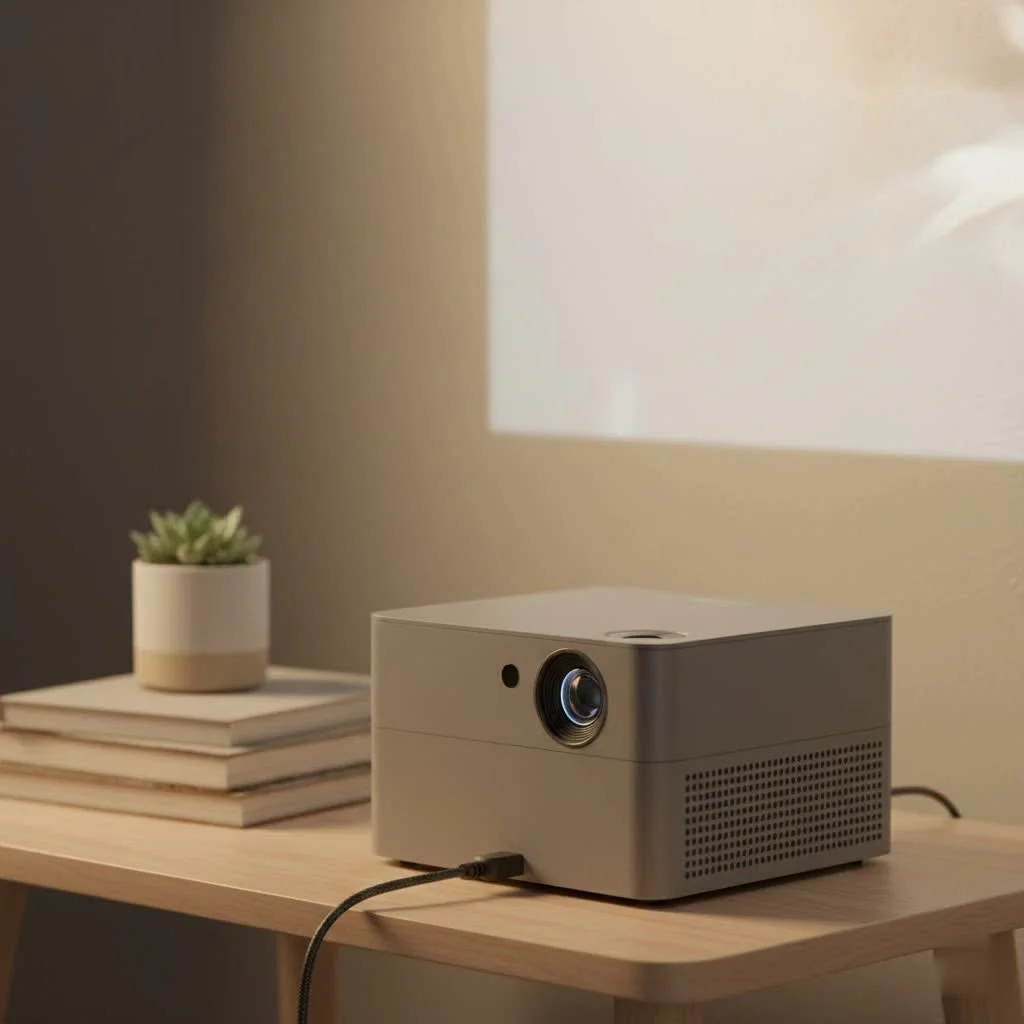
The Vankyo Leisure 3 is designed for simplicity and portability. It’s a small, lightweight projector that promises a big-screen experience, making it an attractive option for casual users, families, and anyone new to the world of projectors. It’s not meant to compete with high-end 4K home theater systems, but it aims to deliver solid performance for movie nights, gaming sessions, and even outdoor gatherings. For complete portable mini library on this site.
Unboxing and First Impressions
From the moment you open the box, the Vankyo Leisure 3 feels accessible. It comes neatly packed in a cushioned carrying case, which is a fantastic touch for portability and protection. Inside, you’ll find the projector itself, a remote control (batteries not included), an HDMI cable, a VGA cable, a power cord, and a standard AV cable. This comprehensive accessory pack means you can connect to a variety of devices right out of the box.
The projector itself is compact and has a clean, simple design. The build is primarily plastic, which is expected at this price point, but it feels sturdy enough for regular use. On the top, you’ll find manual focus and keystone correction wheels, which are essential for getting a clear, rectangular image. The lens is protected by a cap, a small but important detail for preventing scratches.
Key Features and Specifications
To understand what the Vankyo Leisure 3 can do, let’s break down its core specifications. These details are crucial for setting the right expectations for its performance.
Resolution and Brightness
The projector boasts a native resolution of 800×480 pixels but supports inputs up to 1080p Full HD. This is a critical distinction. While you can play 1080p content, the image you see on the screen will be downscaled to the projector’s native resolution. For casual viewing of movies and cartoons, this is often sufficient, but you will notice a lack of sharpness compared to a true HD projector, especially with text-heavy content like presentations.
Vankyo claims the Leisure 3 offers 60% more brightness than similar projectors in its class. While specific lumen ratings can be misleading, the projector performs best in a dark room. In a completely blacked-out space, the image is vibrant and engaging. However, introducing any ambient light will cause the picture to wash out significantly.
Connectivity Options
|
Our Picks for the Best Mini Projector in 2026
As an Amazon Associate I earn from qualifying purchases.
|
||
| Num | Product | Action |
|---|---|---|
| 1 | [Built-in Apps & 2025 Upgraded] Mini Projector Support 4K 1080P Auto Keystone 270° Rotatable with WiFi 6 and Bluetooth 5.4, Projector Portable Compatibile with HDMI/TV Stick/Memory Stick/Laptop-Black |
![Check [Built-in Apps & 2025 Upgraded] Mini Projector Support 4K 1080P Auto Keystone 270° Rotatable with WiFi 6 and Bluetooth 5.4, Projector Portable Compatibile with HDMI/TV Stick/Memory Stick/Laptop-Black on Amazon](https://flasf.com/wp-content/plugins/amazon-tables/assets/images/buy.png)
|
| 2 | [Compatible with Netflix & TOF Real-time Focus] Mini Projector with WiFi and Bluetooth, XuanPad Smart Projector 4K Support, Dolby Audio & Keystone, 210° Rotatable Stand for Home |
|
| 3 | Magcubic Mini Projector with WiFi 6 and Bluetooth 5.4, Portable Projector 4K Support, 5W Soundbase Speaker, Auto Vertical Keystone 180°Rotatable Smart Proyector for Movie Home Outdoor |
|
| 4 | SOOMFON Mini Projector 1080P Support - Portable Small Video Movie Projector Bluetooth 5.1 Auto Keystone Electric Focus for Bedroom/Wall/Home/Outdoor/iPhone/Android/TV Stick |
|
| 5 | Aurzen Roku TV Smart Projector with Wifi and Bluetooth, Roku Streaming Experience Built-in, 1080P FHD, Dolby Audio, Auto Focus & Keystone, Zoom, Movie Portable Outdoor Mini Projector, White |
|
| 6 | 【Officially-Licensed APP & Native 1080P】Thinnest 1.81\" Smart Mini Projector with WiFi and Bluetooth, Auto Focus & Keystone Portable Outdoor Projector, VOPLLS 4K Support Home Movie Projector |
|
| 7 | Aurzen EAZZE D1 Smart Projector with WiFi and Bluetooth, Netflix-Officially-Licensed, Auto Focus & Keystone, DoIby Audio, Native 1080P Movie, Portable Outdoor Mini Projector, White |
|
| 8 | [Short Throw/1200ANSI/Built in Apps] 4K Outdoor Projector with WiFi and Bluetooth, Auto Focus Projector with Dual-Mode Stand, Smart Portable Proyector with Netflix/YouTube/PrimeVideo & Dolby |
|
| 9 | Mini Portable Projector 4K WiFi 6 BT 5.2 Upgraded Portable Projector Full HD Supported for Phone /PC /TV /HDMI /PS5 /Laptop Auto Keystone Home Theater 180° Rotation [Built-in App] White |
|
| 10 | HAPPRUN Native 1080P Bluetooth Mini Projector, Full HD Portable Outdoor Movie Projector with Built-in Speaker, Compatible with Smartphone, HDMI, USB, AV, Fire Stick, PS5 for Home, Bedroom, Outdoor Use |
|
One of the strongest selling points for the Vankyo Leisure 3 is its wide array of connectivity options. It’s equipped with ports for:
- HDMI: For connecting laptops, gaming consoles (like PS4, Xbox, Nintendo Switch), and streaming sticks (Roku, Fire TV Stick, Chromecast).
- VGA: A useful legacy port for older computers.
- USB/TF Card: Allows you to play media files directly from a USB drive or a TF card.
- AV: For connecting older devices like DVD players.
This versatility makes it a flexible multimedia hub. You can easily switch from watching a movie on a Fire Stick to playing a game on your console.
Audio Performance
The Leisure 3 has a built-in speaker, which is convenient but very basic. The sound quality is passable for a small, quiet room, but it lacks bass and can sound tinny at higher volumes. For an immersive movie experience, connecting an external speaker is highly recommended. You can do this easily via the 3.5mm audio-out port, hooking it up to a soundbar, a pair of computer speakers, or even headphones for a private viewing session.
Setting Up the Vankyo Leisure 3
Getting the projector up and running is a straightforward process, even for beginners. Here’s a simple step-by-step guide:
- Position the Projector: Place the projector on a stable surface, pointing towards your screen or a flat, white wall. For the best results, try to position it as squarely to the screen as possible.
- Connect Power: Plug the power cord into the projector and a wall outlet.
- Connect Your Source: Use an HDMI cable to connect your laptop, gaming console, or streaming device.
- Power On: Press the power button on the projector or the remote control.
- Adjust the Image:
- Keystone Correction: Use the dial on top of the projector to correct any vertical distortion, making the image a perfect rectangle.
- Focus: Turn the focus ring around the lens until the image is sharp and clear.
From here, you simply select the correct input source using the remote, and you’re ready to go. The entire process takes less than five minutes.
Real-World Performance: The Good and The Bad
After extensive testing, here’s an honest look at where the Vankyo Leisure 3 excels and where it falls short.
What We Like
- Excellent Value for Money: It’s one of the most affordable ways to get a big-screen experience at home.
- Superb Portability: The compact size and included carrying case make it easy to move around the house or take to a friend’s place.
- Versatile Connectivity: The wide range of ports ensures compatibility with nearly any device you own.
- User-Friendly: It’s incredibly easy to set up and use, making it perfect for those who aren’t tech-savvy.
What Could Be Improved
- Low Native Resolution: The 480p native resolution is the biggest compromise. While watchable, it lacks the clarity of more expensive 720p or 1080p projectors.
- Requires a Dark Room: The brightness is only sufficient for viewing in complete darkness.
- Weak Built-in Speaker: You will almost certainly need to connect an external speaker for decent audio.
- Noticeable Fan Noise: Like most projectors, the cooling fan is audible, though it tends to blend into the background once your movie or game audio starts.
Who is the Vankyo Leisure 3 Mini Projector For?
This projector is not for everyone, but it is an excellent choice for a specific type of user. The Vankyo Leisure 3 is perfect for:
- Families: Looking for an easy and affordable way to have family movie nights.
- Casual Gamers: Who want to experience their games on a larger screen without needing ultra-high resolution.
- Dorm Rooms: An ideal solution for students who want a big screen in a small space.
- Outdoor Movies: Paired with a power bank and a good speaker, it’s great for backyard movie nights on a clear evening.
However, if you are a home theater enthusiast seeking pristine HD quality, or if you plan to use a projector for business presentations with a lot of text, you should look for a model with a higher native resolution.
Final Verdict
The Vankyo Leisure 3 mini projector is a fantastic entry-level device that delivers on its promise of an affordable, portable, big-screen experience. Its main limitations are its low native resolution and brightness, which are reasonable trade-offs for its budget-friendly price. It shines as a fun, versatile gadget for casual entertainment. If you manage your expectations and use it in a dark environment, you will be pleasantly surprised by the value it offers. It successfully makes the magic of a home cinema accessible to almost everyone.
Frequently Asked Questions
What is the native resolution of the Vankyo Leisure 3 mini projector?
The Vankyo Leisure 3 mini projector has a native resolution of 800x480 pixels, meaning content is displayed at this resolution even if the input signal is higher. It supports inputs up to 1080p Full HD, which is then downscaled for projection.
Does the Vankyo Leisure 3 perform well in brightly lit rooms?
No, the Vankyo Leisure 3 performs best in a dark room. While Vankyo claims 60% more brightness than similar projectors, any ambient light will significantly wash out the picture, diminishing the viewing experience.
What connectivity options are available on the Vankyo Leisure 3?
The Vankyo Leisure 3 offers a wide range of connectivity options, including HDMI for modern devices like laptops and gaming consoles, VGA for older computers, USB/TF Card for direct media playback, and AV for legacy devices like DVD players.
Is the built-in speaker on the Vankyo Leisure 3 sufficient for movies?
The built-in speaker on the Vankyo Leisure 3 is basic and generally not sufficient for an immersive movie experience, as it lacks bass and can sound tinny. Connecting an external speaker via the 3.5mm audio-out port is highly recommended for better sound quality.
Who is the Vankyo Leisure 3 mini projector best suited for?
The Vankyo Leisure 3 mini projector is best suited for families, casual gamers, students in dorm rooms, and those looking for an affordable option for outdoor movie nights. It's ideal for users who prioritize portability and value over pristine HD quality.
Set Up the Vankyo Leisure 3 Mini Projector
A simple, step-by-step guide to quickly set up your Vankyo Leisure 3 mini projector for home entertainment.
Place the projector on a stable surface, ensuring it points directly towards your screen or a flat, white wall. For optimal image quality, try to position it as squarely as possible to the projection surface.
Plug the power cord into the projector's power input and then into a standard wall outlet. This provides the necessary power for the device to operate.
Use an appropriate cable, such as an HDMI cable, to connect your desired media source (e.g., laptop, gaming console, streaming device) to the corresponding port on the projector. Ensure the connection is secure.
Press the power button on the projector or the remote control to turn it on. Then, use the remote to navigate the menu and select the correct input source that corresponds to your connected device.
Use the keystone correction dial on top of the projector to correct any vertical distortion, making the image a perfect rectangle. Next, turn the focus ring around the lens until the projected image appears sharp and clear.
Get our weekly buyer guide
Practical specs, not advice. Unsubscribe anytime.
This mini projector is perfect for our family movie nights. We usually just project it onto a blank wall in the living room, and it feels like a real cinema experience for the kids. I appreciate the versatile connectivity options; we’ve hooked up our Roku stick and even my old gaming console without any issues. It’s definitely a great budget-friendly option for casual use.
I bought this for my dorm room, and it’s been a game-changer! My friends and I use it all the time for watching shows and playing video games on a much bigger screen than my laptop. It’s so lightweight and small, I can easily move it around or even take it to a friend’s place. For someone new to projectors, this was a fantastic introduction without breaking the bank.
The Vankyo Leisure 3 is decent for what it is, but I did notice the native resolution of 800×480 pixels is a bit low. While it supports 1080p input, the actual image isn’t as sharp as I hoped, especially when there’s even a little ambient light. It’s fine for cartoons or casual gaming, but if you’re looking for crystal-clear detail, you might need to spend a bit more. Still, it’s very portable.
I’ve been looking for a good portable projector for ages, and the Vankyo Leisure 3 really delivers. We took it camping last weekend and set it up on the side of our tent for a movie night under the stars. The picture quality was surprisingly good for the price, especially in the dark. It’s super easy to set up too, which is a huge plus when you’re out in nature.