Welcome to the world of portable big-screen entertainment! If you’re looking to upgrade your movie nights or make your presentations pop, you’ve likely come across the term 1080p mini projector. But with so many options and technical terms floating around, choosing the right one can feel overwhelming. As the lead content creator at Flasf.com with over a decade of hands-on experience, I’m here to demystify the technology and guide you to the perfect portable cinema experience.
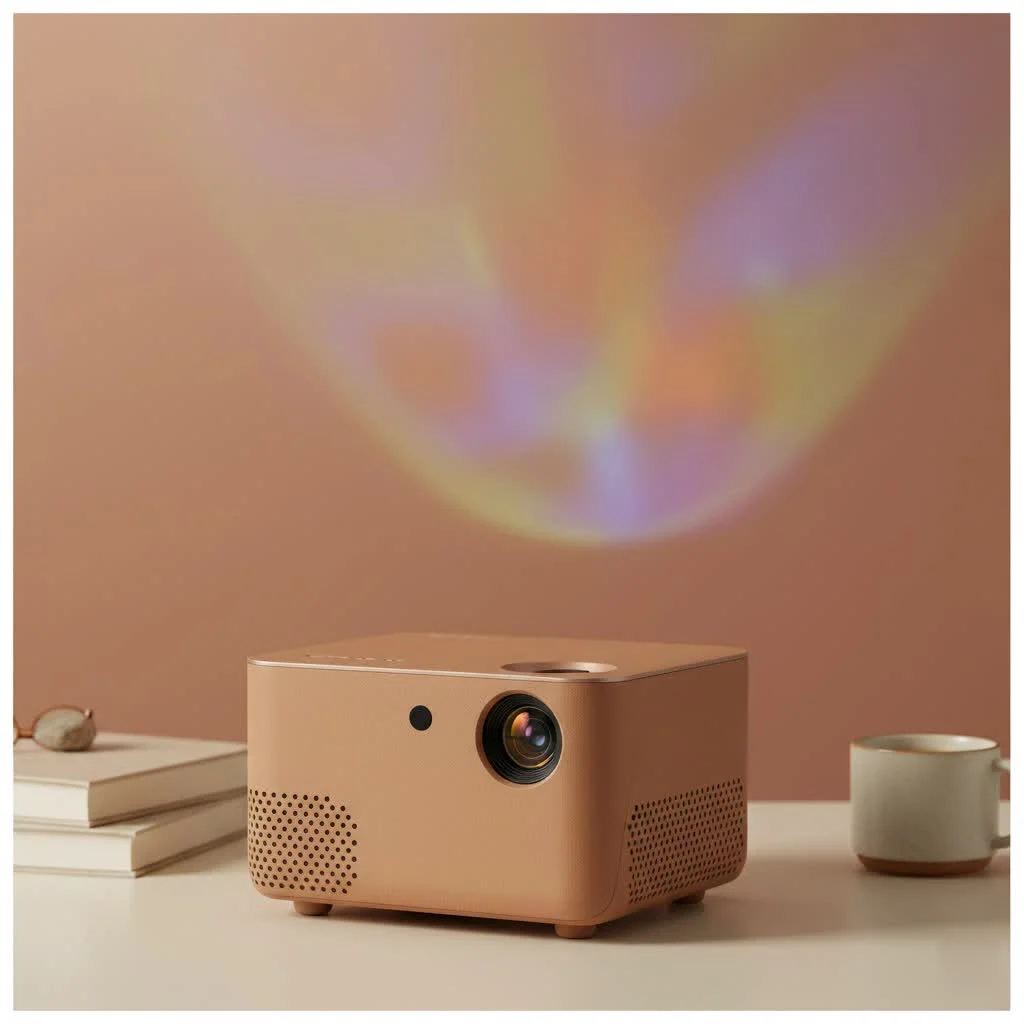
This comprehensive guide will break down everything you need to know. We’ll explore what makes a 1080p mini projector tick, uncover the most critical features to look for, and help you understand the real-world difference between “native” and “supported” resolution. By the end, you’ll have the confidence and knowledge to select a device that fits your needs and budget perfectly. For expert portable mini reviews on this site.
What Defines a 1080p Mini Projector?
At its core, a 1080p mini projector is a compact, portable device capable of displaying an image with a resolution of 1920 x 1080 pixels. This is also known as Full HD (FHD). Each of those two million-plus pixels contributes to a sharp, clear, and detailed picture, which is a significant step up from older 720p (HD) or 480p (SD) projectors. These devices are designed for convenience, combining high-quality imaging with features like built-in batteries, speakers, and smart capabilities in a small, easy-to-carry package.
The Most Important Factor: Native vs. Supported 1080p
If you only take one thing away from this guide, let it be this. The distinction between “native” and “supported” resolution is the single most important concept to grasp when shopping for a 1080p mini projector, and it’s where many manufacturers can be misleading.
-
Native 1080p: This means the projector’s internal imaging chip (the component that creates the picture) has a physical grid of 1920 x 1080 individual pixels. It can display a 1080p source signal pixel-for-pixel, resulting in the sharpest, clearest, and most authentic Full HD image. This is what you should always look for.
-
Supported 1080p: This is a marketing tactic. It means the projector can receive a 1080p signal from a device like a Blu-ray player or laptop, but its native resolution is much lower (often 720p or even 480p). The projector then downscales, or compresses, the high-resolution signal to fit its lower-resolution chip. The result is a significantly softer, less detailed image that is not true 1080p.
Expert Take: As a reviewer, I’ve seen countless projectors advertised as “1080p HD Projector” that are only supported 1080p. As media expert Johnathan Fields says, “Always check the specifications for ‘Native Resolution’. If it’s not explicitly listed as 1920×1080, you are not getting a true Full HD experience.”
Key Features to Look For in a 1080p Mini Projector
Beyond resolution, several other factors determine the quality and usability of your projector. Let’s break down the most essential ones.
Brightness: Understanding ANSI Lumens
|
Our Picks for the Best Mini Projector in 2026
As an Amazon Associate I earn from qualifying purchases.
|
||
| Num | Product | Action |
|---|---|---|
| 1 | Aurzen Roku TV Smart Projector with Wifi and Bluetooth, Roku Streaming Experience Built-in, 1080P FHD, Dolby Audio, Auto Focus & Keystone, Zoom, Movie Portable Outdoor Mini Projector, White |

|
| 2 | 【Officially-Licensed APP & Native 1080P】Thinnest 1.81\" Smart Mini Projector with WiFi and Bluetooth, Auto Focus & Keystone Portable Outdoor Projector, VOPLLS 4K Support Home Movie Projector |
|
| 3 | Mini Portable Projector 4K WiFi 6 BT 5.2 Upgraded Portable Projector Full HD Supported for Phone /PC /TV /HDMI /PS5 /Laptop Auto Keystone Home Theater 180° Rotation [Built-in App] White |
|
| 4 | SOOMFON Mini Projector 1080P Support - Portable Small Video Movie Projector Bluetooth 5.1 Auto Keystone Electric Focus for Bedroom/Wall/Home/Outdoor/iPhone/Android/TV Stick |
|
| 5 | [Short Throw/1200ANSI/Built in Apps] 4K Outdoor Projector with WiFi and Bluetooth, Auto Focus Projector with Dual-Mode Stand, Smart Portable Proyector with Netflix/YouTube/PrimeVideo & Dolby |
|
| 6 | Magcubic Mini Projector with WiFi 6 and Bluetooth 5.4, Portable Projector 4K Support, 5W Soundbase Speaker, Auto Vertical Keystone 180°Rotatable Smart Proyector for Movie Home Outdoor |
|
| 7 | [Built-in Apps & 2025 Upgraded] Mini Projector Support 4K 1080P Auto Keystone 270° Rotatable with WiFi 6 and Bluetooth 5.4, Projector Portable Compatibile with HDMI/TV Stick/Memory Stick/Laptop-Black |
|
| 8 | [Compatible with Netflix & TOF Real-time Focus] Mini Projector with WiFi and Bluetooth, XuanPad Smart Projector 4K Support, Dolby Audio & Keystone, 210° Rotatable Stand for Home |
|
| 9 | HAPPRUN Native 1080P Bluetooth Mini Projector, Full HD Portable Outdoor Movie Projector with Built-in Speaker, Compatible with Smartphone, HDMI, USB, AV, Fire Stick, PS5 for Home, Bedroom, Outdoor Use |
|
| 10 | Aurzen EAZZE D1 Smart Projector with WiFi and Bluetooth, Netflix-Officially-Licensed, Auto Focus & Keystone, DoIby Audio, Native 1080P Movie, Portable Outdoor Mini Projector, White |
|
Brightness is arguably the second most crucial specification after native resolution. It determines how well the image will show up in different lighting conditions. However, the brightness specification is another area rife with confusing marketing.
- ANSI Lumens: This is the standardized, most reliable measurement of projector brightness. It involves averaging light measurements from nine specific points on the screen.
- “Lux” or “Lumens”: Many budget brands list incredibly high numbers like “9500 Lumens.” This is a non-standardized measurement, often taken directly at the lamp source, and does not accurately reflect the final brightness you’ll see on the screen.
An ANSI Lumen rating of 300-500 is generally good for a dark room, while 500 or more is recommended for rooms with some ambient light.
Contrast Ratio: The Depth of Your Image
The contrast ratio measures the difference between the darkest black and the brightest white a projector can produce. A higher contrast ratio means deeper blacks, brighter whites, and more “pop” to the image. A ratio of at least 1,000:1 is a good starting point for a decent cinematic experience.
Connectivity and Smart Features
How you get your content onto the screen is vital. A modern 1080p mini projector should offer a range of options:
- Wired Connections: Look for at least one HDMI port for connecting laptops, gaming consoles, and streaming sticks. A USB port is also useful for playing media from a flash drive or powering a device.
- Wireless Connectivity: Wi-Fi allows you to stream content directly from apps like Netflix or YouTube if the projector has a built-in operating system (like Android TV). Bluetooth is essential for connecting to external speakers or headphones for a much-improved audio experience.
Portability and Power
The “mini” in the name implies portability. Consider these factors:
- Size and Weight: How easy is it to pack and carry? Some are pocket-sized, while others are more like small books.
- Battery Life: A built-in battery is a game-changer for outdoor movies or presentations on the go. Look for a battery that can last at least 2-3 hours, long enough for a typical movie.
- Keystone Correction and Autofocus: These are huge quality-of-life features. Keystone correction (especially automatic vertical and horizontal) squares the image when the projector is placed at an angle, while autofocus ensures a sharp picture without constant manual adjustments.
Why Choose a 1080p Mini Projector?
With 4K becoming more common, you might wonder if 1080p is still relevant. For mini projectors, the answer is a resounding yes.
- Excellent Balance of Quality and Price: True native 4K mini projectors are still very expensive and rare. A native 1080p model provides a fantastic, sharp image at a much more accessible price point.
- Abundant Content: The vast majority of streaming content, broadcast TV, and video games are still produced and optimized for 1080p resolution.
- Efficiency: 1080p resolution is less demanding on processing power and battery life compared to 4K, making it ideal for a portable device.
Frequently Asked Questions (FAQ)
Can I use a 1080p mini projector in a bright room?
You can, but your experience will be better in a dimly lit or dark room. For daytime viewing, you will need a projector with a high ANSI lumen rating (ideally 500+) and may need to use it with an ambient light rejecting (ALR) screen to get a vibrant image.
How big of a screen can I project?
Most 1080p mini projectors can create a screen size from 30 inches up to 120 inches or more. However, remember that the larger you make the image, the dimmer it will become. For the best balance of size and brightness, an 80 to 100-inch screen is often the sweet spot.
Is a 1080p mini projector good for gaming?
Yes, many are great for casual gaming! They offer an immersive, large-screen experience. For competitive gaming, however, you’ll want to pay close attention to the projector’s input lag—the delay between your controller input and the action on screen. Look for models with a dedicated “Game Mode” to minimize this lag.
Do I need to buy a separate speaker?
While most mini projectors have built-in speakers, they are typically small and lack bass. They are fine for a casual presentation or watching a short video. For an immersive movie experience, it is highly recommended to connect to a Bluetooth speaker or a soundbar.
What is the lifespan of a mini projector’s lamp?
Modern mini projectors use LED light sources instead of traditional lamps. These LEDs have an incredibly long lifespan, typically rated for 20,000 to 30,000 hours of use. That means you could watch a two-hour movie every single day for over 25 years before needing a replacement.
Your Next Step to a Bigger Picture
Choosing a 1080p mini projector is about finding the right balance of features for your specific needs. By focusing on a true native 1920×1080 resolution and understanding the importance of ANSI lumens, contrast, and connectivity, you can confidently cut through the marketing noise. Whether for backyard movie nights, dynamic business presentations, or immersive gaming sessions, the right portable projector can unlock a world of large-scale entertainment anywhere you go.
Get our weekly buyer guide
Practical specs, not advice. Unsubscribe anytime.
Finally pulled the trigger on a mini projector after reading about the different connectivity options. I needed something that could easily connect to my phone for streaming, and the one I chose with built-in Wi-Fi and screen mirroring works flawlessly. It’s made impromptu movie sessions so much easier and more fun.
I appreciate the breakdown of features, but I found that the brightness levels mentioned for some of the smaller projectors were a bit optimistic. My projector, while portable, struggles a bit in rooms that aren’t completely dark. It’s fine for a totally blacked-out room, but I was hoping for a bit more versatility during the day.
I was so confused about native vs. supported resolution before reading this. My old projector claimed 1080p but always looked blurry. After getting the one recommended with true native 1080p, the difference is night and day! It’s perfect for our backyard movie nights, super clear even on a big screen.
This guide really helped me narrow down my choices. I ended up getting a mini projector in the mid-range budget, and it’s fantastic for gaming on the go. The picture quality is surprisingly good for such a small device, and it connects easily to my console. Definitely a solid upgrade for my travel setup.