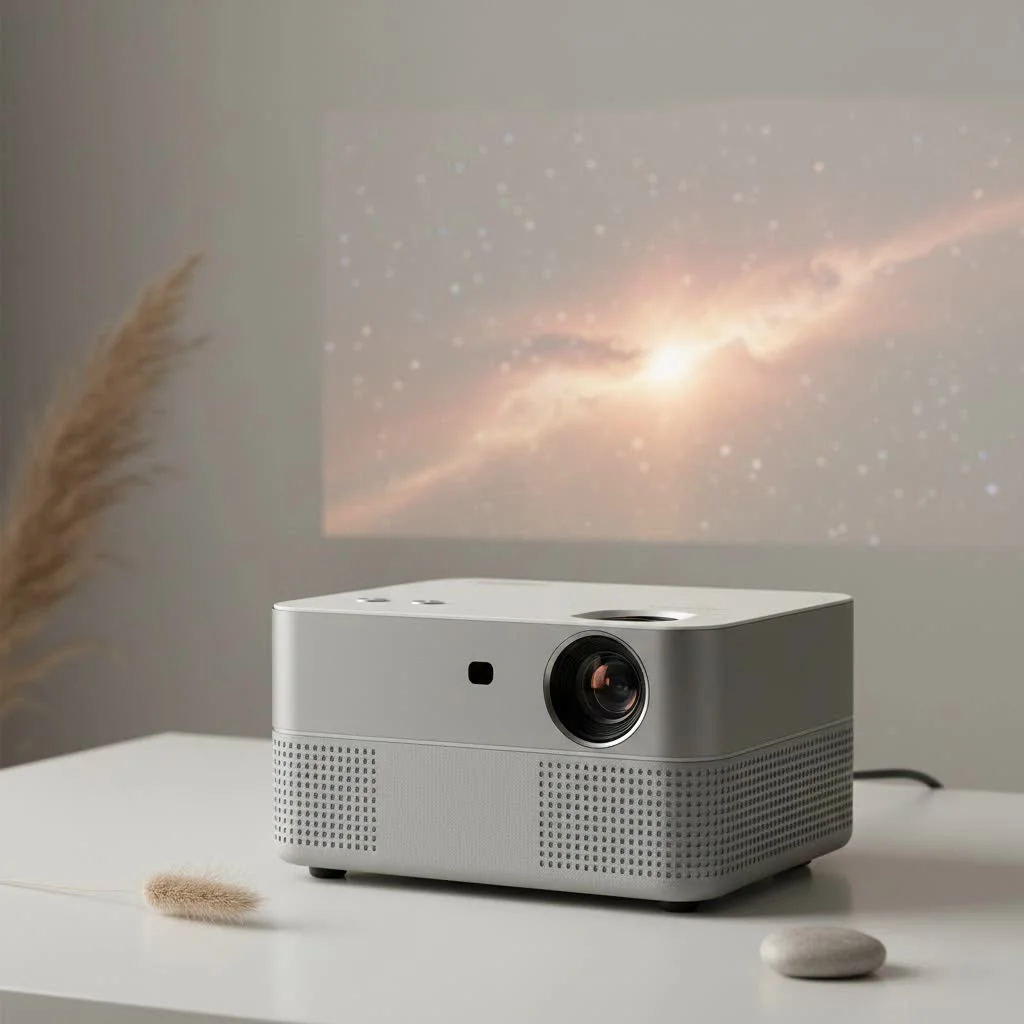
A mini video projector is a compact, portable device designed to project video images onto a surface, offering big-screen entertainment anywhere. These projectors typically feature built-in batteries and speakers, making them ideal for on-the-go use, from backyard movie nights to business presentations. They provide ultimate portability, save space, offer impressive versatility for various applications, and are generally more cost-effective than large televisions, delivering a massive display size for a budget-friendly price.
What Exactly is a Mini Video Projector?
A mini video projector, often called a pico projector or portable projector, is a lightweight, compact device designed to project a video image onto a surface. Unlike their bulky, office-dwelling cousins, these projectors are built for portability. They typically feature built-in batteries and speakers and are small enough to toss in a backpack or even a pocket. This makes them incredibly versatile for everything from impromptu movie marathons with friends to dynamic business pitches outside the conference room. The core idea is simple: big-screen experiences, anywhere, anytime.
Key Benefits of Owning a Mini Projector
Why are so many people turning to these compact powerhouses for their projection needs? The advantages are clear and compelling, catering to a modern, on-the-go lifestyle.
- Ultimate Portability: This is their standout feature. A mini video projector allows you to set up a screen wherever you go. Think beach movie nights, camping entertainment, or sharing photos at a family gathering without everyone huddling around a tiny phone screen.
- Space-Saving Design: For those living in apartments or smaller spaces, a portable projector is a major upgrade. There’s no need for a dedicated media room or bulky entertainment center. When you’re done, simply pack it away.
- Impressive Versatility: Their use cases are nearly limitless. They are fantastic for home entertainment, but they also serve as powerful tools for artists who need to project designs, decorators planning a gallery wall, or educators looking for a more engaging classroom tool.
- Cost-Effectiveness: Generally, mini projectors are more affordable than full-sized models and large-screen televisions, offering a budget-friendly way to achieve a massive display size.
How to Choose the Perfect Mini Video Projector
Navigating the market can be tricky with all the technical jargon. Let’s break down the most important features to consider so you can find the model that’s right for you. As our lead technician at Flasf, Dr. Alex Chen, often says, “The best projector isn’t the one with the highest specs, but the one that best fits your specific environment and needs.”
Brightness (Lumens): The Most Crucial Factor
|
Our Picks for the Best Mini Projector in 2026
As an Amazon Associate I earn from qualifying purchases.
|
||
| Num | Product | Action |
|---|---|---|
| 1 | [Compatible with Netflix & TOF Real-time Focus] Mini Projector with WiFi and Bluetooth, XuanPad Smart Projector 4K Support, Dolby Audio & Keystone, 210° Rotatable Stand for Home |
![Check [Compatible with Netflix & TOF Real-time Focus] Mini Projector with WiFi and Bluetooth, XuanPad Smart Projector 4K Support, Dolby Audio & Keystone, 210° Rotatable Stand for Home on Amazon](https://flasf.com/wp-content/plugins/amazon-tables/assets/images/buy.png)
|
| 2 | Mini Portable Projector 4K WiFi 6 BT 5.2 Upgraded Portable Projector Full HD Supported for Phone /PC /TV /HDMI /PS5 /Laptop Auto Keystone Home Theater 180° Rotation [Built-in App] White |
|
| 3 | [Built-in Apps & 2025 Upgraded] Mini Projector Support 4K 1080P Auto Keystone 270° Rotatable with WiFi 6 and Bluetooth 5.4, Projector Portable Compatibile with HDMI/TV Stick/Memory Stick/Laptop-Black |
|
| 4 | 【Officially-Licensed APP & Native 1080P】Thinnest 1.81\" Smart Mini Projector with WiFi and Bluetooth, Auto Focus & Keystone Portable Outdoor Projector, VOPLLS 4K Support Home Movie Projector |
|
| 5 | SOOMFON Mini Projector 1080P Support - Portable Small Video Movie Projector Bluetooth 5.1 Auto Keystone Electric Focus for Bedroom/Wall/Home/Outdoor/iPhone/Android/TV Stick |
|
| 6 | HAPPRUN Native 1080P Bluetooth Mini Projector, Full HD Portable Outdoor Movie Projector with Built-in Speaker, Compatible with Smartphone, HDMI, USB, AV, Fire Stick, PS5 for Home, Bedroom, Outdoor Use |
|
| 7 | Aurzen Roku TV Smart Projector with Wifi and Bluetooth, Roku Streaming Experience Built-in, 1080P FHD, Dolby Audio, Auto Focus & Keystone, Zoom, Movie Portable Outdoor Mini Projector, White |
|
| 8 | [Short Throw/1200ANSI/Built in Apps] 4K Outdoor Projector with WiFi and Bluetooth, Auto Focus Projector with Dual-Mode Stand, Smart Portable Proyector with Netflix/YouTube/PrimeVideo & Dolby |
|
| 9 | Magcubic Mini Projector with WiFi 6 and Bluetooth 5.4, Portable Projector 4K Support, 5W Soundbase Speaker, Auto Vertical Keystone 180°Rotatable Smart Proyector for Movie Home Outdoor |
|
| 10 | Aurzen EAZZE D1 Smart Projector with WiFi and Bluetooth, Netflix-Officially-Licensed, Auto Focus & Keystone, DoIby Audio, Native 1080P Movie, Portable Outdoor Mini Projector, White |
|
Brightness, measured in ANSI lumens, is arguably the most critical specification. It determines how visible and vibrant the image will be, especially in rooms that aren’t completely dark.
- 100-300 ANSI Lumens: Ideal for very dark rooms. Perfect for a controlled home theater setup or nighttime viewing.
- 300-500 ANSI Lumens: A versatile range suitable for rooms with low ambient light, like a living room with curtains drawn in the evening.
- 500+ ANSI Lumens: Necessary if you plan to use your projector in environments with some daylight or in a dimly lit office for presentations.
Resolution: Clarity is Key
Resolution refers to the number of pixels in the image. More pixels mean a sharper, more detailed picture.
- 480p (Standard Definition): This is the entry-level resolution. It’s acceptable for casual viewing but won’t deliver a crisp, cinematic experience.
- 720p (HD): A significant step up in clarity. This is a great middle-ground for movie watching and gaming, offering a good balance of quality and price.
- 1080p (Full HD): The gold standard for most users. It provides a sharp, clear, and immersive picture that’s perfect for a true home cinema feel.
Connectivity: How You’ll Play Your Content
A projector is only as good as the devices you can connect to it. Look for a model with a variety of ports to ensure maximum compatibility.
- HDMI: The most important connection for laptops, gaming consoles (like PlayStation and Xbox), and streaming sticks (like Roku or Amazon Fire TV).
- USB: Allows you to play movies, view photos, or listen to music directly from a flash drive. Some models can also be powered or charged via USB.
- Wi-Fi & Bluetooth: These wireless options are a huge convenience. Wi-Fi lets you stream content directly from your phone or laptop without cables, while Bluetooth allows you to connect to external speakers or headphones for superior audio.
Battery Life: For True On-the-Go Entertainment
If you plan to use your mini video projector away from a power outlet, battery life is non-negotiable. Most models offer between 1.5 to 3 hours of playback time. Consider how long you typically watch movies or present for, and choose a battery that can keep up. Many also support power bank charging for extended use.
Setting Up Your Mini Projector: A Step-by-Step Guide
Getting started is usually straightforward. Follow these simple steps for a perfect setup.
- Choose Your Surface: Find a flat, light-colored wall or a dedicated projector screen. The smoother the surface, the better the image quality.
- Position the Projector: Place the projector on a stable surface, like a tripod or a table. Aim it squarely at the center of your screen to minimize distortion.
- Connect Your Source: Plug in your laptop, streaming stick, or gaming console using an HDMI cable. Or, connect your phone wirelessly via screen mirroring if your projector supports it.
- Power On and Focus: Turn the projector on. Most models have a focus wheel or dial near the lens. Adjust it until the image is sharp and clear.
- Adjust the Image: Use the keystone correction feature to square up the image if it looks like a trapezoid. This happens when the projector isn’t perfectly perpendicular to the screen. Adjust volume and picture settings as needed.
Pro Tips for the Best Picture Quality
- Control the Lighting: The darker the room, the better the picture will look. Close curtains and turn off lights to make the image pop.
- Use a Proper Screen: While a wall works, a dedicated projector screen has a special coating that reflects light more effectively, boosting contrast and brightness.
- Get Your Audio Right: While built-in speakers are convenient, they often lack power. For an immersive cinematic experience, connect your projector to a Bluetooth speaker or a soundbar.
Frequently Asked Questions (FAQ)
Can I use a mini video projector for gaming?
Yes, you absolutely can! For the best experience, look for a model with a low input lag and a dedicated “Game Mode.” Connecting via HDMI will almost always provide a faster and more stable connection than wireless options.
How long does the light source (bulb) last?
Most modern mini projectors use LED light sources instead of traditional lamps. These LEDs have an incredibly long lifespan, often rated for 20,000 to 30,000 hours. That means you could watch a two-hour movie every single day for over 25 years before needing a replacement.
Can I connect my smartphone to the projector?
Yes. Many projectors support wireless screen mirroring (like Miracast or AirPlay) for both Android and iOS devices. If not, you can almost always connect using a physical adapter, such as a Lightning-to-HDMI adapter for iPhones or a USB-C-to-HDMI adapter for many Android phones.
Are mini projectors good for outdoor movie nights?
They are perfect for it! Just to wait until it’s fully dark outside for the best picture. Pair your mini video projector with a large portable screen and a powerful Bluetooth speaker for an unforgettable backyard cinema experience.
Your Portable Cinema Awaits
A mini video projector is more than just a gadget; it’s a passport to new experiences. It frees your media from the confines of a television screen and lets you share moments in a bigger, more engaging way. Whether you’re a movie buff, a creative professional, or someone who just loves cool technology, there’s a portable projector out there waiting to transform the way you see the world. Take the time to consider your needs, focus on the key features we’ve discussed, and get ready to enjoy a massive screen wherever life takes you.
Set Up Your Mini Projector for the Perfect Picture
Follow these simple steps to quickly set up your mini projector and achieve optimal picture quality for your home entertainment or presentations.
Select a flat, light-colored wall or a dedicated projector screen. A smoother surface will always yield better image quality and clarity.
Place the projector on a stable surface, such as a tripod or table. Aim it directly at the center of your chosen screen to minimize any image distortion.
Plug in your laptop, streaming stick, or gaming console using an HDMI cable. Alternatively, connect your smartphone wirelessly via screen mirroring if your projector supports this feature.
Turn on the projector and locate the focus wheel or dial near the lens. Adjust it carefully until the projected image appears sharp and clear across the entire screen.
Utilize the keystone correction feature to square up the image if it appears trapezoidal, which occurs when the projector is not perfectly perpendicular to the screen. Adjust volume and other picture settings as needed for the best viewing experience.
Get our weekly buyer guide
Practical specs, not advice. Unsubscribe anytime.
I got one of these mini projectors for backyard movie nights and it’s been a game changer! The built-in speakers are surprisingly good for outdoor use, and the picture quality is really sharp even on a bedsheet. Setting it up was super easy, literally plug and play. Definitely recommend for anyone wanting to upgrade their outdoor entertainment.
This mini video projector is exactly what I needed for my small apartment. I don’t have space for a huge TV, so projecting onto my wall gives me that big-screen feel without taking up any extra room. It was more cost-effective than buying a large television too, which was a huge plus for my budget. So happy with this purchase!
I picked up a portable projector after reading about how versatile they are, and it’s true! I’ve used it for presentations at work and then for a quick movie night at a friend’s place. The battery life is decent, but I do wish it lasted a little longer for those extra-long films. Still, for the price, you can’t beat the convenience and the huge display you get.
I was excited about getting a pico projector for travel, but I found the brightness to be a bit low unless the room is really dark. It’s fine for casual viewing, but don’t expect cinema-level clarity in a moderately lit space. It’s super compact though, which is great for saving space in my bag, and the setup was a breeze.