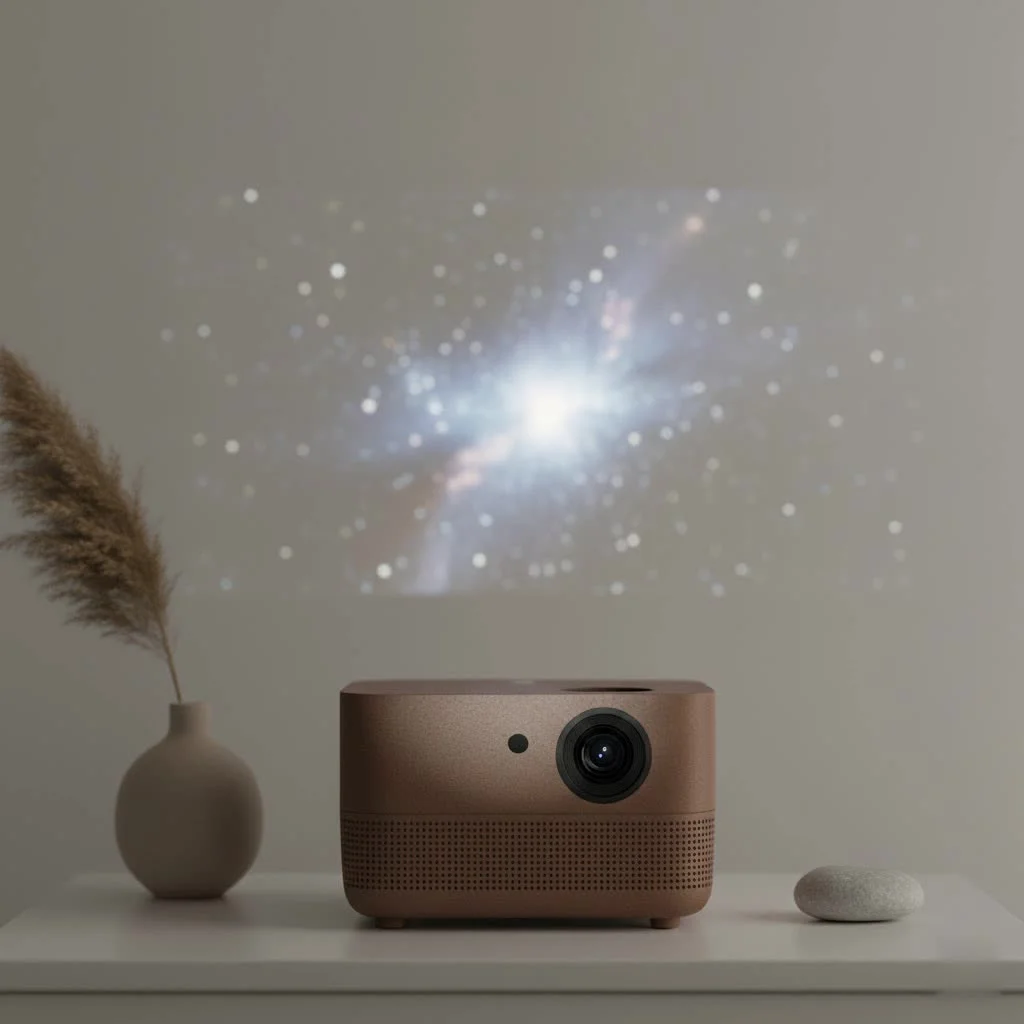
The PVO mini projector is a compact, lightweight device designed for portable home entertainment, offering a budget-friendly big-screen experience with a native resolution of 800×480 pixels and support for 1080p input. It is best suited for casual viewing in dark environments, making it ideal for backyard movie nights, camping trips, or children’s rooms. While it doesn’t replace high-end home theater systems, its affordability and ease of use make it a popular choice for families and travelers seeking versatile entertainment.
What Exactly is the PVO Mini Projector?
The PVO mini projector is a compact, lightweight projector designed for ultimate portability and ease of use. Often marketed as a great gift for kids, its primary appeal is its simplicity and budget-friendly price point. Think of it not as a replacement for a high-end home theater system, but as a fun, versatile gadget for casual viewing. It’s small enough to be carried in a bag or even a large pocket, making it perfect for families, travelers, and anyone who wants to enjoy videos and movies without being tied to a television. The main goal of the PVO projector is to make big-screen entertainment accessible to everyone, anywhere. For shop curated portable mini on this site.
Key Features and Specifications: A Closer Look
To truly understand what the PVO mini projector can do, let’s dive into its core features. It’s important to set realistic expectations, as this is a device built for a specific purpose and price range.
Design and Portability
The first thing you’ll notice is its size. Measuring roughly 5.6 by 3.7 by 2.1 inches and weighing under a pound, it’s incredibly compact. This is its standout feature. You can easily take it from room to room or pack it for a trip without a second thought. Many models, like the YG300 Pro, can even be powered by a portable power bank (that supports 5V/2.5A), freeing you from the need for a wall outlet and making it ideal for outdoor use.
Image Quality: What to Expect
Here’s where managing expectations is key. The PVO YG300 Pro has been updated to support a 1080p Full HD input, but its native resolution is 800×480 pixels. This means that while it can accept high-definition signals, the image it projects is standard definition. For watching cartoons, casual movies, or YouTube videos, this is often sufficient. However, it won’t deliver the razor-sharp clarity of a true HD projector.
Brightness is another critical factor. This projector is best used in a dark or dimly lit room. Any significant amount of ambient light will wash out the image, making it difficult to see. For the best results, think pitch-black movie night. You can project an image up to 170 inches, but the recommended size for optimal clarity and brightness is between 60 and 100 inches.
Connectivity Options
|
Our Picks for the Best Mini Projector in 2026
As an Amazon Associate I earn from qualifying purchases.
|
||
| Num | Product | Action |
|---|---|---|
| 1 | Magcubic Mini Projector with WiFi 6 and Bluetooth 5.4, Portable Projector 4K Support, 5W Soundbase Speaker, Auto Vertical Keystone 180°Rotatable Smart Proyector for Movie Home Outdoor |

|
| 2 | HAPPRUN Native 1080P Bluetooth Mini Projector, Full HD Portable Outdoor Movie Projector with Built-in Speaker, Compatible with Smartphone, HDMI, USB, AV, Fire Stick, PS5 for Home, Bedroom, Outdoor Use |
|
| 3 | Aurzen Roku TV Smart Projector with Wifi and Bluetooth, Roku Streaming Experience Built-in, 1080P FHD, Dolby Audio, Auto Focus & Keystone, Zoom, Movie Portable Outdoor Mini Projector, White |
|
| 4 | [Built-in Apps & 2025 Upgraded] Mini Projector Support 4K 1080P Auto Keystone 270° Rotatable with WiFi 6 and Bluetooth 5.4, Projector Portable Compatibile with HDMI/TV Stick/Memory Stick/Laptop-Black |
|
| 5 | Aurzen EAZZE D1 Smart Projector with WiFi and Bluetooth, Netflix-Officially-Licensed, Auto Focus & Keystone, DoIby Audio, Native 1080P Movie, Portable Outdoor Mini Projector, White |
|
| 6 | Mini Portable Projector 4K WiFi 6 BT 5.2 Upgraded Portable Projector Full HD Supported for Phone /PC /TV /HDMI /PS5 /Laptop Auto Keystone Home Theater 180° Rotation [Built-in App] White |
|
| 7 | [Compatible with Netflix & TOF Real-time Focus] Mini Projector with WiFi and Bluetooth, XuanPad Smart Projector 4K Support, Dolby Audio & Keystone, 210° Rotatable Stand for Home |
|
| 8 | 【Officially-Licensed APP & Native 1080P】Thinnest 1.81\" Smart Mini Projector with WiFi and Bluetooth, Auto Focus & Keystone Portable Outdoor Projector, VOPLLS 4K Support Home Movie Projector |
|
| 9 | SOOMFON Mini Projector 1080P Support - Portable Small Video Movie Projector Bluetooth 5.1 Auto Keystone Electric Focus for Bedroom/Wall/Home/Outdoor/iPhone/Android/TV Stick |
|
| 10 | [Short Throw/1200ANSI/Built in Apps] 4K Outdoor Projector with WiFi and Bluetooth, Auto Focus Projector with Dual-Mode Stand, Smart Portable Proyector with Netflix/YouTube/PrimeVideo & Dolby |
|
The PVO projector offers a surprising number of ways to connect your devices. It typically comes equipped with:
- HDMI: The most common input, used for connecting laptops, gaming consoles, TV boxes, and streaming sticks.
- USB: Allows you to play media files directly from a USB flash drive.
- MicroSD Card Slot: Another option for playing media directly from a memory card.
- AV Port: For older devices that use RCA connections.
most PVO projectors do not have built-in WiFi or Bluetooth for video streaming. To connect a smartphone or tablet, you will need a separate adapter (like a Lightning-to-HDMI adapter for iPhones or a USB-C-to-HDMI adapter for many Android devices).
Built-in Speaker and Audio
The projector includes a small, built-in speaker. While it’s convenient to have, the audio quality is basic and may not be powerful enough for a truly immersive experience. Thankfully, there is a 3.5mm headphone jack, allowing you to easily connect external speakers or headphones for a significant audio upgrade. This is a highly recommended step to enhance your viewing experience.
How to Set Up Your PVO Mini Projector
Getting started with the PVO projector is designed to be simple and straightforward, even for those who aren’t tech-savvy.
- Position the Projector: Place the projector on a stable, flat surface like a table or a tripod (it has a standard tripod mount on the bottom). Point it towards a flat, light-colored wall or a projector screen.
- Connect the Power: Plug the included power adapter into the projector and a wall outlet. Alternatively, connect a compatible power bank to the micro-USB port.
- Connect Your Device: Use an HDMI cable to connect your laptop, streaming stick, or game console. If using a phone, connect it via the required HDMI adapter.
- Power On and Select Source: Press the power button on the projector or the remote. Use the input/source button to select the correct input (e.g., HDMI).
- Adjust the Image: Use the manual focus dial on the lens to get a sharp, clear picture. Since there is no keystone adjustment, you’ll need to ensure the projector is level and perpendicular to the screen to avoid a distorted image.
Is the PVO Mini Projector Right for You?
This is the most important question. This projector isn’t for everyone, but for the right person, it’s a fantastic little device.
Who Should Buy It?
- Parents and Kids: It’s an excellent “first projector” for children’s rooms, allowing them to watch cartoons on a big screen, which can be better for their eyes than a small tablet screen.
- Casual Movie Watchers: If you want a fun, easy way to have a movie night at home or in the backyard without a complicated setup, this is a great choice.
- Budget-Conscious Shoppers: For its price, it offers incredible value and a unique viewing experience that televisions in the same price range can’t match.
- Travelers and Campers: Its portability and ability to be powered by a power bank make it a perfect travel companion.
Who Should Avoid It?
- Home Theater Enthusiasts: If you demand high-definition clarity, deep blacks, and vibrant colors, you will be disappointed. This is not a substitute for a dedicated home theater projector.
- Business Professionals: The low resolution is not suitable for presenting detailed slides, text, or spreadsheets.
- Anyone Planning to Use It in a Bright Room: This projector simply does not have the brightness to compete with ambient light.
As home entertainment specialist David Chen notes, “The rise of pico and mini projectors like the PVO line isn’t about competing with 4K televisions. It’s about creating new, flexible viewing experiences. It’s about bringing the fun of a big screen to places it could never go before.”
Frequently Asked Questions (FAQ)
How do I connect my phone to the PVO mini projector? You need an adapter. For an iPhone, you’ll need a Lightning to Digital AV Adapter. For most modern Android phones, you’ll need a USB-C to HDMI adapter. These are sold separately.
Can I watch Netflix or Disney+ on the PVO projector? Yes, but you need to connect a device that can stream them, such as a laptop, an Amazon Fire Stick, a Roku, or your phone (with the proper adapter). You cannot install apps directly onto the projector itself.
Is the projector bright enough for daytime use? No. The PVO mini projector is designed for use in dark environments. It is not powerful enough to produce a visible image in a well-lit or sunlit room.
Does the PVO mini projector have Bluetooth? Some newer models may have Bluetooth for audio output only, meaning you can connect a Bluetooth speaker. However, it does not support Bluetooth for screen mirroring or video input from your phone. Always check the specific model’s specifications.
Why is the sound not working when I play a video? Some streaming content has Dolby Audio, which is often not supported by mini projectors. Try disabling Dolby Digital Plus in your streaming device’s (e.g., Fire Stick) audio settings to fix this.
The Final Verdict
The PVO mini projector is a charming and capable device when used for its intended purpose. It’s a gateway to fun, portable, big-screen entertainment on a shoestring budget. While it has clear limitations in resolution and brightness, its affordability, ease of use, and incredible portability make it a worthwhile gadget for families, kids, and casual viewers. If you understand what you’re buying—a simple, fun projector for dark-room movie nights—you’ll likely be delighted with the value the PVO mini projector provides.
Frequently Asked Questions
How do I connect my phone to the PVO mini projector?
To connect your phone to a PVO mini projector, you will need a separate adapter. For iPhones, a Lightning to Digital AV Adapter is required, while most modern Android phones need a USB-C to HDMI adapter. These adapters are typically sold separately and are essential for mirroring your phone's screen.
Can I watch Netflix or Disney+ on the PVO projector?
Yes, you can watch Netflix or Disney+ on the PVO projector by connecting an external streaming device. This includes laptops, Amazon Fire Sticks, Roku devices, or your smartphone with the appropriate HDMI adapter. The projector itself does not support direct app installation.
Is the PVO mini projector bright enough for daytime use?
No, the PVO mini projector is not bright enough for daytime use. It is specifically designed for optimal performance in dark or dimly lit environments. Any significant ambient light will wash out the projected image, making it difficult to view.
Does the PVO mini projector have Bluetooth for screen mirroring?
Most PVO mini projectors do not support Bluetooth for screen mirroring or video input from your phone. Some newer models may offer Bluetooth for audio output only, allowing you to connect external Bluetooth speakers. Always verify the specific model's specifications for Bluetooth capabilities.
Why is there no sound when playing videos on my PVO projector?
If there is no sound when playing videos, it might be due to unsupported Dolby Audio content. Many mini projectors, including PVO models, do not support Dolby Digital Plus. To resolve this, try disabling Dolby Digital Plus in the audio settings of your streaming device, such as an Amazon Fire Stick.
Set Up Your PVO Mini Projector
Setting up your PVO mini projector is a simple process, even for those new to projectors. Follow these steps to get your portable cinema ready for viewing.
Place the PVO projector on a stable, flat surface or a tripod, ensuring it's pointed towards a flat, light-colored wall or a dedicated projector screen. The projector has a standard tripod mount on its bottom for flexible placement.
Plug the included power adapter into the projector and a wall outlet to power it. For outdoor or portable use, you can connect a compatible 5V/2.5A power bank to the micro-USB port, freeing you from wall outlets.
Use an HDMI cable to connect your preferred media source, such as a laptop, streaming stick, or game console. If connecting a smartphone, ensure you have the necessary HDMI adapter (e.g., Lightning-to-HDMI for iPhones) to link it to the projector.
Press the power button on the projector or its remote control to turn it on. Then, use the input or source button to navigate and select the correct input channel, such as HDMI, that corresponds to your connected device.
Use the manual focus dial located on the projector's lens to achieve a sharp and clear picture. Since the PVO mini projector typically lacks keystone adjustment, ensure the projector is level and perpendicular to the screen to prevent any image distortion.
Get our weekly buyer guide
Practical specs, not advice. Unsubscribe anytime.
I was skeptical about a budget-friendly projector, but the PVO mini projector really delivers for backyard movie nights. We hooked up our laptop to it, and it was a breeze. The sound from the built-in speaker is decent, but we usually connect an external one for a better experience. For the price, you can’t beat it for casual outdoor fun.
I got this as a gift for my daughter, and she absolutely loves having movie nights in her bedroom with it. The 800×480 native resolution is perfectly fine for cartoons and casual viewing. It’s super lightweight, so she can even move it around herself. Great little gadget for kids and casual use.
I bought the PVO mini projector for our family camping trips, and it’s been a game-changer! Setting it up was super easy, and we had a blast watching movies on the side of our tent. The picture quality is surprisingly good for such a small device, especially when it’s really dark outside. Definitely recommend it for anyone looking for portable entertainment.
This projector is okay for the price, but you really do need a very dark room to get a decent picture. I tried using it in my living room during the day with the blinds closed, and it was pretty washed out. It’s fine for my kids’ room at night, but don’t expect it to replace a proper TV or anything for brighter environments.