Choosing a mini home projector involves evaluating key features such as brightness, resolution, and connectivity to match your specific entertainment needs. For a versatile experience, aim for a projector with 500-1,500 ANSI lumens, 1080p native resolution, and multiple connectivity options like HDMI, Wi-Fi, and Bluetooth. These compact devices offer unparalleled flexibility, allowing you to create a large screen experience anywhere, from your living room to an outdoor movie night.
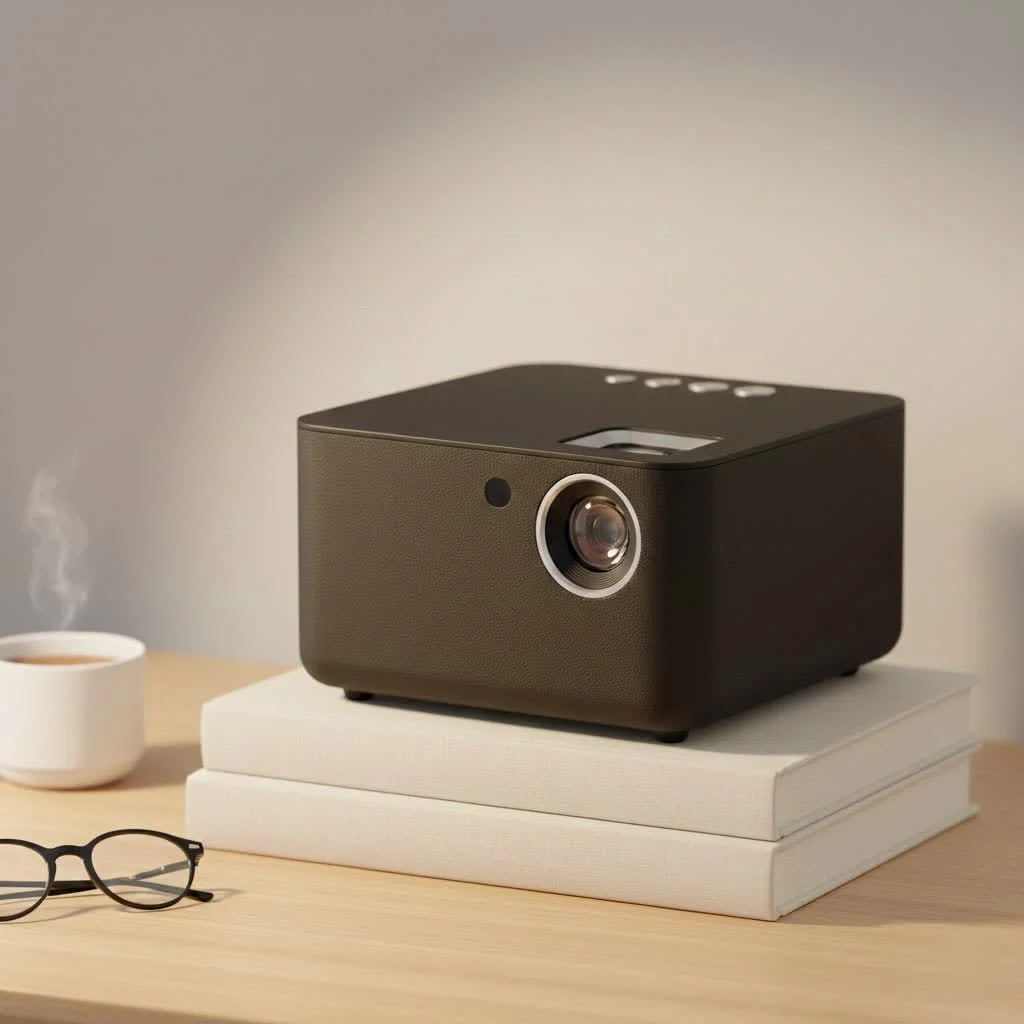
This isn’t just about buying a gadget; it’s about unlocking a new world of entertainment. Forget being tethered to a TV. A mini projector offers the freedom to create a massive screen on any blank wall, ceiling, or dedicated screenLet’s dive into what makes these little powerhouses tick and what you need to look for.
What Exactly Defines a Mini Home Projector?
A mini home projector, often called a portable or pico projector, is a compact and lightweight device designed to project a large image from a video source. Unlike their bulky, traditional counterparts, these projectors are built for convenience and versatility. You can easily move them from the living room to the bedroom or even pack one in your bag for a trip. They are the ideal solution for anyone who values flexibility without sacrificing a quality viewing experience.
Key Features to Consider Before Buying
Choosing a mini home projector involves more than just picking the one that looks coolest. The technical specifications are what truly determine its performance. Let’s break down the most important features.
Brightness: How Many Lumens Are Enough?
Brightness is arguably the most critical factor. It’s measured in lumens, and the higher the number, the brighter the image. A brighter image means you can see it clearly even if the room isn’t completely dark.
- Under 500 Lumens: Best for very dark rooms. These are often the most portable and affordable but will struggle with any ambient light.
- 500 – 1,500 Lumens: This is the sweet spot for a versatile mini home projector. It’s bright enough for dimly lit rooms, making it perfect for evening movie sessions where you don’t have to achieve total blackout.
- 1,500+ Lumens: These are top-tier mini projectors that can handle some daylight, making them suitable for presentations in a conference room or watching a movie before the sun fully sets.
Expert Tip: Always check if the manufacturer is listing “ANSI lumens” or just “lumens.” ANSI lumens are a standardized, more accurate measurement of brightness.
Resolution: Is Full HD (1080p) the Standard?
Resolution determines the clarity and sharpness of the image. It’s the number of pixels that make up the picture. While you might see projectors advertised as “4K supported,” pay attention to the native resolution.
- 480p (854×480): This is the entry-level. It’s acceptable for casual viewing on a smaller screen, but the image will look pixelated and soft if you project it too large.
- 720p (1280×720): A significant step up, offering a decent HD picture. It’s a good budget-friendly option for movies and gaming.
- 1080p (1920×1080): This is the gold standard for most mini home projectors. It provides a crisp, clear Full HD image that’s perfect for a cinematic experience. If your budget allows, this should be your target.
“A projector’s native resolution is its true identity,” notes Dr. Alistair Finch, a leading optical engineer. “While downscaling from a 4K source is a nice feature, the native 1080p pixel grid is what ultimately delivers the sharp, immersive detail you crave for a home cinema.”
Connectivity: Wires, Wi-Fi, and Bluetooth
|
Our Picks for the Best Mini Projector in 2026
As an Amazon Associate I earn from qualifying purchases.
|
||
| Num | Product | Action |
|---|---|---|
| 1 | Aurzen EAZZE D1 Smart Projector with WiFi and Bluetooth, Netflix-Officially-Licensed, Auto Focus & Keystone, DoIby Audio, Native 1080P Movie, Portable Outdoor Mini Projector, White |

|
| 2 | [Compatible with Netflix & TOF Real-time Focus] Mini Projector with WiFi and Bluetooth, XuanPad Smart Projector 4K Support, Dolby Audio & Keystone, 210° Rotatable Stand for Home |
|
| 3 | 【Officially-Licensed APP & Native 1080P】Thinnest 1.81\" Smart Mini Projector with WiFi and Bluetooth, Auto Focus & Keystone Portable Outdoor Projector, VOPLLS 4K Support Home Movie Projector |
|
| 4 | HAPPRUN Native 1080P Bluetooth Mini Projector, Full HD Portable Outdoor Movie Projector with Built-in Speaker, Compatible with Smartphone, HDMI, USB, AV, Fire Stick, PS5 for Home, Bedroom, Outdoor Use |
|
| 5 | [Built-in Apps & 2025 Upgraded] Mini Projector Support 4K 1080P Auto Keystone 270° Rotatable with WiFi 6 and Bluetooth 5.4, Projector Portable Compatibile with HDMI/TV Stick/Memory Stick/Laptop-Black |
|
| 6 | Magcubic Mini Projector with WiFi 6 and Bluetooth 5.4, Portable Projector 4K Support, 5W Soundbase Speaker, Auto Vertical Keystone 180°Rotatable Smart Proyector for Movie Home Outdoor |
|
| 7 | [Short Throw/1200ANSI/Built in Apps] 4K Outdoor Projector with WiFi and Bluetooth, Auto Focus Projector with Dual-Mode Stand, Smart Portable Proyector with Netflix/YouTube/PrimeVideo & Dolby |
|
| 8 | Mini Portable Projector 4K WiFi 6 BT 5.2 Upgraded Portable Projector Full HD Supported for Phone /PC /TV /HDMI /PS5 /Laptop Auto Keystone Home Theater 180° Rotation [Built-in App] White |
|
| 9 | Aurzen Roku TV Smart Projector with Wifi and Bluetooth, Roku Streaming Experience Built-in, 1080P FHD, Dolby Audio, Auto Focus & Keystone, Zoom, Movie Portable Outdoor Mini Projector, White |
|
| 10 | SOOMFON Mini Projector 1080P Support - Portable Small Video Movie Projector Bluetooth 5.1 Auto Keystone Electric Focus for Bedroom/Wall/Home/Outdoor/iPhone/Android/TV Stick |
|
How you connect your devices to the projector is crucial for a seamless experience. Modern projectors offer a variety of options.
- HDMI: The most essential port. It allows you to connect laptops, gaming consoles (like PlayStation and Xbox), Blu-ray players, and streaming sticks (like Roku or Amazon Fire Stick).
- USB: Useful for playing media files directly from a flash drive or for powering a streaming stick.
- Wi-Fi: A major upgrade. Built-in Wi-Fi allows you to wirelessly mirror the screen from your smartphone, tablet, or laptop. It also enables smart projectors to run apps like Netflix and YouTube directly.
- Bluetooth: This lets you connect to external speakers or headphones wirelessly, which is a fantastic upgrade over the often-tiny built-in speakers.
Portability and Battery Life
A key advantage of a mini home projector is its portability. If you plan to use it on the go, for backyard movies, or camping trips, look for a model with a built-in battery. Battery life typically ranges from 1.5 to 3 hours. For a full-length movie, aim for a projector that offers at least 2.5 hours of playback on a single charge.
Setting Up for the Perfect Movie Night
Once you have your projector, a few simple steps can dramatically improve your viewing experience.
- Find the Right Surface: A smooth, white wall works well, but for the best color accuracy and brightness, a dedicated projector screen is a worthy investment.
- Position the Projector: The distance from the wall (throw distance) determines the size of the image. Check the projector’s manual for its recommended range.
- Adjust the Focus: Use the focus wheel or button until the image is perfectly sharp.
- Correct the Keystone: If the projector is at an angle, the image might look like a trapezoid. Keystone correction (manual or automatic) squares the image for a perfect rectangular view.
Are Mini Home Projectors Worth the Investment?
For the right person, absolutely. They offer unparalleled flexibility and a big-screen experience that a TV can’t match for the price and portability.
Pros:
- Massive Screen Size: Easily create a 100-inch or larger screen.
- Highly Portable: Take your entertainment anywhere.
- Space Saving: No need for a bulky TV and entertainment center.
- Versatile: Great for movies, gaming, presentations, and even art projects.
Cons:
- Brightness Limitations: They require a dim or dark room for the best picture.
- Lower Contrast: They generally can’t produce the deep blacks of a high-end TV.
- Built-in Audio: The internal speakers are often weak, so an external speaker is recommended.
Frequently Asked Questions (FAQ)
Can I watch Netflix on a mini projector?
Yes, you can. The easiest way is to connect a streaming device like an Amazon Fire TV Stick, Roku, or Apple TV via the HDMI port. Many smart projectors also have a built-in operating system with a Netflix app.
How do I get sound from my mini projector?
Most mini projectors have a built-in speaker, but the quality is often basic. For better audio, you can connect an external speaker via an audio-out jack or, more conveniently, through Bluetooth if your projector supports it.
Can I use a mini projector for gaming?
Absolutely! Gaming on a a 100-inch screen is an incredible experience. Just connect your console (PS5, Xbox Series X, Nintendo Switch) via HDMI. For competitive gaming, you may want to check the projector’s input lag, but for casual play, most models work great.
Do I need a projector screen?
While not strictly necessary—a smooth, white wall will work—a screen is highly recommended. A dedicated screen is made with special material that reflects light more uniformly, resulting in a brighter, more vibrant, and higher-contrast image.
How long do the bulbs in mini projectors last?
Most modern mini projectors use LED light sources instead of traditional lamps. These LEDs have an incredibly long lifespan, often rated for 20,000 to 30,000 hours. That means you could watch a two-hour movie every single day for over 25 years before the light source wears out.
Your Adventure in Big-Screen Entertainment Awaits
A mini home projector is more than just a device; it’s a portal to a more flexible, immersive, and fun way to enjoy your favorite content. By focusing on the key features—brightness, resolution, and connectivity—you can confidently choose a model that will transform any space into a personal cinema. So, grab some popcorn, dim the lights, and get ready to experience movies, shows, and games on a scale you’ve only dreamed of.
Frequently Asked Questions
Can I watch Netflix on a mini projector?
Yes, you can watch Netflix on a mini projector. The simplest method is to connect a streaming device like an Amazon Fire TV Stick or Roku via the HDMI port. Many smart projectors also feature a built-in operating system with a pre-installed Netflix app for direct access.
How do I get sound from my mini projector?
Most mini projectors include a built-in speaker, though its quality is often basic. For superior audio, you can connect an external speaker using an audio-out jack or, more conveniently, via Bluetooth if your projector supports wireless connections.
Can I use a mini projector for gaming?
Absolutely! Gaming on a large 100-inch screen with a mini projector offers an immersive experience. Simply connect your gaming console, such as a PS5, Xbox Series X, or Nintendo Switch, using an HDMI cable. For competitive gaming, consider checking the projector's input lag, but for casual play, most models perform well.
Do I need a dedicated projector screen for a mini projector?
While not strictly essential, as a smooth, white wall can suffice, a dedicated projector screen is highly recommended. Screens are made with special materials that reflect light more uniformly, resulting in a brighter, more vibrant, and higher-contrast image compared to a plain wall.
How long do the light sources in modern mini projectors typically last?
Most modern mini projectors utilize LED light sources, which boast an incredibly long lifespan, often rated for 20,000 to 30,000 hours. This means you could enjoy a two-hour movie daily for over 25 years before the light source would need replacement.
Set Up Your Mini Projector for a Perfect Movie Night
Follow these steps to optimize your mini projector setup for the best possible viewing experience, ensuring clear images and vibrant colors.
Choose a smooth, white wall for projection, or invest in a dedicated projector screen for superior color accuracy and brightness. A screen's specialized material reflects light more uniformly, enhancing image quality.
Place the projector at an appropriate distance from the wall or screen. The 'throw distance' determines the image size; consult your projector's manual for its recommended range to achieve your desired screen dimensions.
Use the focus wheel or button on your projector until the projected image appears perfectly sharp and clear. This ensures that text and details are crisp, not blurry.
If the projector is angled, the image might appear trapezoidal. Utilize the keystone correction feature (manual or automatic) to square the image, ensuring a perfect rectangular view for your content.
Get our weekly buyer guide
Practical specs, not advice. Unsubscribe anytime.
I bought a mini projector after reading about the flexibility they offer for on-the-go use. While it’s great for camping trips, I found the sound quality from the built-in speaker to be pretty weak. I always have to connect it to an external Bluetooth speaker, which adds another thing to pack. The picture is decent for the size, but the audio is a bit of a letdown.
This was super helpful in understanding what to look for. I focused on connectivity options like HDMI and Wi-Fi, and it makes a huge difference for streaming from different devices. My only minor complaint is that I wish I’d splurged a bit more for something with higher than 500 ANSI lumens, as it’s a little dim in rooms that aren’t completely dark. Still, great for the price!
I’ve been wanting a portable projector for ages, and this guide really helped me narrow down my choices. I ended up getting one with 1080p native resolution and it’s absolutely fantastic for movie nights in the backyard. The picture quality is surprisingly good, even on a makeshift screen. It’s so easy to set up and move around, definitely a game-changer for our family entertainment.
Finally pulled the trigger on a mini projector and I’m so glad I did. The ability to create a large screen experience anywhere is no joke. We’ve used it for gaming on the ceiling in the kids’ room and for outdoor movie nights. The guide’s emphasis on brightness and resolution really paid off; I got one with 1500 ANSI lumens and it’s bright enough for almost any setting.