A mini WiFi Bluetooth projector is a compact, portable device that projects a large image and offers dual wireless connectivity through both WiFi and Bluetooth, enabling seamless streaming and enhanced audio. These projectors have revolutionized portable entertainment by untethering users from cables, allowing for spontaneous movie nights, business presentations, and immersive home entertainment experiences anywhere. Flasf has tested these versatile gadgets for over a decade, confirming that their combined wireless features unlock high-quality, big-screen experiences on the go.
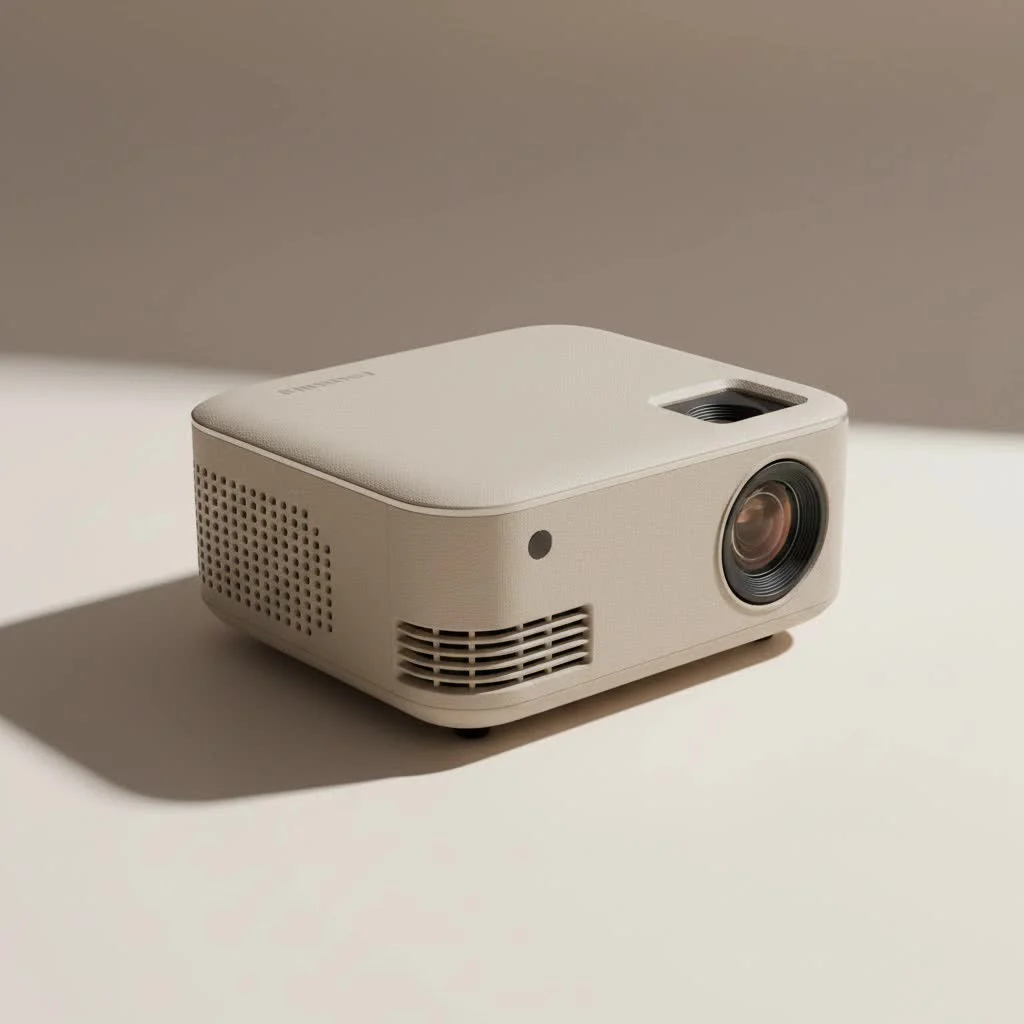
At Flasf, we’ve spent over a decade testing, troubleshooting, and falling in love with these versatile gadgets. We understand that the combination of WiFi and Bluetooth isn’t just a technical specification—it’s the key that unlocks a world of seamless, high-quality, big-screen experiences anywhere you go. This guide will walk you through everything you need to know, from the core technology to selecting the perfect model for your needs. For browse all portable mini articles on this site.
What is a Mini WiFi Bluetooth Projector?
At its core, a mini WiFi Bluetooth projector is a compact, portable device that can project a large image onto a surface. What sets it apart is its dual wireless connectivity. Let’s break down what each component does for you.
- WiFi Capability: This allows the projector to connect to your home or office wireless network. Just like your smartphone or laptop, this connection gives it access to the internet. More importantly, it enables screen mirroring, allowing you to wirelessly display whatever is on your phone, tablet, or computer screen.
- Bluetooth Capability: This feature is all about audio. While most mini projectors have small built-in speakers, they often lack the power and quality for an immersive experience. Bluetooth lets you wirelessly connect the projector to a wide range of external audio devices, such as portable speakers, soundbars, or even your personal headphones for a private viewing session.
Together, these two technologies create a completely cordless entertainment system. You stream the video wirelessly via WiFi and send the audio wirelessly to a better speaker via Bluetooth, giving you total placement freedom.
Why You Need Both WiFi and Bluetooth
Having just one of these wireless features is good, but having both is a major upgrade. They work in tandem to solve the two biggest hassles of traditional projectors: sourcing your content and getting quality sound.
The Magic of WiFi: Stream Anything, Anywhere
Wireless screen sharing is the primary benefit of a WiFi-enabled projector. It eliminates the need to find the right HDMI cable or adapter, which is especially liberating when you have multiple devices.
- Effortless Screen Mirroring: With support for protocols like Miracast (for Android/Windows) and AirPlay (for Apple devices), you can duplicate your screen with a few taps. This is perfect for sharing photos from your phone, showing a website, or playing a mobile game on a massive screen.
- Direct Streaming: Many modern mini projectors run on an Android-based operating system. This allows you to install streaming apps like YouTube or Netflix directly onto the projector itself, turning it into a standalone smart device. You can then navigate and play content with a remote, no phone required.
The Power of Bluetooth: Unleash Immersive Audio
|
Our Picks for the Best Mini Projector in 2026
As an Amazon Associate I earn from qualifying purchases.
|
||
| Num | Product | Action |
|---|---|---|
| 1 | Mini Portable Projector 4K WiFi 6 BT 5.2 Upgraded Portable Projector Full HD Supported for Phone /PC /TV /HDMI /PS5 /Laptop Auto Keystone Home Theater 180° Rotation [Built-in App] White |
![Check Mini Portable Projector 4K WiFi 6 BT 5.2 Upgraded Portable Projector Full HD Supported for Phone /PC /TV /HDMI /PS5 /Laptop Auto Keystone Home Theater 180° Rotation [Built-in App] White on Amazon](https://flasf.com/wp-content/plugins/amazon-tables/assets/images/buy.png)
|
| 2 | Aurzen Roku TV Smart Projector with Wifi and Bluetooth, Roku Streaming Experience Built-in, 1080P FHD, Dolby Audio, Auto Focus & Keystone, Zoom, Movie Portable Outdoor Mini Projector, White |
|
| 3 | HAPPRUN Native 1080P Bluetooth Mini Projector, Full HD Portable Outdoor Movie Projector with Built-in Speaker, Compatible with Smartphone, HDMI, USB, AV, Fire Stick, PS5 for Home, Bedroom, Outdoor Use |
|
| 4 | [Short Throw/1200ANSI/Built in Apps] 4K Outdoor Projector with WiFi and Bluetooth, Auto Focus Projector with Dual-Mode Stand, Smart Portable Proyector with Netflix/YouTube/PrimeVideo & Dolby |
|
| 5 | [Built-in Apps & 2025 Upgraded] Mini Projector Support 4K 1080P Auto Keystone 270° Rotatable with WiFi 6 and Bluetooth 5.4, Projector Portable Compatibile with HDMI/TV Stick/Memory Stick/Laptop-Black |
|
| 6 | Magcubic Mini Projector with WiFi 6 and Bluetooth 5.4, Portable Projector 4K Support, 5W Soundbase Speaker, Auto Vertical Keystone 180°Rotatable Smart Proyector for Movie Home Outdoor |
|
| 7 | 【Officially-Licensed APP & Native 1080P】Thinnest 1.81\" Smart Mini Projector with WiFi and Bluetooth, Auto Focus & Keystone Portable Outdoor Projector, VOPLLS 4K Support Home Movie Projector |
|
| 8 | SOOMFON Mini Projector 1080P Support - Portable Small Video Movie Projector Bluetooth 5.1 Auto Keystone Electric Focus for Bedroom/Wall/Home/Outdoor/iPhone/Android/TV Stick |
|
| 9 | Aurzen EAZZE D1 Smart Projector with WiFi and Bluetooth, Netflix-Officially-Licensed, Auto Focus & Keystone, DoIby Audio, Native 1080P Movie, Portable Outdoor Mini Projector, White |
|
| 10 | [Compatible with Netflix & TOF Real-time Focus] Mini Projector with WiFi and Bluetooth, XuanPad Smart Projector 4K Support, Dolby Audio & Keystone, 210° Rotatable Stand for Home |
|
A stunning 100-inch image deserves sound that matches. The tiny, 2-watt speakers inside most mini projectors are fine for a quiet room, but they can’t compete with ambient noise or deliver the rich audio that makes movies and music come alive.
As our lead technician at Flasf, James Peterson, often says, “Great video with poor audio feels cheap, but great video with great audio feels like a premium cinema experience.”
Bluetooth connectivity is the solution. You can instantly pair your projector with:
- A powerful portable Bluetooth speaker for an outdoor movie night.
- A high-fidelity soundbar for a cinematic home setup.
- A pair of wireless headphones for late-night gaming without disturbing anyone.
This versatility ensures your audio is never an afterthought, completing the immersive experience that big-screen projection promises.
Key Features to Look For in a Mini WiFi Bluetooth Projector
Navigating the market can be tricky, with technical terms thrown around freely. Here are the most important specifications to focus on to ensure you get a quality device.
1. Brightness (Lumens)
Brightness is arguably the most critical factor. It’s measured in lumens, but be careful: look for ANSI lumens, which is a standardized measurement of brightness. Many brands advertise “LED lumens” or “Lux,” which are often inflated numbers. For a mini projector, a rating of 200-500 ANSI lumens is a good range for viewing in a dark or dimly lit room. If you plan to use it with some ambient light, aim for the higher end of that spectrum.
2. Native Resolution
Resolution determines the clarity and sharpness of the image. You’ll see two specs: supported resolution and native resolution. Ignore “supported” resolution—this just means the projector can accept a higher-resolution signal. The number that matters is native resolution, which is the actual number of pixels the projector uses to create the image.
- 480p (854×480): Entry-level. Fine for casual cartoon watching, but text can be blurry.
- 720p (1280×720): A great sweet spot for price and performance. Offers a clear, crisp HD image suitable for movies and gaming.
- 1080p (1920×1080): Premium choice. Provides a Full HD, razor-sharp image, but comes at a higher price.
3. Battery Life
True portability depends on a built-in battery. If you plan to use your projector away from a power outlet, check the battery life, which is typically measured in hours. A good mini projector should offer at least 2 to 2.5 hours of playback on a single charge, which is enough to get through most feature films.
4. Keystone Correction and Focus
It’s not always possible to place a projector perfectly in front of the screen. Keystone correction is a feature that allows you to fix a distorted, trapezoidal image that occurs when the projector is at an angle. Auto-keystone is a fantastic feature that does this for you, while manual keystone requires you to adjust it yourself. A smooth, easy-to-use focus wheel is also essential for getting a sharp picture.
5. Connectivity Ports
While the goal is to be wireless, having physical ports like HDMI and USB adds immense versatility. An HDMI port allows you to connect a gaming console, Blu-ray player, or streaming stick like a Roku or Amazon Fire TV. This is also a crucial workaround for some streaming apps like Netflix, which may block wireless screen mirroring due to digital rights management (DRM) protections. A USB port lets you play media files directly from a flash drive.
How to Set Up Your Mini Projector for the First Time
Setting up your mini WiFi Bluetooth projector is incredibly simple and usually takes less than five minutes. Here’s a quick step-by-step guide.
- Position the Projector: Place the projector on a stable surface and point it towards your screen or a plain, light-colored wall. Turn it on.
- Adjust the Image: Use the focus wheel to make the image sharp. If the image is shaped like a trapezoid, go into the settings and use the keystone correction to make it a perfect rectangle.
- Connect to WiFi: Navigate to the network settings menu on the projector. Find your WiFi network, select it, and enter the password, just like you would on any other device.
- Pair Your Bluetooth Speaker: Turn on your Bluetooth speaker and put it in pairing mode. On the projector, go to the Bluetooth settings, search for devices, and select your speaker from the list to connect.
- Start Streaming: You can now either open a streaming app directly on the projector or activate the screen mirroring function (e.g., “Screen Share,” “Miracast,” or “AirPlay”) and select the projector from your phone or laptop.
Frequently Asked Questions (FAQ)
Can I watch Netflix on a mini projector?
Yes, but it can be complicated with screen mirroring. Due to DRM (Digital Rights Management) protection, apps like Netflix often block their video content from being mirrored, resulting in a black screen. The best solution is to use a projector with a certified Android TV operating system, or to connect an external streaming device like a Fire TV Stick, Roku, or Apple TV via the HDMI port.
Is a mini projector bright enough for outdoor use?
A mini projector works best in low-light conditions. For outdoor use, you should wait until dusk or after the sun has completely set. Even a bright mini projector will have its image washed out by direct sunlight. The darker the environment, the more vibrant and clear your picture will be.
How do I reduce audio lag when using Bluetooth?
Audio delay, or latency, can sometimes be an issue with Bluetooth. To minimize it, ensure your speaker and projector are relatively close to each other. Some projectors also have an audio delay setting that allows you to manually sync the sound with the video. Using a speaker that supports a low-latency codec like aptX can also help significantly.
Does a mini projector need a dedicated screen?
While a dedicated projector screen will always provide the best image quality by reflecting light uniformly, it’s not a requirement. You can get a great picture by projecting onto any smooth, light-colored, non-glossy wall. White or light gray walls work best.
Can I connect my iPhone to a mini WiFi Bluetooth projector?
Absolutely. Most WiFi-enabled projectors support Apple’s AirPlay protocol. Simply connect both your iPhone and the projector to the same WiFi network, open the Control Center on your iPhone, tap “Screen Mirroring,” and select the projector from the list of available devices.
The Final Picture
A mini WiFi Bluetooth projector is more than just a gadget; it’s a portable portal to big-screen fun. By combining the convenience of wireless streaming with the power of enhanced external audio, it offers a level of freedom and flexibility that was once unimaginable. Whether you’re a movie buff, a casual gamer, a traveling professional, or a parent looking for new ways to entertain the family, this all-in-one device provides an incredibly versatile and enjoyable experience. Now, go on and create your own cinematic moments, wherever you may be.
Get our weekly buyer guide
Practical specs, not advice. Unsubscribe anytime.
I got a compact mini projector for my bedroom, hoping for spontaneous movie nights. While the WiFi streaming works well, I found the brightness to be a bit low unless the room is completely dark. It’s fine for evening use, but during the day, even with curtains closed, the picture isn’t as vibrant as I’d hoped. Still, it’s convenient for what it is.
This guide was spot on about how these projectors untether you from cables. I travel a lot for work and wanted something for hotel rooms. The mini WiFi Bluetooth projector I bought is perfect. I can stream directly from my phone or tablet without any hassle, and the picture size is fantastic for such a small unit. It’s really revolutionized my downtime.
I’ve been looking for a good portable projector for ages, and this guide really helped me narrow it down. I ended up getting one with dual wireless connectivity, and it’s been a game-changer for our backyard movie nights. The setup was super easy with the WiFi, and connecting my Bluetooth speaker made the sound perfect. Highly recommend for anyone wanting to upgrade their outdoor entertainment!
I picked up a mini projector after reading about how versatile they are for business presentations. It’s so much easier than lugging around a big screen or relying on conference room tech. The image quality is surprisingly good for such a small device, and the Bluetooth audio connection is a nice touch for when I need to play videos. Definitely a solid investment for on-the-go professionals.