Welcome to the world of portable entertainment! If you’re looking for a compact and convenient way to enjoy movies, games, or presentations on a big screen, you’ve likely come across the Gpx Mini Projector. As a brand known for its budget-friendly electronics, GPX offers an accessible entry point into the projection market. But does it deliver a cinematic experience, or is it just a novelty gadget? With over a decade of hands-on experience with these devices, I’m here to give you the complete picture.
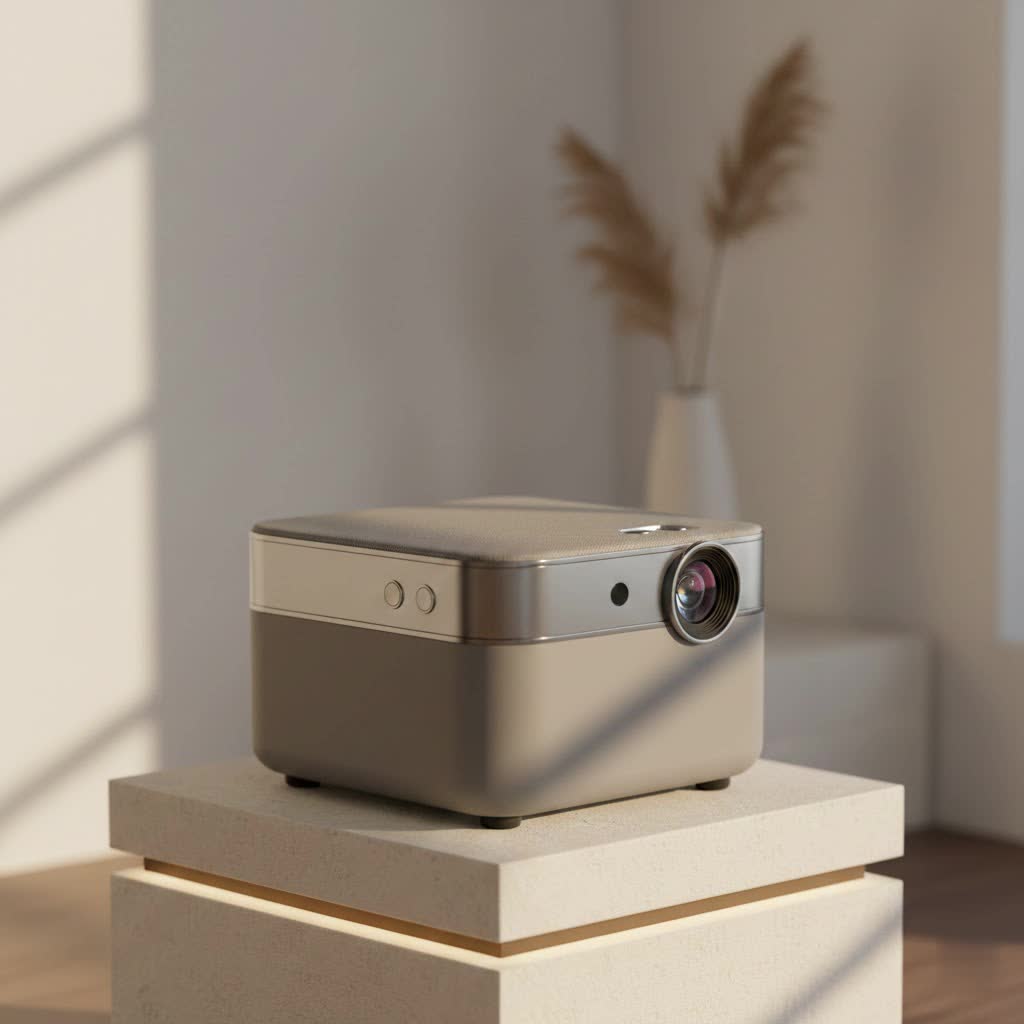
This guide will walk you through everything you need to know about the GPX mini projector. We’ll cover its features, performance, setup process, and common troubleshooting tips to help you decide if it’s the right choice for your needs.
What is a GPX Mini Projector?
A GPX mini projector is a small, portable device designed to project an image or video onto a screen or wall. It’s built for convenience, often featuring a compact size that makes it easy to move from room to room or take on the go. These projectors are typically aimed at casual users who want a simple solution for movie nights, sharing photos, or small-scale presentations without investing in a high-end home theater system.
The core appeal lies in its simplicity and affordability. While it won’t compete with premium 4K projectors, it provides a functional big-screen experience for a fraction of the cost, making it popular for kids’ rooms, dorms, and impromptu backyard movie sessions.
Key Features and Specifications
When you unbox a GPX mini projector, you’ll find a set of standard features designed for ease of use. While specs can vary slightly between models, most share a common foundation.
Common Features to Expect:
- Connectivity: Most models come equipped with essential inputs like HDMI, USB, and AV ports. This allows you to connect a wide range of devices, including laptops, gaming consoles (like PlayStation or Xbox), streaming sticks (such as Roku or Fire TV Stick), and even smartphones with the right adapter.
- Built-in Speaker: A basic internal speaker is usually included. While it’s functional for casual viewing in a quiet room, don’t expect immersive sound. For a better audio experience, you’ll want to connect external speakers via the audio out port.
- Resolution: GPX mini projectors typically have a native resolution that is lower than standard HD, often around 480p (800×480 pixels). They can accept and downscale higher-resolution inputs (like 720p or 1080p), but the projected image quality will be limited by the device’s native capabilities.
- Brightness: Brightness, measured in lumens, is a critical factor. These projectors are best suited for dark environments. Using one in a well-lit room will result in a washed-out, barely visible image.
- Focus and Keystone Correction: Manual focus wheels are standard, allowing you to sharpen the image based on your distance from the screen. Some models also offer keystone correction, which helps you square the image if the projector is placed at an angle.
|
Our Picks for the Best Mini Projector in 2026
As an Amazon Associate I earn from qualifying purchases.
|
||
| Num | Product | Action |
|---|---|---|
| 1 | Aurzen Roku TV Smart Projector with Wifi and Bluetooth, Roku Streaming Experience Built-in, 1080P FHD, Dolby Audio, Auto Focus & Keystone, Zoom, Movie Portable Outdoor Mini Projector, White |

|
| 2 | Magcubic Mini Projector with WiFi 6 and Bluetooth 5.4, Portable Projector 4K Support, 5W Soundbase Speaker, Auto Vertical Keystone 180°Rotatable Smart Proyector for Movie Home Outdoor |
|
| 3 | Mini Portable Projector 4K WiFi 6 BT 5.2 Upgraded Portable Projector Full HD Supported for Phone /PC /TV /HDMI /PS5 /Laptop Auto Keystone Home Theater 180° Rotation [Built-in App] White |
|
| 4 | [Short Throw/1200ANSI/Built in Apps] 4K Outdoor Projector with WiFi and Bluetooth, Auto Focus Projector with Dual-Mode Stand, Smart Portable Proyector with Netflix/YouTube/PrimeVideo & Dolby |
|
| 5 | SOOMFON Mini Projector 1080P Support - Portable Small Video Movie Projector Bluetooth 5.1 Auto Keystone Electric Focus for Bedroom/Wall/Home/Outdoor/iPhone/Android/TV Stick |
|
| 6 | HAPPRUN Native 1080P Bluetooth Mini Projector, Full HD Portable Outdoor Movie Projector with Built-in Speaker, Compatible with Smartphone, HDMI, USB, AV, Fire Stick, PS5 for Home, Bedroom, Outdoor Use |
|
| 7 | Aurzen EAZZE D1 Smart Projector with WiFi and Bluetooth, Netflix-Officially-Licensed, Auto Focus & Keystone, DoIby Audio, Native 1080P Movie, Portable Outdoor Mini Projector, White |
|
| 8 | [Compatible with Netflix & TOF Real-time Focus] Mini Projector with WiFi and Bluetooth, XuanPad Smart Projector 4K Support, Dolby Audio & Keystone, 210° Rotatable Stand for Home |
|
| 9 | [Built-in Apps & 2025 Upgraded] Mini Projector Support 4K 1080P Auto Keystone 270° Rotatable with WiFi 6 and Bluetooth 5.4, Projector Portable Compatibile with HDMI/TV Stick/Memory Stick/Laptop-Black |
|
| 10 | 【Officially-Licensed APP & Native 1080P】Thinnest 1.81\" Smart Mini Projector with WiFi and Bluetooth, Auto Focus & Keystone Portable Outdoor Projector, VOPLLS 4K Support Home Movie Projector |
|
As electronics expert Jonathan Carter notes, “The magic of a mini projector isn’t in breaking performance records; it’s about making big-screen entertainment accessible and portable for everyone. The GPX line is a perfect example of this philosophy in action.”
Setting Up Your GPX Mini Projector
Getting your GPX mini projector up and running is a straightforward process. Follow these simple steps to start enjoying your device in minutes.
- Choose Your Location: Find a dark room for the best image quality. Place the projector on a stable, flat surface like a table or tripod. The further back you place it, the larger the image will be, but it may also become dimmer.
- Connect Power: Plug the included AC power adapter into the projector and a wall outlet.
- Connect Your Source Device: Use an HDMI cable to connect your laptop, streaming stick, or game console. If using a smartphone, you may need a specific adapter (e.g., Lightning to HDMI for iPhones).
- Power On: Press the power button on the projector or the remote control. The projector’s fan will start, and the lamp will turn on.
- Select the Input Source: Use the remote or buttons on the projector to select the correct input source (e.g., HDMI 1, USB).
- Adjust the Image:
- Focus: Turn the focus ring around the lens until the image is sharp and clear.
- Keystone: If the image is trapezoidal (wider at the top or bottom), adjust the keystone correction dial until it forms a perfect rectangle.
- Connect Audio (Optional): For better sound, connect external speakers or a soundbar to the projector’s audio output jack.
Performance: What to Realistically Expect
It’s crucial to set realistic expectations for a GPX mini projector. This is an entry-level device, and its performance reflects its price point.
- Image Quality: The picture is best in a completely dark room. Colors can appear muted, and the low native resolution means you won’t see the crisp details of a true HD display. It’s perfectly watchable for cartoons, casual movies, and simple video games, but it may not satisfy videophiles.
- Brightness: This is the most significant limitation. Any ambient light will severely impact the viewing experience. It is not suitable for daytime use unless you have blackout curtains.
- Fan Noise: The internal fan, which cools the lamp, can be audible, especially in quiet scenes. The sound from the movie or external speakers usually drowns it out, but it’s a factor to be aware of.
Is the GPX Mini Projector Good for Gaming?
You can certainly connect a gaming console, but it’s best for casual gaming. Competitive gamers may notice input lag, which is the delay between pressing a button on your controller and seeing the action on screen. For party games like Mario Kart or platformers, it can be a lot of fun. However, for fast-paced shooters or fighting games, the performance may be a hindrance.
Common Problems and How to Fix Them
Even simple devices can run into issues. Here are some common problems users face with the GPX mini projector and how to solve them.
Why is there no picture?
If you’ve turned the projector on but don’t see an image, check these things:
- Ensure the lens cap is removed.
- Verify that your source device (laptop, etc.) is on and not in sleep mode.
- Make sure you have selected the correct input source on the projector’s menu.
- Check that your HDMI or AV cables are securely plugged into both devices.
Why is the image blurry?
A blurry image is almost always a focus issue.
- Turn the focus ring slowly back and forth until the pixels appear as sharp as possible.
- Make sure the projector is at an appropriate distance from the screen. If you are too close or too far, you may not be able to achieve a clear focus.
Why is there no sound?
- Check the volume level on both the projector and your source device.
- If using external speakers, ensure they are properly connected and powered on.
- Some source devices may require you to manually select the audio output. Go into your laptop or streaming stick’s settings and ensure audio is being sent through the HDMI port.
Final Verdict: Who Should Buy a GPX Mini Projector?
The GPX mini projector is a solid choice for a specific audience. It’s an excellent, affordable option for kids, students in dorm rooms, or anyone looking for a fun, occasional-use device for movie nights without a significant financial commitment. It provides the novelty and enjoyment of a huge screen for a very low price.
However, if you are a home theater enthusiast seeking high-definition picture quality, vibrant colors, and high brightness for daytime viewing, this is not the projector for you. In that case, you would need to invest significantly more in a model from a brand like Epson, BenQ, or Optoma.
Think of the GPX mini projector as a fun-haver, not a record-breaker. It delivers on its promise of simple, portable, big-screen entertainment for those with modest expectations and a tight budget.
Frequently Asked Questions (FAQ)
How do I connect my phone to a GPX mini projector?
To connect a smartphone, you will need a special adapter that converts your phone’s charging port to HDMI. For iPhones, this is a Lightning to Digital AV Adapter. For Android phones, you may need a USB-C to HDMI adapter, but check your phone’s compatibility for video output first.
Can I watch Netflix on a GPX mini projector?
Yes, you can watch Netflix by connecting a device that runs the Netflix app, such as a Roku, Amazon Fire TV Stick, laptop, or gaming console, to the projector’s HDMI port.
Does the projector have Bluetooth?
Most basic GPX models do not include Bluetooth. To connect to a Bluetooth speaker, you would need to purchase a separate Bluetooth transmitter that plugs into the projector’s 3.5mm audio output jack.
How long does the projector lamp last?
The LED lamps in these projectors typically have a very long lifespan, often rated for 20,000 hours or more. Under normal use, the lamp should last for many years without needing replacement.
Can I use it for PowerPoint presentations?
While you can connect a laptop to display a presentation, the low resolution may make small text and fine details difficult to read, especially from a distance. It’s best suited for presentations with large fonts and simple graphics in a dark room.
