A mini projector with a stand provides essential stability and precise adjustability, transforming your portable viewing experience from makeshift to magnificent by ensuring a stable, perfectly aligned image every time. This combination eliminates the common struggle of propping up a projector on unstable surfaces, offering a dedicated solution for optimal performance and image quality.
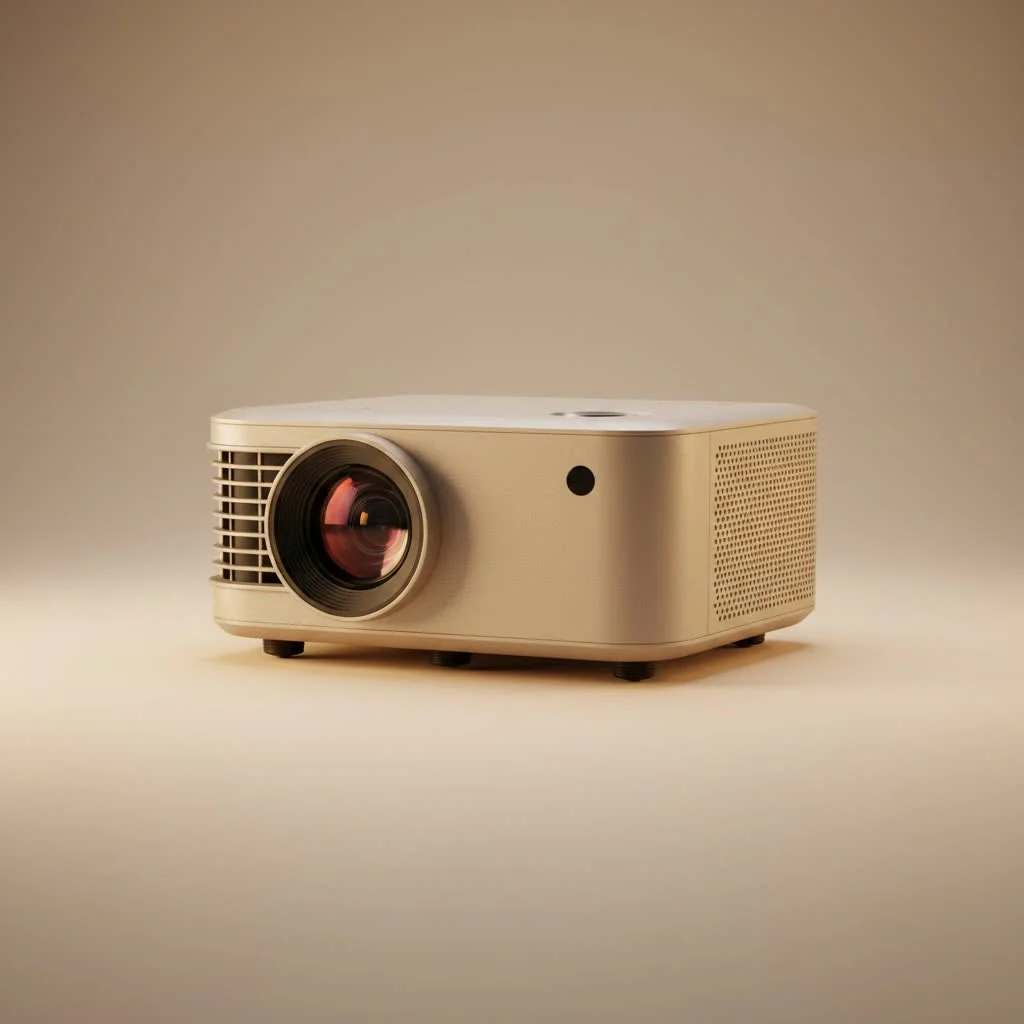
Why a Stand is a Non-Negotiable Projector Partner
Propping a sophisticated piece of electronics on a wobbly surface is a recipe for disaster. A dedicated stand provides the stability and flexibility your mini projector needs to truly shine. It’s the difference between a constantly interrupted viewing and a seamless cinematic experience. For portable mini buying guides on this site.
The Unbeatable Advantages of Using a Stand
A proper stand does more than just hold your projector; it elevates the entire experience. Here’s how:
- Flawless Stability and Placement: A stand, especially a tripod, offers a secure and level platform. This eliminates shaky images caused by vibrations and prevents accidental bumps from knocking your projector out of alignment or, worse, onto the floor.
- Ultimate Adjustability: Forget tilting the projector with a book wedge. A good stand provides precise control over height, angle, and even 360-degree rotation. This allows you to position the image perfectly on your screen, wall, or even the ceiling, without relying on digital keystone correction that can degrade image quality.
- Improved Airflow and Cooling: Mini projectors generate heat. Placing them on a flat surface or stacking them on books can block crucial air vents, leading to overheating and potentially shortening the device’s lifespan. A stand allows for optimal air circulation, keeping your projector cool and running efficiently.
- Effortless Portability: Many stands are designed with portability in mind. Lightweight, foldable designs mean you can easily pack up your entire setup and take it from the living room to the backyard or on a camping trip. It makes your portable projector truly portable.
What to Look For in a Mini Projector with Stand
When you’re shopping for this dynamic duo, you need to evaluate both components. It’s about finding the right balance between the projector’s performance and the stand’s functionality to suit your specific needs.
The Projector: Core Features to Prioritize
Before you even think about the stand, ensure the projector itself is up to snuff.
- Brightness (Lumens): This determines how visible the image will be in different lighting conditions. For dark rooms, 200-300 ANSI lumens is a good starting point, but if you plan to watch with some ambient light, look for 500 lumens or more.
- Resolution: For a clear, sharp picture, native 720p (HD) is the minimum, but 1080p (Full HD) is the sweet spot for most users, offering excellent detail without the premium price of 4K.
- Battery Life: If you plan on using your projector away from a power outlet, battery life is critical. Look for models that offer at least 2-3 hours of playback time, enough to get through a full movie.
- Connectivity: Ensure it has the inputs you need, like HDMI for laptops and gaming consoles, and USB for media drives. Wireless connectivity (Wi-Fi and Bluetooth) is a huge plus for streaming content and connecting external speakers.
The Stand: Stability Meets Flexibility
|
Our Picks for the Best Mini Projector in 2026
As an Amazon Associate I earn from qualifying purchases.
|
||
| Num | Product | Action |
|---|---|---|
| 1 | [Short Throw/1200ANSI/Built in Apps] 4K Outdoor Projector with WiFi and Bluetooth, Auto Focus Projector with Dual-Mode Stand, Smart Portable Proyector with Netflix/YouTube/PrimeVideo & Dolby |
![Check [Short Throw/1200ANSI/Built in Apps] 4K Outdoor Projector with WiFi and Bluetooth, Auto Focus Projector with Dual-Mode Stand, Smart Portable Proyector with Netflix/YouTube/PrimeVideo & Dolby on Amazon](https://flasf.com/wp-content/plugins/amazon-tables/assets/images/buy.png)
|
| 2 | [Compatible with Netflix & TOF Real-time Focus] Mini Projector with WiFi and Bluetooth, XuanPad Smart Projector 4K Support, Dolby Audio & Keystone, 210° Rotatable Stand for Home |
|
| 3 | 【Officially-Licensed APP & Native 1080P】Thinnest 1.81\" Smart Mini Projector with WiFi and Bluetooth, Auto Focus & Keystone Portable Outdoor Projector, VOPLLS 4K Support Home Movie Projector |
|
| 4 | [Built-in Apps & 2025 Upgraded] Mini Projector Support 4K 1080P Auto Keystone 270° Rotatable with WiFi 6 and Bluetooth 5.4, Projector Portable Compatibile with HDMI/TV Stick/Memory Stick/Laptop-Black |
|
| 5 | Aurzen EAZZE D1 Smart Projector with WiFi and Bluetooth, Netflix-Officially-Licensed, Auto Focus & Keystone, DoIby Audio, Native 1080P Movie, Portable Outdoor Mini Projector, White |
|
| 6 | Mini Portable Projector 4K WiFi 6 BT 5.2 Upgraded Portable Projector Full HD Supported for Phone /PC /TV /HDMI /PS5 /Laptop Auto Keystone Home Theater 180° Rotation [Built-in App] White |
|
| 7 | Aurzen Roku TV Smart Projector with Wifi and Bluetooth, Roku Streaming Experience Built-in, 1080P FHD, Dolby Audio, Auto Focus & Keystone, Zoom, Movie Portable Outdoor Mini Projector, White |
|
| 8 | SOOMFON Mini Projector 1080P Support - Portable Small Video Movie Projector Bluetooth 5.1 Auto Keystone Electric Focus for Bedroom/Wall/Home/Outdoor/iPhone/Android/TV Stick |
|
| 9 | HAPPRUN Native 1080P Bluetooth Mini Projector, Full HD Portable Outdoor Movie Projector with Built-in Speaker, Compatible with Smartphone, HDMI, USB, AV, Fire Stick, PS5 for Home, Bedroom, Outdoor Use |
|
| 10 | Magcubic Mini Projector with WiFi 6 and Bluetooth 5.4, Portable Projector 4K Support, 5W Soundbase Speaker, Auto Vertical Keystone 180°Rotatable Smart Proyector for Movie Home Outdoor |
|
The stand is what makes the magic happen. Here’s what to consider:
- Adjustability: A great stand should offer a wide range of height adjustments and a ball head or tilt mechanism for fine-tuning the projection angle. This versatility is key to getting a perfect picture in any environment.
- Build Quality and Material: Look for materials like aluminum alloy that offer a good balance of durability and low weight. The base should be wide and sturdy enough to prevent tipping, especially if you’re using a heavier projector.
- Mounting Standard: Most projectors and stands use a universal 1/4-inch screw mount. It’s always a good idea to double-check compatibility before purchasing a separate stand.
- Portability: If you’re on the go, check the stand’s collapsed size and weight. Many portable stands fold down to a compact size and come with a travel bag for convenience.
As our lead technician at Flasf, John Cartwright, often says, “A great mini projector can produce a stunning image, but a great stand is what ensures you can actually see it. Don’t treat the stand as an afterthought; it’s the foundation of your entire portable cinema.”
How to Set Up Your Mini Projector and Stand in Minutes
One of the best things about a mini projector with stand is the incredibly fast and simple setup. No more fussing—just follow these easy steps:
- Extend the Legs: If using a tripod stand, extend the legs and place it on a stable, level surface. Adjust the leg length to get the approximate height you need.
- Mount the Projector: Carefully screw the projector onto the stand’s 1/4-inch mounting screw. Ensure it is snug and secure, but don’t overtighten it.
- Position the Setup: Place the projector and stand at the desired distance from your screen or wall. the further back you go, the larger the image will be.
- Power On and Connect: Turn on the projector and connect your video source (e.g., laptop via HDMI, streaming stick, etc.).
- Adjust and Refine: Use the stand’s height and angle adjustments to frame the image perfectly on your screen. Use the projector’s focus wheel to get a crystal-clear picture. You’re ready for showtime!
Frequently Asked Questions (FAQ)
Can I use any camera tripod for my mini projector?
Yes, in most cases, you can. The majority of mini projectors and cameras use a standard 1/4-inch screw mount, making camera tripods a versatile and widely compatible option. Just ensure the tripod’s weight capacity can safely support your projector.
Is a stand better than a ceiling mount for a mini projector?
It depends on your use case. A ceiling mount is a great permanent solution for a dedicated home theater room, as it saves space and keeps the projector out of the way. However, a mini projector with stand offers unparalleled flexibility and portability, allowing you to use it in any room, outdoors, or take it with you on the go.
Do projectors that come with a built-in stand have limitations?
Projectors with built-in stands are incredibly convenient and often feature a sleek, integrated design. However, their height and angle adjustments might be more limited compared to a separate, dedicated floor or desktop stand. They are excellent for quick setups on a table but may lack the height needed for some situations.
How high should my projector stand be?
Ideally, the stand should position the projector lens near the vertical center of the screen. This minimizes the need for digital keystone correction, which can slightly reduce image quality. An adjustable-height stand is best, as it allows you to adapt to different screen sizes and seating arrangements.
The Final Scene: Why a Stand is a Must-Have
Investing in a mini projector with stand is one of the smartest decisions you can make to upgrade your viewing experience. It moves beyond temporary fixes and provides the stability, flexibility, and reliability needed to do your projector justice. By eliminating the setup frustrations, you can focus on what really matters: enjoying a stunning, big-screen experience wherever you are. So, stop stacking books and give your projector the support it truly deserves.
Frequently Asked Questions
Can I use a standard camera tripod for my mini projector?
Yes, in most cases, you can use a standard camera tripod for your mini projector. The majority of mini projectors and cameras utilize a universal 1/4-inch screw mount, making camera tripods a versatile and compatible option. Always verify that the tripod's weight capacity can safely support your specific projector model.
Is a projector stand more beneficial than a ceiling mount?
The benefit of a projector stand versus a ceiling mount depends on your specific needs. A ceiling mount is ideal for permanent installations in a dedicated home theater, offering a space-saving solution. However, a mini projector with a stand provides superior flexibility and portability, allowing for use in various locations, both indoors and outdoors.
Are there any limitations to projectors with built-in stands?
Projectors with built-in stands offer excellent convenience and a streamlined design. However, their height and angle adjustments may be more restricted compared to a separate, dedicated floor or desktop stand. While great for quick tabletop setups, they might not provide the necessary height for all projection scenarios.
What is the ideal height for a mini projector stand?
The ideal height for a mini projector stand positions the projector lens near the vertical center of the screen. This placement minimizes the need for digital keystone correction, which can slightly degrade image quality. An adjustable-height stand is recommended to adapt to different screen sizes and seating arrangements effectively.
How does a stand improve mini projector performance?
A stand significantly improves mini projector performance by providing flawless stability, precise adjustability, and improved airflow. Stability eliminates shaky images, while fine-tuning controls allow for perfect image alignment without relying on image-degrading digital correction. Optimal air circulation from a stand also prevents overheating, extending the projector's lifespan.
Set Up Your Mini Projector with Stand
Follow these simple steps to quickly set up your mini projector and stand for an optimal viewing experience.
If using a tripod stand, extend its legs and place it on a stable, level surface. Adjust the leg length to achieve the approximate height required for your projection.
Carefully screw your mini projector onto the stand's 1/4-inch mounting screw. Ensure it is snug and secure to prevent wobbling, but avoid overtightening.
Position the assembled projector and stand at the desired distance from your screen or wall. Remember that moving the projector further back will result in a larger projected image.
Turn on your mini projector and connect your preferred video source, such as a laptop via HDMI or a streaming stick. Ensure all cables are securely plugged in.
Utilize the standu2019s height and angle adjustments to perfectly frame the image on your screen. Then, use the projectoru2019s focus wheel to achieve a crystal-clear picture, preparing you for showtime.
Get our weekly buyer guide
Practical specs, not advice. Unsubscribe anytime.
This was exactly what I needed to hear! I’ve been using my mini projector for presentations at work and always struggled with getting a perfectly aligned image. The idea of a dedicated stand for flawless stability and placement resonated with me. I invested in a good quality stand, and now my presentations look so much more professional and seamless. No more wobbly projections!
I picked up one of the projectors mentioned that came with a built-in stand, and it’s been pretty great for camping trips. It’s super easy to set up on uneven ground, which was always a pain before. My only minor complaint is that the stand’s height adjustment could be a little more robust for really high projections, but for most uses, it’s perfect.
I was so tired of trying to balance my old mini projector on stacks of books or whatever I could find. This post really highlighted the importance of a dedicated stand, and it’s made a huge difference. The stability and precise adjustability mean I don’t have to fuss with the image anymore. It’s truly a game-changer for movie nights in the backyard!
I got a mini projector with a separate stand after reading about how it helps with image quality. While the stand definitely provides better stability than just putting it on a table, I found that some of the cheaper stands felt a bit flimsy. I ended up upgrading to a more robust one, which was an extra cost I hadn’t fully anticipated. Still, the concept of having a stable, aligned image is spot on.