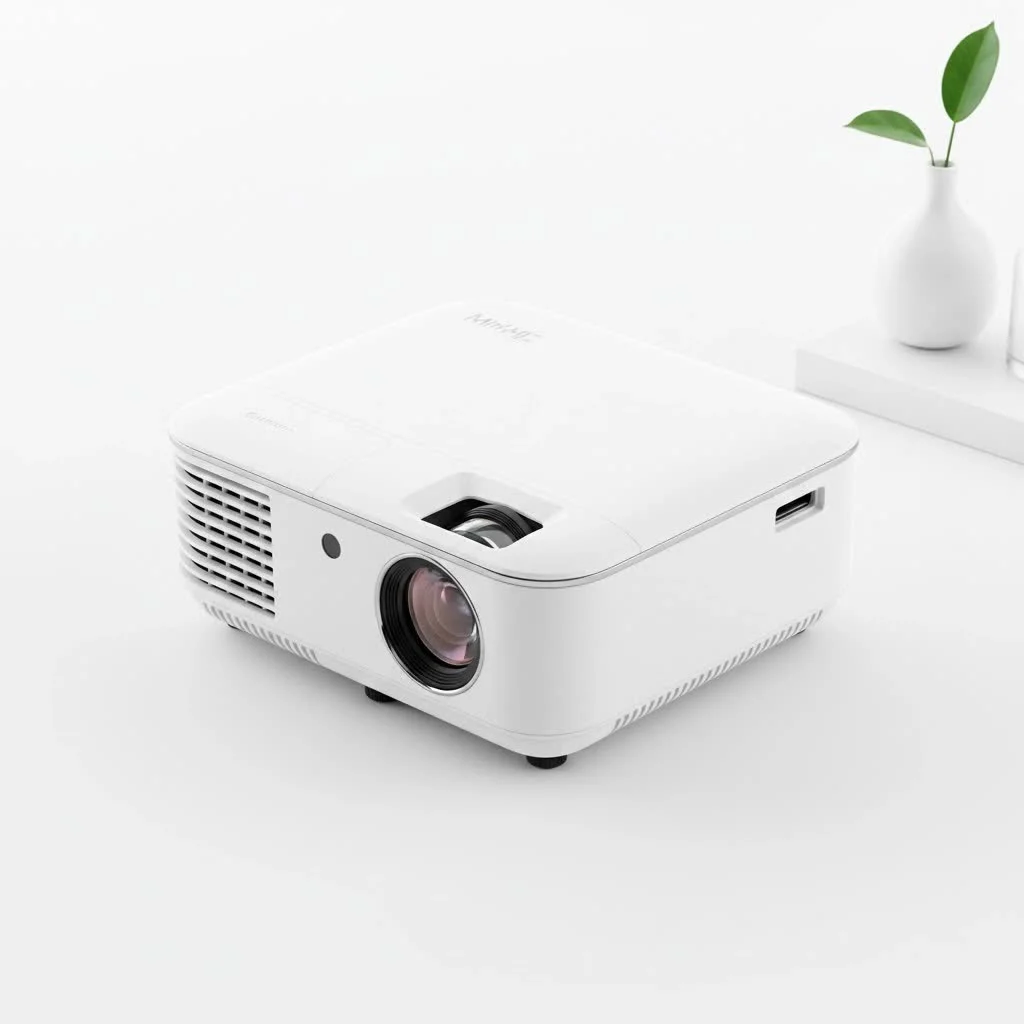
A mini movie projector is a compact, lightweight device designed to project video content onto any flat surface, offering big-screen entertainment that fits in the palm of your hand. Unlike bulky traditional projectors, these portable gadgets are built for versatility, making them perfect for spontaneous movie nights, business presentations, or creating ambient digital art displays anywhere. Their primary appeal lies in their convenience and ability to create a large screen experience literally anywhere.
What Exactly Is a Mini Movie Projector?
A mini movie projector, often called a portable or pico projector, is a compact, lightweight device designed to project video content onto any flat surface. Unlike their bulky, traditional counterparts that are permanently installed in a home theater, these gadgets are built for versatility. They are small enough to toss in a backpack, making them perfect for movie nights, business presentations on the go, or even creating an ambient digital art display. Their primary appeal lies in their convenience and the ability to create a large screen experience literally anywhere.
Key Features to Look for in a Mini Movie Projector
Navigating the technical specifications of a mini movie projector can feel daunting, but it boils down to a few key factors. Focusing on these will ensure you get a device that meets your needs and delivers a stunning visual performance.
Brightness (Lumens): Don’t Be Left in the Dark
Brightness is arguably the most critical factor for a projector, and it’s measured in ANSI lumens. The more lumens, the brighter the image, which is crucial if you plan to use your projector in rooms that aren’t completely dark.
- Under 500 Lumens: Best suited for very dark environments, like a bedroom with blackout curtains. They are highly portable but struggle with any ambient light.
- 500 – 1000 Lumens: This is the sweet spot for most users. It offers enough brightness for dimly lit rooms or for outdoor use after sunset.
- 1000+ Lumens: These are the most powerful mini projectors and can handle some ambient light, making them more versatile for daytime use in a living room, though a darkened room will always provide the best picture.
Resolution: The Sharper, The Better
Resolution refers to the number of pixels that make up the image. More pixels mean a sharper, more detailed picture. While many budget projectors claim to “support” 1080p, you should look for the native resolution, which is the true resolution of the projector.
- 480p (854×480): This is standard definition. It’s acceptable for casual viewing but will look pixelated on larger screen sizes.
- 720p (1280×720): High definition. This offers a noticeable step up in clarity and is a good baseline for movie watching.
- 1080p (1920×1080): Full HD. This is the recommended resolution for a true home cinema experience, providing crisp and clear images that hold up well even on a 100-inch screen.
- 4K (3840×2160): While less common in the “mini” category due to cost and size constraints, some premium portable models offer 4K for the ultimate in sharpness and detail.
Connectivity: Your Projector’s Best Friends
|
Our Picks for the Best Mini Projector in 2026
As an Amazon Associate I earn from qualifying purchases.
|
||
| Num | Product | Action |
|---|---|---|
| 1 | Aurzen Roku TV Smart Projector with Wifi and Bluetooth, Roku Streaming Experience Built-in, 1080P FHD, Dolby Audio, Auto Focus & Keystone, Zoom, Movie Portable Outdoor Mini Projector, White |

|
| 2 | [Short Throw/1200ANSI/Built in Apps] 4K Outdoor Projector with WiFi and Bluetooth, Auto Focus Projector with Dual-Mode Stand, Smart Portable Proyector with Netflix/YouTube/PrimeVideo & Dolby |
|
| 3 | HAPPRUN Native 1080P Bluetooth Mini Projector, Full HD Portable Outdoor Movie Projector with Built-in Speaker, Compatible with Smartphone, HDMI, USB, AV, Fire Stick, PS5 for Home, Bedroom, Outdoor Use |
|
| 4 | [Built-in Apps & 2025 Upgraded] Mini Projector Support 4K 1080P Auto Keystone 270° Rotatable with WiFi 6 and Bluetooth 5.4, Projector Portable Compatibile with HDMI/TV Stick/Memory Stick/Laptop-Black |
|
| 5 | 【Officially-Licensed APP & Native 1080P】Thinnest 1.81\" Smart Mini Projector with WiFi and Bluetooth, Auto Focus & Keystone Portable Outdoor Projector, VOPLLS 4K Support Home Movie Projector |
|
| 6 | Magcubic Mini Projector with WiFi 6 and Bluetooth 5.4, Portable Projector 4K Support, 5W Soundbase Speaker, Auto Vertical Keystone 180°Rotatable Smart Proyector for Movie Home Outdoor |
|
| 7 | SOOMFON Mini Projector 1080P Support - Portable Small Video Movie Projector Bluetooth 5.1 Auto Keystone Electric Focus for Bedroom/Wall/Home/Outdoor/iPhone/Android/TV Stick |
|
| 8 | Mini Portable Projector 4K WiFi 6 BT 5.2 Upgraded Portable Projector Full HD Supported for Phone /PC /TV /HDMI /PS5 /Laptop Auto Keystone Home Theater 180° Rotation [Built-in App] White |
|
| 9 | Aurzen EAZZE D1 Smart Projector with WiFi and Bluetooth, Netflix-Officially-Licensed, Auto Focus & Keystone, DoIby Audio, Native 1080P Movie, Portable Outdoor Mini Projector, White |
|
| 10 | [Compatible with Netflix & TOF Real-time Focus] Mini Projector with WiFi and Bluetooth, XuanPad Smart Projector 4K Support, Dolby Audio & Keystone, 210° Rotatable Stand for Home |
|
A mini movie projector is only as good as the devices you can connect to it. Modern projectors offer a variety of options to stream your favorite content.
- HDMI: The universal standard. An HDMI port allows you to connect laptops, gaming consoles, Blu-ray players, and streaming sticks like a Roku or Amazon Fire TV Stick.
- USB: Useful for playing movies, photos, or music directly from a flash drive. Some projectors also use USB-C for video input or for charging the device itself.
- Wireless (Wi-Fi & Bluetooth): Wi-Fi is essential for smart projectors that have built-in apps like Netflix or YouTube. It also enables screen mirroring from your smartphone or laptop. Bluetooth allows you to connect external speakers or headphones for a much better audio experience than the tiny built-in speakers can provide.
Portability and Battery Life: Movies on the Go
The very essence of a mini projector is its portability. Pay attention to both size and weight if you plan on traveling with it. More importantly, if you want true freedom from wires, a built-in battery is a must-have feature. Battery life typically ranges from 1.5 to 3 hours, which is usually enough for a standard-length movie. For longer viewing sessions, ensure the projector can be operated while plugged into a power source.
As home theater consultant Eleanor Vance often says, “The best projector is the one you actually use. Portability bridges the gap between having a good piece of tech and having a great movie night, wherever you happen to be.”
How to Set Up Your Mini Movie Projector in 5 Simple Steps
Setting up your mini movie projector is far easier than you might think. Modern features like auto-focus and auto-keystone correction have made the process nearly effortless.
- Position the Projector: Place your projector on a stable surface, like a tripod or a table. The distance from the wall or screen will determine the size of the image—further back means a bigger picture.
- Find a Surface: A dedicated projector screen will always give you the best image quality, but a smooth, white wall works wonderfully for casual viewing.
- Power It On and Connect: Turn on the projector and connect your source device. This could be a laptop via HDMI, a streaming stick, or your phone via Wi-Fi screen mirroring.
- Adjust the Image: Most mini projectors will automatically focus the image. If not, use the manual focus wheel. If the image is trapezoidal, use the keystone correction feature to square it up. This feature is a lifesaver when you can’t place the projector perfectly in front of the screen.
- Connect Your Audio: For immersive sound, connect the projector to a Bluetooth speaker or a soundbar. This simple step makes a world of difference in your viewing experience.
Frequently Asked Questions (FAQ)
Can a mini movie projector replace a TV?
For many people, it can be a fantastic and versatile alternative. It offers a much larger screen size for a fraction of the cost. However, TVs are generally brighter and perform better in well-lit rooms, making them more suitable for casual, everyday viewing. A mini projector excels at creating a special, cinematic event.
How many lumens is good for a mini projector?
For a satisfying viewing experience in a dark room, aim for at least 300-500 ANSI lumens. If you plan to use it in rooms with some ambient light, look for models with 700 lumens or more.
Do I need a special screen for a mini projector?
While not strictly necessary—a plain white wall works well—a dedicated projector screen is designed to reflect light more effectively, which will improve contrast, brightness, and overall image quality.
How do I connect my phone to a mini movie projector?
There are two main ways. For a wired connection, you’ll need an adapter (like a Lightning-to-HDMI for iPhones or a USB-C-to-HDMI for Android). For a wireless connection, if your projector has Wi-Fi, you can use screen mirroring features like AirPlay (for Apple devices) or Miracast (for Android and Windows).
What is the lifespan of a mini projector’s light source?
Most modern mini projectors use LED light sources instead of traditional lamps. These LEDs have an incredibly long lifespan, typically ranging from 20,000 to 30,000 hours. That means you could watch a two-hour movie every single day for over 25 years before the light source needs replacing.
Your Ticket to Portable Cinema Awaits
The mini movie projector has revolutionized how we experience entertainment, packing the power of a cinema into a device you can take anywhere. By focusing on the core features of brightness, resolution, and connectivity, you can easily find a model that will transform any space into your personal movie theater. So go ahead, grab some popcorn, and get ready to enjoy your favorite films on the big screen—wherever you choose to set it up.
Frequently Asked Questions
Can a mini movie projector replace a traditional TV?
A mini movie projector can be a fantastic and versatile alternative to a TV, offering a much larger screen size for a fraction of the cost. However, TVs are generally brighter and perform better in well-lit rooms, making them more suitable for casual, everyday viewing, while a mini projector excels at creating a special, cinematic event.
How many lumens are recommended for a good mini projector?
For a satisfying viewing experience in a dark room, aim for at least 300-500 ANSI lumens. If you plan to use it in rooms with some ambient light, look for models with 700 lumens or more to ensure a clear image.
Is a special screen necessary for a mini projector?
While not strictly necessaryu2014a plain white wall works wellu2014a dedicated projector screen is designed to reflect light more effectively. This will improve contrast, brightness, and overall image quality, providing a superior viewing experience.
What are the ways to connect a phone to a mini movie projector?
There are two main ways to connect your phone: wired and wireless. For a wired connection, you'll need an adapter (e.g., Lightning-to-HDMI for iPhones or USB-C-to-HDMI for Android). For a wireless connection, if your projector has Wi-Fi, you can use screen mirroring features like AirPlay for Apple devices or Miracast for Android and Windows.
What is the typical lifespan of a mini projector's light source?
Most modern mini projectors use LED light sources, which have an incredibly long lifespan, typically ranging from 20,000 to 30,000 hours. This means you could watch a two-hour movie every single day for over 25 years before the light source needs replacing.
How to Set Up Your Mini Movie Projector
Setting up your mini movie projector is simple with modern features like auto-focus and auto-keystone correction, making the process nearly effortless for an optimal viewing experience.
Place your projector on a stable surface, such as a tripod or a table. The distance from the wall or screen will determine the size of the image; further back means a bigger picture.
While a dedicated projector screen will always provide the best image quality, a smooth, plain white wall works wonderfully for casual viewing. Ensure the surface is flat and free of obstructions.
Turn on the projector and connect your source device. This could be a laptop via HDMI, a streaming stick, or your phone using Wi-Fi screen mirroring for wireless content.
Most mini projectors automatically focus the image. If not, use the manual focus wheel. If the image appears trapezoidal, utilize the keystone correction feature to square it up, especially when the projector isn't perfectly aligned with the screen.
For an immersive sound experience, connect the projector to a Bluetooth speaker or a soundbar. This simple step significantly enhances your overall viewing experience beyond the built-in speakers.
Get our weekly buyer guide
Practical specs, not advice. Unsubscribe anytime.
This guide helped me choose the perfect mini projector for my travels. I love that I can have a big-screen experience anywhere, whether it’s in a hotel room or at a friend’s house. It’s made spontaneous movie nights so much more fun and the setup is incredibly simple.
I bought one of the projectors mentioned in the mid-range price point and it’s been a game-changer for our family. We took it camping last weekend and set up a movie night right on the side of our tent. The picture quality was surprisingly good, even outdoors. It’s so easy to just toss in a backpack and go.
I picked up a pico projector for my business presentations when I’m on the road. It’s super convenient and definitely beats lugging around a heavy laptop and a separate screen. My only minor complaint is that in really bright rooms, the image can be a bit washed out, but for most situations, it’s perfectly fine.
I got one of the budget-friendly options for casual use. It works okay for watching cartoons with the kids in a dark room, but I was hoping for a bit more clarity. The sound isn’t great either, so you definitely need external speakers. It’s fine for the price, but don’t expect miracles.