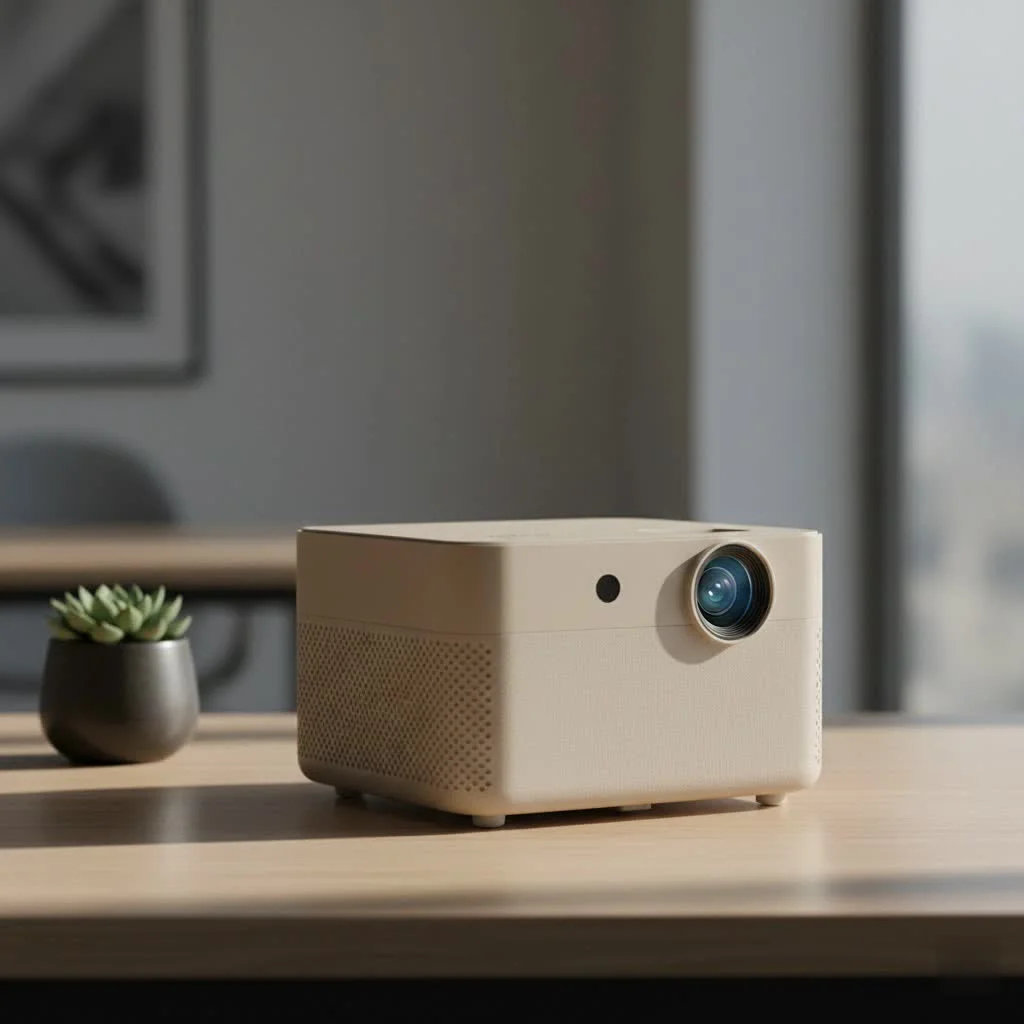
The AuKing mini projector is a compact, portable device designed for easy home entertainment, offering a big-screen experience for under $100. It supports 1080p Full HD resolution input, features enhanced brightness for dark rooms, and boasts a lamp life of 55,000 hours, making it an excellent budget-friendly option for casual movie nights, gaming, and family fun. This device is particularly well-suited for students, families, and first-time projector buyers seeking an affordable entry into home projection.
 mini projector displaying a vibrant movie scene” style=”margin: 20px auto;width: 800px;max-width: 100%;height: auto” />
This projector is aimed squarely at those who want a big-screen experience without breaking the bank. Whether you’re a student in a dorm, a family looking for backyard fun, or just someone curious about the world of projection, the AuKing model promises a lot for a little. We’ll explore its features, performance, and overall value to help you decide if it deserves a spot in your home.
What Exactly is the AuKing Mini Projector?
The AuKing mini projector is a compact, portable device designed for easy home entertainment. It’s engineered to be a simple plug-and-play solution, allowing you to project video and images from various sources onto a screen or wall. The 2025 upgraded model specifically boasts support for 1080p Full HD resolution, enhanced brightness, and a lamp life that promises years of use, all packed into a lightweight frame that you can easily move from room to room.
Key Features and Specifications Explored
When you’re looking at a budget-friendly projector, the spec sheet can sometimes be misleading. My job is to translate those numbers into real-world performance. Here’s what the AuKing mini projector offers and what it actually means for your viewing experience.
Brightness and Resolution: What to Expect
The AuKing claims its 2025 model is brighter and supports 1080p Full HD. It’s important to understand that “supported” resolution isn’t the same as “native” resolution. This projector accepts a 1080p signal, but it downscales it to its native resolution, which is typically lower on budget models.
In practice, the image is surprisingly clear and vibrant for its class, especially in a dark room. For a family movie night or a casual gaming session, the picture quality is more than adequate. However, if you try using it in a well-lit room, the image will appear washed out. This is a common trade-off with mini projectors, and the AuKing performs as expected.
“For the price, the clarity is impressive. Just be sure to dim the lights. Think of it as setting the mood for a proper cinema experience at home.” – David Chen, Flasf.com Expert
Connectivity: Plugging in Your Devices
|
Our Picks for the Best Mini Projector in 2026
As an Amazon Associate I earn from qualifying purchases.
|
||
| Num | Product | Action |
|---|---|---|
| 1 | Magcubic Mini Projector with WiFi 6 and Bluetooth 5.4, Portable Projector 4K Support, 5W Soundbase Speaker, Auto Vertical Keystone 180°Rotatable Smart Proyector for Movie Home Outdoor |

|
| 2 | 【Officially-Licensed APP & Native 1080P】Thinnest 1.81\" Smart Mini Projector with WiFi and Bluetooth, Auto Focus & Keystone Portable Outdoor Projector, VOPLLS 4K Support Home Movie Projector |
|
| 3 | Mini Portable Projector 4K WiFi 6 BT 5.2 Upgraded Portable Projector Full HD Supported for Phone /PC /TV /HDMI /PS5 /Laptop Auto Keystone Home Theater 180° Rotation [Built-in App] White |
|
| 4 | SOOMFON Mini Projector 1080P Support - Portable Small Video Movie Projector Bluetooth 5.1 Auto Keystone Electric Focus for Bedroom/Wall/Home/Outdoor/iPhone/Android/TV Stick |
|
| 5 | [Built-in Apps & 2025 Upgraded] Mini Projector Support 4K 1080P Auto Keystone 270° Rotatable with WiFi 6 and Bluetooth 5.4, Projector Portable Compatibile with HDMI/TV Stick/Memory Stick/Laptop-Black |
|
| 6 | Aurzen Roku TV Smart Projector with Wifi and Bluetooth, Roku Streaming Experience Built-in, 1080P FHD, Dolby Audio, Auto Focus & Keystone, Zoom, Movie Portable Outdoor Mini Projector, White |
|
| 7 | Aurzen EAZZE D1 Smart Projector with WiFi and Bluetooth, Netflix-Officially-Licensed, Auto Focus & Keystone, DoIby Audio, Native 1080P Movie, Portable Outdoor Mini Projector, White |
|
| 8 | [Short Throw/1200ANSI/Built in Apps] 4K Outdoor Projector with WiFi and Bluetooth, Auto Focus Projector with Dual-Mode Stand, Smart Portable Proyector with Netflix/YouTube/PrimeVideo & Dolby |
|
| 9 | [Compatible with Netflix & TOF Real-time Focus] Mini Projector with WiFi and Bluetooth, XuanPad Smart Projector 4K Support, Dolby Audio & Keystone, 210° Rotatable Stand for Home |
|
| 10 | HAPPRUN Native 1080P Bluetooth Mini Projector, Full HD Portable Outdoor Movie Projector with Built-in Speaker, Compatible with Smartphone, HDMI, USB, AV, Fire Stick, PS5 for Home, Bedroom, Outdoor Use |
|
Versatility is a major plus for the AuKing. It comes equipped with a solid range of ports, including:
- HDMI
- USB
- AV input
- 3.5mm Audio Jack
This array allows you to connect a wide variety of devices, such as laptops, streaming sticks (like a Fire TV or Roku), gaming consoles (PS5, Xbox Series X), and even older DVD players. A crucial point to remember is that to stream content from services like Netflix or Hulu, you will need an external streaming device connected via HDMI, as the projector does not have built-in smart capabilities.
Portability and Design
Weighing just over two pounds, this projector is genuinely portable. Its small footprint makes it easy to store and set up anywhere you have a flat surface. The design is simple and functional, with manual focus and keystone correction dials on the top that are easy to adjust. While it may not win any design awards, its practicality is what counts. It feels sturdy enough for regular use, whether you’re taking it to a friend’s house or setting it up for an outdoor movie night in the backyard.
Sound Quality: Built-in Speaker Performance
The AuKing mini projector includes built-in dual stereo speakers. While this is convenient for portability, the audio quality is its biggest weakness. The speakers are functional for casual viewing, but they lack depth, bass, and volume. For a truly immersive experience, I strongly recommend connecting an external speaker or soundbar using the 3.5mm audio output. This simple upgrade makes a world of difference.
How to Set Up Your AuKing Mini Projector
One of the best things about this projector is its simplicity. You can get it up and running in under five minutes. Here’s a quick step-by-step guide:
- Placement: Position the projector on a stable, flat surface like a table or tripod. The further back you place it, the larger the image will be, with a maximum recommended size of around 200 inches.
- Power Up: Connect the power cord to the projector and plug it into an outlet.
- Connect Your Source: Plug your device (e.g., laptop, streaming stick) into the HDMI port.
- Adjust the Image: Power on the projector. Use the focus ring until the image is sharp. Then, use the keystone correction dial to square the image if you are projecting at a slight angle.
- Select Input: Use the remote control or buttons on the projector to select the correct input source (e.g., HDMI).
- Add External Audio (Recommended): Connect your favorite speaker to the audio jack for a much better sound experience.
Real-World Performance: Is It Worth Your Money?
After putting the AuKing mini projector through its paces, the verdict is clear: it offers fantastic value for its price point. It’s an entry-level device that punches above its weight, but it’s essential to have realistic expectations.
It excels at casual movie nights, projecting cartoons for kids, and creating a fun gaming environment. The long lamp life of 55,000 hours is a huge advantage, meaning you could watch a three-hour movie every day for over 50 years before the bulb needs replacing. The fan noise, thanks to an advanced cooling system, is also impressively low and won’t distract from your viewing experience.
However, this is not the right tool for professional presentations in a bright office. The text clarity and overall brightness are not sufficient for a corporate environment. It’s designed for entertainment in low-light conditions, and in that role, it succeeds.
Who Should Buy the AuKing Mini Projector?
This projector is a perfect match for:
- Families: Ideal for creating a fun and affordable home cinema for movie nights or backyard parties.
- Students: Great for dorm rooms where space is limited and budgets are tight.
- Casual Gamers: Provides an immersive, large-screen experience for non-competitive gaming.
- First-Time Projector Buyers: A low-risk entry point into the world of home projection.
However, you might want to look at more premium options if you are:
- A Home Cinema Enthusiast: If you demand perfect color accuracy, high native resolution, and deep blacks.
- A Business Professional: If you need a projector for presentations in well-lit rooms.
Frequently Asked Questions (FAQ)
How do I connect my phone to the AuKing mini projector?
To connect a smartphone, you will need an additional adapter. For iPhones, you’ll need a Lightning to HDMI adapter. For Android phones, you will need a USB-C to HDMI adapter. These are sold separately.
Can the AuKing projector be used outdoors?
Yes, it can be used outdoors, but it requires a very dark environment to produce a visible image. It is not bright enough for use during dusk or in areas with ambient light. You will also need a power source and a screen or flat white surface.
Does the AuKing mini projector have Bluetooth?
The standard AuKing mini projector model does not have built-in Bluetooth. To connect a Bluetooth speaker, you would need to plug a separate Bluetooth transmitter into the 3.5mm audio jack.
What is the native resolution of this projector?
While the projector supports a 1080p input signal, its native resolution is typically lower, often around 480p or 720p depending on the specific model. This is standard for projectors in this budget category.
Is it good for PowerPoint presentations?
Due to its limited brightness and text clarity in lit rooms, it is not recommended for professional PowerPoint presentations. It is best suited for video and gaming in dark settings.
Final Thoughts from Flasf.com
The AuKing mini projector sets a high bar for what a budget projector can deliver. It successfully makes the big-screen experience accessible to almost everyone. While it has its limitations, particularly with built-in audio and performance in bright rooms, its strengths in portability, ease of use, connectivity, and sheer value are undeniable. If you manage your expectations and use it for its intended purpose—fun, casual entertainment in the dark—you will be incredibly pleased with your purchase. It’s a fantastic entry point that delivers smiles without emptying your wallet.
Frequently Asked Questions
How do I connect my phone to the AuKing mini projector?
To connect a smartphone to the AuKing mini projector, you will need an additional adapter. For iPhones, a Lightning to HDMI adapter is required, while Android phones need a USB-C to HDMI adapter. These adapters are sold separately and are essential for mirroring your phone's screen.
Can the AuKing projector be used outdoors for movie nights?
Yes, the AuKing projector can be used outdoors, but it requires a very dark environment to produce a visible image. It is not bright enough for use during dusk or in areas with ambient light. You will also need a power source and a screen or flat white surface for optimal viewing.
Does the AuKing mini projector have Bluetooth connectivity?
The standard AuKing mini projector model does not have built-in Bluetooth. To connect a Bluetooth speaker or headphones, you would need to plug a separate Bluetooth transmitter into the projector's 3.5mm audio jack. This external accessory allows for wireless audio pairing.
What is the native resolution of the AuKing mini projector?
While the AuKing mini projector supports a 1080p input signal, its native resolution is typically lower, often around 480p or 720p depending on the specific model. This native resolution is standard for projectors in this budget category, providing clear images in dark settings.
Is the AuKing mini projector suitable for professional presentations?
No, the AuKing mini projector is not recommended for professional PowerPoint presentations. Due to its limited brightness and text clarity in well-lit rooms, it is best suited for video and gaming in dark settings. For business use, a projector with higher brightness and native resolution is advisable.
How to Set Up Your AuKing Mini Projector
Setting up the AuKing mini projector is straightforward and can be done in under five minutes, allowing you to quickly enjoy your content.
Place the projector on a stable, flat surface such as a table or tripod. The distance from the projection surface will determine the image size, with a maximum recommended size of approximately 200 inches.
Connect the power cord to the projector and plug it into an electrical outlet. Then, plug your desired device, like a laptop or streaming stick, into the HDMI port on the projector.
Power on the projector. Use the manual focus ring to sharpen the image and the keystone correction dial to square the picture if projecting at an angle. Finally, use the remote or buttons to select the correct input source (e.g., HDMI).
For a significantly better sound experience, connect an external speaker or soundbar to the projector's 3.5mm audio jack. The built-in speakers are functional but lack depth and volume for immersive viewing.
Get our weekly buyer guide
Practical specs, not advice. Unsubscribe anytime.
I was looking for an affordable entry into home projection and the AuKing mini projector fit the bill perfectly. It’s great for watching movies on a bigger screen than my TV. The setup was straightforward, and it’s really convenient to just plug in and play. For the price, you really can’t beat the big-screen experience it offers.
Wow, I love this little AuKing projector! We’ve been using it for family fun nights and it’s been a huge hit. The 55,000-hour lamp life was a big selling point for me, knowing it will last us a long time. It’s so compact and easy to move around, making it perfect for impromptu movie screenings anywhere in the house. Highly recommend it for families!
I picked up the AuKing mini projector after reading about its portability and I’m really impressed for the price. It’s super easy to set up for movie nights in the backyard, and the picture quality is surprisingly good in the dark. My only minor gripe is that the sound could be a bit louder, but I just connect it to a Bluetooth speaker and it’s perfect. Definitely a solid buy for under $100.
This projector is decent for what it is, especially considering the budget-friendly price point. I got it mainly for casual gaming in my dorm room. While the 1080p input support is great, I found that it really needs a very dark room to shine. In even slightly lit conditions, the enhanced brightness doesn’t quite cut it. Still, for a first-time projector buyer, it’s not bad.