The QKK mini projector is a budget-friendly portable projector designed for casual home entertainment, offering a large-screen experience for under $100. It typically features a native resolution of 800×480 pixels, supports 1080p input, and includes multiple connectivity options like HDMI and USB. While not a high-end device, it provides good value for occasional movie nights, gaming, or backyard gatherings when used in a completely dark room.
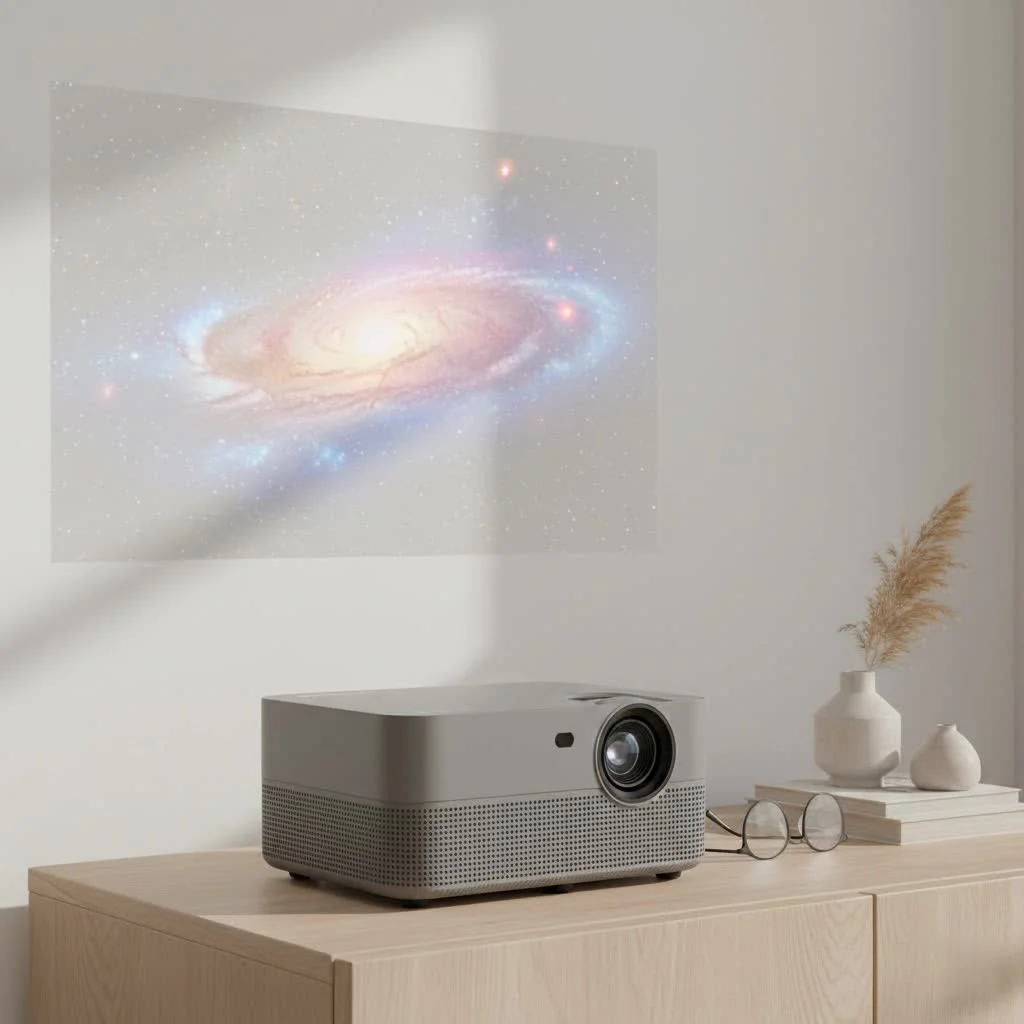
At Flasf, we’ve spent years testing and analyzing portable projectors. This comprehensive review breaks down everything you need to know about the QKK mini projector, including its features, real-world performance, and setup process, to help you decide if it’s the right fit for your entertainment needs.
What Exactly is the QKK Mini Projector?
The QKK mini projector is a line of portable, budget-friendly projectors designed for casual home entertainment. It’s not built to compete with high-end, 4K home theater systems but rather to provide an accessible and straightforward way to project a large image. Its primary audience includes families looking for a fun movie night solution, gamers wanting a more immersive experience, or anyone needing a portable screen for occasional use.
Most models are lightweight, compact, and often come bundled with a carrying case and even a simple projection screen, making them an attractive all-in-one package for beginners.
Key Features and Specifications Explored
While specific specs can vary between models like the AK-80 or others, most QKK projectors share a common set of features geared towards simplicity and versatility.
- Native Resolution: Most QKK projectors feature a native resolution of 800×480 pixels, though they can support and downscale input up to 1080p Full HD. It’s crucial to understand that “supports 1080p” is not the same as a native 1080p display. The image will be watchable, but it won’t have the crispness of a true HD projector.
- Brightness: Brightness is often advertised in lumens, with many models claiming several thousand. However, these figures should be taken with a grain of salt. The real-world brightness is modest and best suited for very dark rooms. Any significant ambient light will wash out the image.
- Connectivity: This is a strong point for the QKK. Most units come equipped with a generous array of ports, including HDMI, VGA, USB, AV, and an SD card slot. This allows you to connect laptops, gaming consoles (like PlayStation and Xbox), DVD players, and streaming sticks like a Fire TV Stick or Roku.
- Screen Size: QKK projectors can typically create an image ranging from around 32 inches to over 170 inches. The optimal size for the best clarity is usually under 100 inches.
- Built-in Speaker: A basic built-in speaker (often around 5W) is included. While it works for casual viewing, connecting external speakers via the headphone jack is highly recommended for a more immersive audio experience.
Real-World Performance: Is It Any Good?
Technical specs only tell half the story. To truly understand its capabilities, we need to look at how the QKK mini projector performs in a real-world setting.
Image Quality and Brightness
|
Our Picks for the Best Mini Projector in 2026
As an Amazon Associate I earn from qualifying purchases.
|
||
| Num | Product | Action |
|---|---|---|
| 1 | Aurzen EAZZE D1 Smart Projector with WiFi and Bluetooth, Netflix-Officially-Licensed, Auto Focus & Keystone, DoIby Audio, Native 1080P Movie, Portable Outdoor Mini Projector, White |

|
| 2 | [Short Throw/1200ANSI/Built in Apps] 4K Outdoor Projector with WiFi and Bluetooth, Auto Focus Projector with Dual-Mode Stand, Smart Portable Proyector with Netflix/YouTube/PrimeVideo & Dolby |
|
| 3 | HAPPRUN Native 1080P Bluetooth Mini Projector, Full HD Portable Outdoor Movie Projector with Built-in Speaker, Compatible with Smartphone, HDMI, USB, AV, Fire Stick, PS5 for Home, Bedroom, Outdoor Use |
|
| 4 | SOOMFON Mini Projector 1080P Support - Portable Small Video Movie Projector Bluetooth 5.1 Auto Keystone Electric Focus for Bedroom/Wall/Home/Outdoor/iPhone/Android/TV Stick |
|
| 5 | Magcubic Mini Projector with WiFi 6 and Bluetooth 5.4, Portable Projector 4K Support, 5W Soundbase Speaker, Auto Vertical Keystone 180°Rotatable Smart Proyector for Movie Home Outdoor |
|
| 6 | Aurzen Roku TV Smart Projector with Wifi and Bluetooth, Roku Streaming Experience Built-in, 1080P FHD, Dolby Audio, Auto Focus & Keystone, Zoom, Movie Portable Outdoor Mini Projector, White |
|
| 7 | [Built-in Apps & 2025 Upgraded] Mini Projector Support 4K 1080P Auto Keystone 270° Rotatable with WiFi 6 and Bluetooth 5.4, Projector Portable Compatibile with HDMI/TV Stick/Memory Stick/Laptop-Black |
|
| 8 | 【Officially-Licensed APP & Native 1080P】Thinnest 1.81\" Smart Mini Projector with WiFi and Bluetooth, Auto Focus & Keystone Portable Outdoor Projector, VOPLLS 4K Support Home Movie Projector |
|
| 9 | [Compatible with Netflix & TOF Real-time Focus] Mini Projector with WiFi and Bluetooth, XuanPad Smart Projector 4K Support, Dolby Audio & Keystone, 210° Rotatable Stand for Home |
|
| 10 | Mini Portable Projector 4K WiFi 6 BT 5.2 Upgraded Portable Projector Full HD Supported for Phone /PC /TV /HDMI /PS5 /Laptop Auto Keystone Home Theater 180° Rotation [Built-in App] White |
|
Let’s set expectations: for its price, the QKK mini projector delivers a surprisingly decent picture, but only under the right conditions. In a completely dark room, colors are vibrant enough for watching movies or playing games casually. The contrast ratio, typically around 2000:1, is adequate for distinguishing details in darker scenes. However, the lower native resolution means you will notice pixels if you sit too close, and text can appear soft, making it unsuitable for business presentations with fine print.
As our lead technician, Michael Chen, often says, “The best feature of a budget projector is its ability to make a huge screen appear out of nowhere. The magic is in the size and the fun, not in pixel-perfect clarity. For a family movie night in the backyard, that’s often more than enough.”
Audio Performance
The onboard speaker is functional but lacks depth and bass. It’s loud enough to hear dialogue in a quiet room, but for any action movie or music-heavy content, it sounds tinny and weak. The inclusion of a 3.5mm audio-out jack is essential, as connecting even a basic computer speaker or a soundbar will dramatically improve the experience.
Ease of Use and Setup
The user interface is straightforward and easy to navigate with the included remote control. Physical controls on the projector itself allow for manual focus and keystone correction. The keystone dial helps straighten the image if the projector is angled up or down, but over-adjusting it can cause parts of the image to become blurry. For the sharpest picture, it’s best to position the projector as level and straight-on with the screen as possible.
How to Set Up Your QKK Mini Projector
Getting started with your QKK is a simple process. Follow these steps for the best experience:
- Position the Projector: Place the projector on a stable, flat surface like a table or tripod. For the best results, position it directly in front of the screen.
- Connect Power: Plug the power cord into the projector and a wall outlet.
- Connect Your Source: Use an HDMI cable to connect your laptop, gaming console, or streaming stick. For smartphones, you will need a separate adapter (e.g., Lightning to HDMI for iPhones or a USB-C to HDMI adapter for some Android devices).
- Power On and Select Source: Turn on the projector and use the remote to select the correct input source (e.g., HDMI 1).
- Adjust the Image:
- First, use the focus ring around the lens until the image is as sharp as possible.
- Next, if the image is trapezoidal, use the keystone correction dial to make the sides vertical. Be gentle with this to avoid losing focus at the top or bottom.
- Connect Audio (Recommended): Plug external speakers into the headphone jack for a better sound experience.
Who Should Buy the QKK Mini Projector?
This projector is an excellent choice for a specific type of user. You should consider buying it if:
- You are a casual user looking for an affordable big screen for occasional movie nights.
- You want a fun, portable device for kids’ rooms or backyard entertainment.
- You are a gamer who wants a larger, more immersive display for non-competitive games.
- Your budget is your primary concern, and you understand the limitations of a sub-$100 projector.
However, you should look for a more advanced model if you are a home theater enthusiast seeking high-definition clarity, need a projector for bright rooms, or require it for professional presentations.
Frequently Asked Questions (FAQ)
How do I connect my phone to the QKK mini projector?
To connect a smartphone, you need a specific adapter. For iPhones, an official Lightning to Digital AV Adapter is recommended. For Android devices, you may need a USB-C to HDMI adapter, but you should first check if your phone supports video output over USB-C.
Can I watch Netflix or other streaming services?
Yes, but you must use a separate device. The easiest way is to connect a streaming stick like an Amazon Fire TV Stick, Roku, or Chromecast to the HDMI port. You cannot stream copyrighted content by connecting your phone directly via a simple USB cable.
Is the fan loud on the QKK mini projector?
The projector has a cooling fan that produces a noticeable whirring sound. While it’s audible, it’s generally not loud enough to be distracting once the movie’s audio is playing, especially if you are using external speakers.
Can this projector be used outdoors?
Absolutely! The QKK mini projector is great for backyard movie nights. However, you must wait until it is completely dark outside for the image to be bright and visible. It is not designed to be weatherproof, so bring it inside after use.
What is the lamp life of the QKK projector?
Most models advertise a very long LED lamp life, often up to 50,000 hours. This means you are unlikely to ever need to replace the bulb under normal use, which is a major advantage over traditional lamp-based projectors.
The Final Verdict
The QKK mini projector succeeds at its primary goal: making a large-screen experience accessible to everyone. It is not a powerhouse device, and its performance in brightness and resolution is reflective of its low price point. However, its excellent connectivity, ease of use, and the value of its bundled accessories make it a compelling option for casual entertainment.
If you manage your expectations and use it in a dark environment, this projector offers fantastic fun and value. It’s the perfect entry point into the world of projection, allowing you to create memorable movie nights and gaming marathons without a significant investment.
Frequently Asked Questions
How do I connect my phone to the QKK mini projector?
To connect a smartphone, you need a specific adapter. For iPhones, an official Lightning to Digital AV Adapter is recommended, while Android devices may require a USB-C to HDMI adapter, depending on their video output support. Simple USB cables typically do not support direct video streaming for copyrighted content.
Can I watch Netflix or other streaming services on a QKK mini projector?
Yes, you can watch Netflix and other streaming services, but you must use a separate device. The easiest method is to connect a streaming stick like an Amazon Fire TV Stick, Roku, or Chromecast to the projector's HDMI port. Direct phone connection via USB for copyrighted content is generally not supported.
Is the fan loud on the QKK mini projector during operation?
The QKK mini projector has a cooling fan that produces a noticeable whirring sound. While audible, it is generally not loud enough to be distracting once the movie's audio is playing, especially if you are using external speakers for an improved sound experience.
Can the QKK mini projector be used for outdoor movie nights?
Yes, the QKK mini projector is suitable for backyard movie nights. For optimal visibility, it is crucial to wait until it is completely dark outside. The projector is not weatherproof, so it should be brought indoors after use to prevent damage.
What is the expected lamp life of a QKK projector?
Most QKK mini projector models advertise a very long LED lamp life, often up to 50,000 hours. This extended lifespan means that users are unlikely to ever need to replace the bulb under normal usage conditions, offering a significant advantage over traditional lamp-based projectors.
Set Up Your QKK Mini Projector
Follow these simple steps to set up your QKK mini projector for the best viewing experience.
Place the projector on a stable, flat surface such as a table or tripod. For the sharpest and most aligned image, position it directly in front of your projection screen.
Plug the power cord into the projector and a wall outlet. Then, use an HDMI cable to connect your desired media source, such as a laptop, gaming console, or streaming stick, to the projector.
Turn on the projector using the power button. Use the included remote control to navigate the menu and select the correct input source (e.g., HDMI 1) corresponding to your connected device.
First, rotate the focus ring around the lens until the image appears as sharp as possible. If the image is trapezoidal, gently use the keystone correction dial to make the sides vertical, being careful not to over-adjust and blur parts of the picture.
For a significantly better sound experience, connect external speakers or a soundbar to the projector's 3.5mm headphone jack. The built-in speaker is functional but lacks depth and bass for immersive audio.
Get our weekly buyer guide
Practical specs, not advice. Unsubscribe anytime.
Got this for a camping trip and it was a hit! We projected a movie onto the side of our tent and it was such a fun experience. The multiple connectivity options, especially the USB, made it easy to play content directly from a flash drive. It’s super portable and lightweight, perfect for on-the-go entertainment.
I picked up the QKK mini projector mainly for some casual gaming with my kids, and it’s been great. Hooked up my old console via HDMI and we had a blast. It supports 1080p input, which is more than enough for our needs. For the price, you can’t beat the fun factor it brings to family game nights.
I was looking for something affordable for movie nights in the backyard and the QKK mini projector totally delivered. For under $100, I wasn’t expecting much, but the picture quality is surprisingly decent in total darkness. Setup was a breeze with the HDMI connection to my laptop. Definitely recommend for casual use!
This projector is okay for the price, but you really do need a completely dark room. I tried using it in my living room during the day with the blinds closed and it was pretty washed out. The native resolution of 800×480 is noticeable, so don’t expect super crisp images. Good for kids’ cartoons, not so much for serious movie buffs.