Tired of being confined to your living room TV? Imagine hosting an epic movie night in your backyard, delivering a killer presentation anywhere, or turning your bedroom ceiling into a star-filled galaxy. This isn’t science fiction; it’s the portable magic of a Mini Tv Projector. These compact powerhouses are changing the way we consume media, offering a massive screen experience that can fit in your backpack.
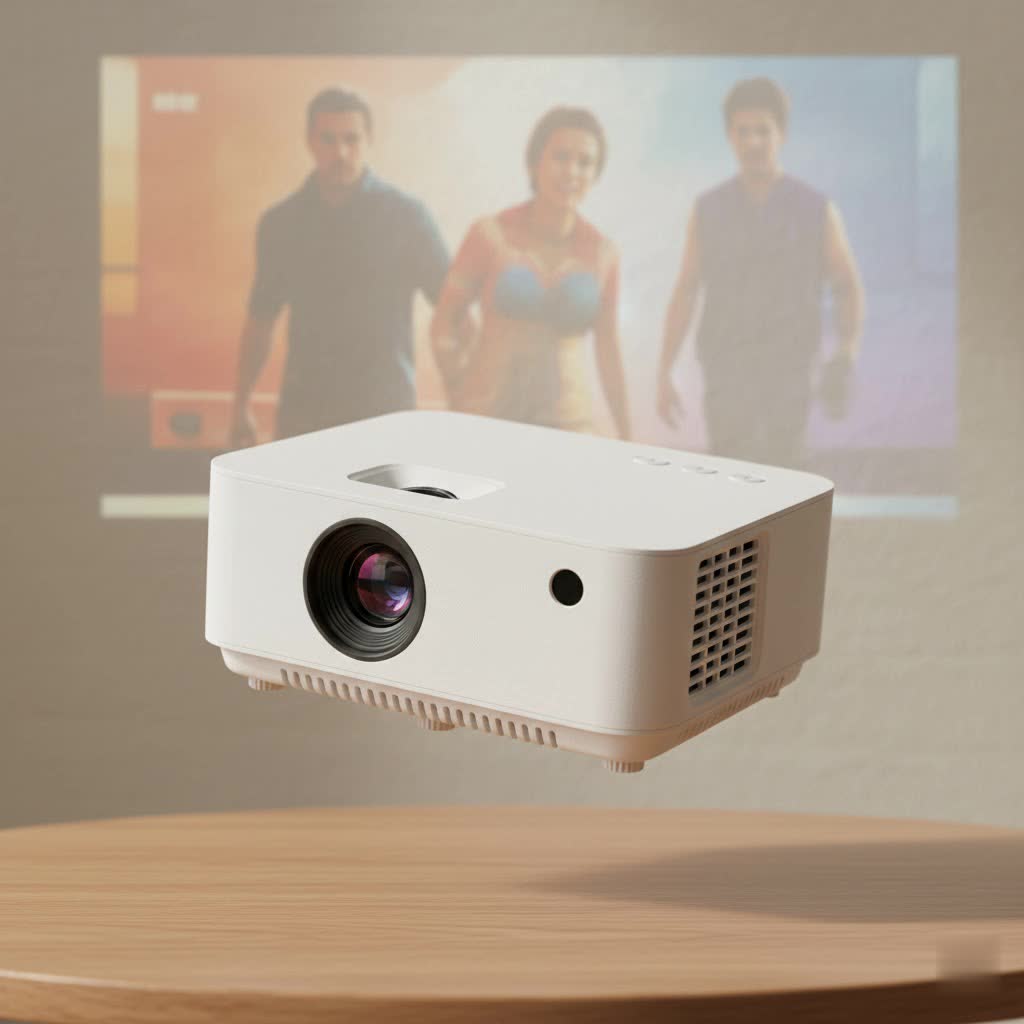
As the creative force behind Flasf.com and a decade-long enthusiast in projection technology, I’ve seen these devices evolve from niche gadgets to mainstream entertainment hubs. Let’s dive into everything you need to know to choose, set up, and get the most out of your mini TV projector.
What Makes a Mini TV Projector So Special?
A mini TV projector, often called a pico or pocket projector, is a lightweight, portable device designed to project a large image from a video source onto a screen or wall. Unlike their bulky, traditional counterparts that require permanent installation, these projectors are built for flexibility. They often come with built-in batteries, integrated smart TV platforms, and a host of connectivity options, making them true all-in-one entertainment solutions.
The core appeal is simple: a big-screen experience on demand, wherever you are. Whether you’re a movie buff, a gamer, a frequent traveler, or a professional on the move, a mini projector offers unparalleled convenience.
Key Features to Look for in a Mini TV Projector
Navigating the specs can be daunting. Let’s break down what truly matters when you’re shopping for a portable projector.
Brightness (Lumens)
Brightness is arguably the most critical factor. It’s measured in lumens, but you need to pay attention to the type. Look for ANSI lumens, as this is a standardized measurement of brightness. Many manufacturers advertise “LED lumens” or “light source lumens,” which are often inflated numbers.
- Under 300 ANSI Lumens: Best for very dark rooms. Ideal for casual bedroom viewing.
- 300-800 ANSI Lumens: A great sweet spot for most users. This level is bright enough for rooms with some ambient light control (like curtains drawn).
- 800+ ANSI Lumens: Premium models that can handle some ambient light, making them more versatile for daytime use or less-than-ideal lighting conditions.
|
Our Picks for the Best Mini Projector in 2026
As an Amazon Associate I earn from qualifying purchases.
|
||
| Num | Product | Action |
|---|---|---|
| 1 | [Compatible with Netflix & TOF Real-time Focus] Mini Projector with WiFi and Bluetooth, XuanPad Smart Projector 4K Support, Dolby Audio & Keystone, 210° Rotatable Stand for Home |
![Check [Compatible with Netflix & TOF Real-time Focus] Mini Projector with WiFi and Bluetooth, XuanPad Smart Projector 4K Support, Dolby Audio & Keystone, 210° Rotatable Stand for Home on Amazon](https://flasf.com/wp-content/plugins/amazon-tables/assets/images/buy.png)
|
| 2 | Magcubic Mini Projector with WiFi 6 and Bluetooth 5.4, Portable Projector 4K Support, 5W Soundbase Speaker, Auto Vertical Keystone 180°Rotatable Smart Proyector for Movie Home Outdoor |
|
| 3 | 【Officially-Licensed APP & Native 1080P】Thinnest 1.81\" Smart Mini Projector with WiFi and Bluetooth, Auto Focus & Keystone Portable Outdoor Projector, VOPLLS 4K Support Home Movie Projector |
|
| 4 | HAPPRUN Native 1080P Bluetooth Mini Projector, Full HD Portable Outdoor Movie Projector with Built-in Speaker, Compatible with Smartphone, HDMI, USB, AV, Fire Stick, PS5 for Home, Bedroom, Outdoor Use |
|
| 5 | SOOMFON Mini Projector 1080P Support - Portable Small Video Movie Projector Bluetooth 5.1 Auto Keystone Electric Focus for Bedroom/Wall/Home/Outdoor/iPhone/Android/TV Stick |
|
| 6 | Aurzen Roku TV Smart Projector with Wifi and Bluetooth, Roku Streaming Experience Built-in, 1080P FHD, Dolby Audio, Auto Focus & Keystone, Zoom, Movie Portable Outdoor Mini Projector, White |
|
| 7 | [Built-in Apps & 2025 Upgraded] Mini Projector Support 4K 1080P Auto Keystone 270° Rotatable with WiFi 6 and Bluetooth 5.4, Projector Portable Compatibile with HDMI/TV Stick/Memory Stick/Laptop-Black |
|
| 8 | Aurzen EAZZE D1 Smart Projector with WiFi and Bluetooth, Netflix-Officially-Licensed, Auto Focus & Keystone, DoIby Audio, Native 1080P Movie, Portable Outdoor Mini Projector, White |
|
| 9 | Mini Portable Projector 4K WiFi 6 BT 5.2 Upgraded Portable Projector Full HD Supported for Phone /PC /TV /HDMI /PS5 /Laptop Auto Keystone Home Theater 180° Rotation [Built-in App] White |
|
| 10 | [Short Throw/1200ANSI/Built in Apps] 4K Outdoor Projector with WiFi and Bluetooth, Auto Focus Projector with Dual-Mode Stand, Smart Portable Proyector with Netflix/YouTube/PrimeVideo & Dolby |
|
Resolution
Resolution determines the clarity and sharpness of the image. While many projectors claim to “support” 4K, you need to look for the native resolution.
- 480p (854×480): Budget-friendly, but the image will be noticeably soft and pixelated on larger screens.
- 720p (1280×720): A good entry-point for a clear HD image, suitable for screens up to 80 inches.
- 1080p (1920×1080): The gold standard for mini projectors. It delivers a crisp, detailed Full HD image that looks fantastic even on screens over 100 inches.
Connectivity
A projector is only as good as the devices you can connect to it. Modern mini projectors are connectivity hubs.
- HDMI: The essential port for connecting laptops, gaming consoles (like PlayStation and Xbox), and streaming sticks (Roku, Apple TV, Fire TV).
- USB: Useful for playing media files directly from a flash drive or connecting peripherals.
- Wi-Fi: A must-have for smart features. It allows you to stream content directly from apps like Netflix and YouTube without any external devices.
- Bluetooth: Allows you to connect external speakers or headphones for a major audio upgrade. This is a game-changer, as built-in projector speakers are often weak.
Expert Take: James Albright from Flasf.com notes, “While built-in apps are convenient, I always recommend using a dedicated streaming stick like a Google Chromecast or Amazon Fire TV Stick. They offer a smoother experience, wider app compatibility, and are consistently updated, which isn’t always the case for the projector’s native OS.”
Setting Up Your Mini Projector: A Step-by-Step Guide
You’ve unboxed your new gadget. Now what? Getting that perfect picture is easy if you follow these steps.
- Position the Projector: Place the projector on a stable surface, like a tripod or a table. The distance from the wall or screen will determine the image size—further back means a larger picture.
- Power It On: Plug it in or ensure the battery is charged.
- Adjust the Focus: Most mini projectors have a manual focus wheel or dial. Turn it until the image is sharp and the text is perfectly readable.
- Correct the Keystone: If the projector isn’t perfectly perpendicular to the screen, the image will look like a trapezoid. Use the keystone correction feature (manual or automatic) to square up the image. Pro-tip: Try to position the projector correctly to minimize keystone use, as digital correction can slightly reduce image quality.
- Connect Your Source: Plug in your HDMI device or connect to Wi-Fi to start streaming.
- Pair Your Audio: For the best experience, connect a Bluetooth speaker or soundbar.
Beyond the Backyard: Creative Uses for Your Projector
While outdoor movie nights are a classic, a mini TV projector is far more versatile.
- Immersive Gaming: Connect your Nintendo Switch or PlayStation for a larger-than-life gaming session.
- Portable Business Hub: Ditch the conference room monitor and project your presentation onto any wall.
- Art and Decoration: Project dynamic wallpapers, art installations, or holiday-themed decorations for parties.
- Workout Buddy: Follow along with fitness videos on a huge screen that makes every move easy to see.
Frequently Asked Questions (FAQ)
Can a mini projector replace my TV?
For many, yes. A high-quality 1080p mini projector with good brightness can serve as a primary display, offering a much larger and more flexible screen than a traditional TV. However, TVs still have the edge in very bright rooms.
How many lumens do I really need?
For a dark room, 300-500 ANSI lumens is sufficient. If you plan to use it with some lights on or during the day with curtains drawn, aim for 500-800 ANSI lumens or more for the best results.
Do mini projectors work in daylight?
No projector works well in direct sunlight. However, high-brightness models (over 800 ANSI lumens) can produce a watchable image in a room with windows during the day, as long as the light isn’t hitting the screen directly.
How long do the bulbs last in these projectors?
Most modern mini projectors use an LED light source, not a traditional bulb. These LEDs have an incredibly long lifespan, typically rated for 20,000 to 30,000 hours. That’s over a decade of use, even if you watch it for several hours every day.
Is it hard to connect my phone?
Not at all. Most projectors support screen mirroring via Wi-Fi (often called Miracast for Android or AirPlay for iOS). For a more stable connection, you can also use a wired adapter that connects your phone’s charging port to an HDMI cable.
The Final Picture
A mini TV projector is more than just a gadget; it’s a gateway to flexible, big-screen entertainment. By prioritizing key features like ANSI lumen brightness, native 1080p resolution, and robust connectivity, you can find a device that transforms any space into a personal cinema. It breaks down the physical barriers of traditional screens, empowering you to share experiences, enjoy content, and play on a grand scale, wherever you happen to be. Ready to make the leap? Your next movie night could be the biggest one yet.
