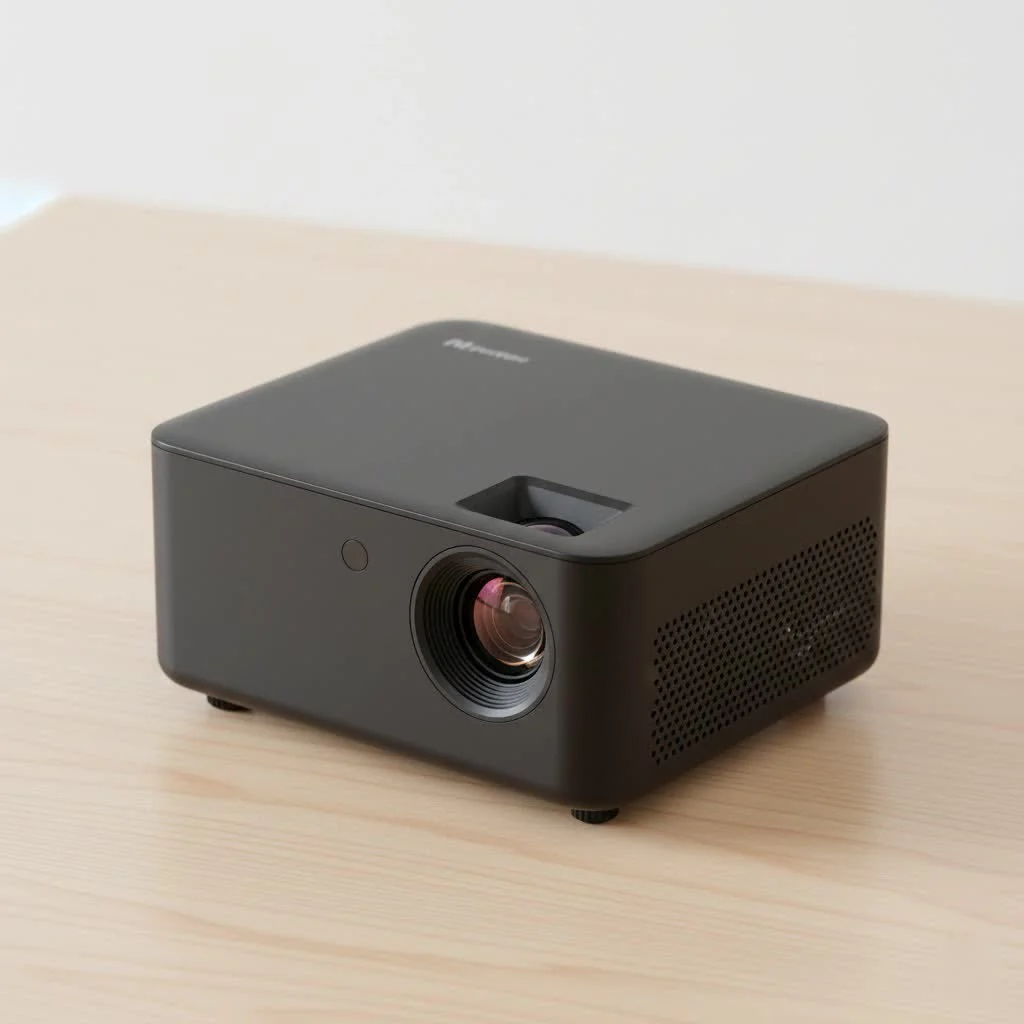
A mini projector with Bluetooth and WiFi is a compact, portable device that projects images onto a surface, offering wireless connectivity for streaming and audio. These projectors typically feature WiFi for direct streaming from apps like Netflix and Bluetooth for connecting to external speakers, creating a cordless entertainment system. They are ideal for backyard movie nights, gaming, and on-the-go presentations, providing a versatile big-screen experience anywhere.
What Exactly is a Mini Projector with WiFi and Bluetooth?
At its core, a mini projector is a portable device that projects an image onto a surface. The magic happens when you add wireless capabilities. WiFi connectivity allows the projector to connect to your home or office network, enabling direct streaming from apps like Netflix, YouTube, or Hulu, just like a smart TV. Bluetooth functionality lets you wirelessly connect to external audio devices, such as soundbars or portable speakers, for a truly immersive audio experience that the tiny built-in speakers can’t match. This combination creates a completely cordless entertainment system that fits in your backpack. For shop curated portable mini on this site.
Key Features to Consider Before Buying
Choosing the right mini projector with Bluetooth and WiFi can seem daunting with all the technical specifications. Let’s break down the most important features to look for to ensure you get the best device for your needs.
Resolution and Brightness (Lumens)
These two specs are the most critical for image quality.
- Resolution: This determines the clarity and sharpness of the picture. For a good viewing experience, look for a projector with a native resolution of at least 720p (1280×720). For superior detail, 1080p (1920×1080) is the gold standard in the mini projector category. Be wary of models that only list “supported resolution,” as this isn’t the true quality.
- Brightness: Measured in ANSI lumens, this dictates how well the image shows up in different lighting conditions. For dark rooms, 200-300 ANSI lumens is sufficient. If you plan to use it in rooms with some ambient light or outdoors at dusk, aim for 500 ANSI lumens or higher.
As our lead technician, David Chen, always says, “Don’t just chase the highest lumen count. Balance brightness with native resolution. A bright, blurry image is worse than a slightly dimmer, sharp one.”
WiFi and Bluetooth Performance
Not all wireless connections are created equal.
- WiFi: Look for dual-band WiFi (2.4GHz and 5GHz) support. A 5GHz connection offers faster speeds and less interference, which is crucial for smooth, buffer-free streaming of high-definition content.
- Bluetooth: Check for modern Bluetooth versions like 5.0 or higher. These versions provide a more stable connection, longer range, and better audio quality when pairing with your favorite speakers or headphones.
Portability and Battery Life
|
Our Picks for the Best Mini Projector in 2026
As an Amazon Associate I earn from qualifying purchases.
|
||
| Num | Product | Action |
|---|---|---|
| 1 | Aurzen Roku TV Smart Projector with Wifi and Bluetooth, Roku Streaming Experience Built-in, 1080P FHD, Dolby Audio, Auto Focus & Keystone, Zoom, Movie Portable Outdoor Mini Projector, White |

|
| 2 | [Built-in Apps & 2025 Upgraded] Mini Projector Support 4K 1080P Auto Keystone 270° Rotatable with WiFi 6 and Bluetooth 5.4, Projector Portable Compatibile with HDMI/TV Stick/Memory Stick/Laptop-Black |
|
| 3 | Magcubic Mini Projector with WiFi 6 and Bluetooth 5.4, Portable Projector 4K Support, 5W Soundbase Speaker, Auto Vertical Keystone 180°Rotatable Smart Proyector for Movie Home Outdoor |
|
| 4 | HAPPRUN Native 1080P Bluetooth Mini Projector, Full HD Portable Outdoor Movie Projector with Built-in Speaker, Compatible with Smartphone, HDMI, USB, AV, Fire Stick, PS5 for Home, Bedroom, Outdoor Use |
|
| 5 | 【Officially-Licensed APP & Native 1080P】Thinnest 1.81\" Smart Mini Projector with WiFi and Bluetooth, Auto Focus & Keystone Portable Outdoor Projector, VOPLLS 4K Support Home Movie Projector |
|
| 6 | Mini Portable Projector 4K WiFi 6 BT 5.2 Upgraded Portable Projector Full HD Supported for Phone /PC /TV /HDMI /PS5 /Laptop Auto Keystone Home Theater 180° Rotation [Built-in App] White |
|
| 7 | SOOMFON Mini Projector 1080P Support - Portable Small Video Movie Projector Bluetooth 5.1 Auto Keystone Electric Focus for Bedroom/Wall/Home/Outdoor/iPhone/Android/TV Stick |
|
| 8 | Aurzen EAZZE D1 Smart Projector with WiFi and Bluetooth, Netflix-Officially-Licensed, Auto Focus & Keystone, DoIby Audio, Native 1080P Movie, Portable Outdoor Mini Projector, White |
|
| 9 | [Short Throw/1200ANSI/Built in Apps] 4K Outdoor Projector with WiFi and Bluetooth, Auto Focus Projector with Dual-Mode Stand, Smart Portable Proyector with Netflix/YouTube/PrimeVideo & Dolby |
|
| 10 | [Compatible with Netflix & TOF Real-time Focus] Mini Projector with WiFi and Bluetooth, XuanPad Smart Projector 4K Support, Dolby Audio & Keystone, 210° Rotatable Stand for Home |
|
The “mini” in mini projector is all about portability. Consider the device’s weight and physical dimensions. Does it come with a carrying case? More importantly, if you plan to use it away from a power outlet, the built-in battery is crucial. Look for a battery that can last at least 2-3 hours, which is long enough for a standard movie.
Keystone Correction and Focus
Setting up a projector perfectly perpendicular to a screen isn’t always possible. Keystone correction is a feature that fixes distorted, trapezoidal images that occur when the projector is placed at an angle.
- Manual vs. Auto Keystone: Many projectors offer manual vertical keystone correction. Premium models feature automatic keystone and even horizontal correction, which makes setup incredibly simple.
- Focus: Most mini projectors have a manual focus wheel. Ensure it is easy to access and adjust for a crisp image.
How to Set Up Your Wireless Mini Projector
One of the best things about a mini projector with Bluetooth and WiFi is its simple setup. Here’s a typical step-by-step guide:
- Power On and Position: Turn on the projector and place it on a stable surface. Aim it at your screen or a flat, light-colored wall.
- Adjust the Image: Use the focus wheel until the image is sharp. If the picture looks like a trapezoid, use the keystone correction feature to square it up.
- Connect to WiFi: Navigate to the projector’s settings menu. Find the network or WiFi settings, select your network from the list, and enter the password.
- Pair Bluetooth Speaker: Go back to the settings menu and find the Bluetooth section. Put your speaker or headphones in pairing mode. Select your device from the list on the projector to connect.
- Start Streaming: You’re all set! Open a built-in streaming app like YouTube or use the screen mirroring function to cast content directly from your smartphone, tablet, or laptop.
Top Uses for Your Portable Projector
The versatility of these devices opens up a world of possibilities beyond the living room.
The Ultimate Outdoor Movie Night
improve your backyard into a personal cinema. All you need is your projector, a portable screen or a blank wall, and a powerful Bluetooth speaker. The built-in battery means you don’t have to worry about running extension cords across the lawn.
Presentations Without the Hassle
For the business professional on the move, a mini projector is an essential tool. Forget fumbling with adapters and cables before a big meeting. Simply connect to the office WiFi, mirror your laptop’s screen, and deliver a seamless presentation.
Big-Screen Gaming Anywhere
Connect your gaming console via HDMI or, with some projectors, stream games directly. Paired with low-latency Bluetooth headphones, you can enjoy an immersive gaming experience on a massive screen without disturbing others.
Frequently Asked Questions (FAQ)
Can I use the projector while it’s charging? Yes, almost all mini projectors are designed to be used while plugged into a power source. This is ideal for movie marathons or when the battery is running low.
Do I need a screen for my mini projector? While a dedicated projector screen will always provide the best image quality, it’s not strictly necessary. A smooth, white, or light-colored wall works very well as a substitute for casual viewing.
How do I connect my phone to the projector? You can connect your phone wirelessly using the screen mirroring feature. For iPhones, this is typically done via AirPlay. For Android devices, it’s often called Miracast, Smart View, or simply Screen Cast. Ensure both your phone and the projector are on the same WiFi network.
Is the built-in speaker good enough? The built-in speakers on most mini projectors are usually weak (around 3-5 watts). They are adequate for a quiet, small room, but for any serious movie watching or for use outdoors, connecting to a Bluetooth speaker is highly recommended for a better audio experience.
Can a mini projector with Bluetooth and WiFi replace my TV? While it’s possible, there are trade-offs. Projectors work best in dark environments, whereas TVs excel in bright rooms. Lamp life is another consideration, as projector bulbs have a finite lifespan. For many, a mini projector serves as an excellent secondary or portable screen rather than a primary TV replacement.
Final Thoughts
A mini projector with Bluetooth and WiFi is more than just a gadget; it’s a portable portal to entertainment and productivity. By prioritizing key features like native resolution, ANSI lumens, and strong wireless connectivity, you can find a device that perfectly suits your lifestyle. It empowers you to share experiences, from epic movie nights under the stars to impactful presentations in the boardroom. The freedom from cables is the ultimate convenience, making big-screen entertainment more accessible and flexible than ever before.
Frequently Asked Questions
Can a mini projector with Bluetooth and WiFi be used while charging?
Yes, almost all mini projectors are designed to be used while plugged into a power source. This functionality is ideal for extended viewing sessions like movie marathons or when the internal battery is running low.
Is a dedicated screen necessary for optimal image quality with a mini projector?
While a dedicated projector screen will always provide the best image quality, it is not strictly necessary for casual viewing. A smooth, white, or light-colored wall can serve as a very effective substitute, especially in darker environments.
How do I wirelessly connect my smartphone to a mini projector?
You can connect your phone wirelessly using the screen mirroring feature, such as AirPlay for iPhones or Miracast/Smart View for Android devices. Ensure both your phone and the projector are connected to the same WiFi network for a seamless connection.
Are the built-in speakers on mini projectors sufficient for a good audio experience?
The built-in speakers on most mini projectors are typically weak, often around 3-5 watts, and are only adequate for quiet, small rooms. For any serious movie watching or outdoor use, connecting to a Bluetooth speaker is highly recommended for a significantly better audio experience.
Can a mini projector with Bluetooth and WiFi completely replace a traditional television?
While it is possible to use a mini projector as a TV replacement, there are trade-offs to consider. Projectors perform best in dark environments, whereas TVs excel in bright rooms, and projector bulbs have a finite lifespan. For many users, a mini projector serves as an excellent secondary or portable screen rather than a primary TV replacement.
Set Up Your Wireless Mini Projector
Follow these steps to quickly set up your mini projector with Bluetooth and WiFi for an optimal viewing experience.
Turn on the projector and place it on a stable surface. Aim the projector at your chosen screen or a flat, light-colored wall to begin the setup process.
Use the manual focus wheel to achieve a sharp image. If the projected picture appears trapezoidal, utilize the keystone correction feature to square it up for a proper display.
Navigate to the projector's settings menu and locate the network or WiFi settings. Select your desired network from the available list and enter the password to establish an internet connection.
Return to the settings menu and find the Bluetooth section. Put your external speaker or headphones into pairing mode, then select your device from the list on the projector to connect for enhanced audio.
Once connected, you are ready to stream. Open a built-in streaming application like YouTube, or use the screen mirroring function to cast content directly from your smartphone, tablet, or laptop.
Get our weekly buyer guide
Practical specs, not advice. Unsubscribe anytime.
I’ve been eyeing these compact projectors for a while, and I’m so glad I finally pulled the trigger. The ability to stream directly from apps like Netflix using the WiFi is incredibly convenient. No more fumbling with cables or adapters. It’s perfect for impromptu movie nights in different rooms or even taking on vacation. A truly versatile device!
This little projector is pretty awesome for gaming on the go. I took it to my friend’s place last weekend, and we had a blast projecting onto his wall. The WiFi streaming from my phone worked perfectly for a quick YouTube video too. My only minor complaint is that the built-in speaker is a bit weak, so you really need to use an external one for good sound.
I finally got one of these mini projectors with Bluetooth and WiFi for our backyard movie nights, and it’s been a game-changer! Setting it up was super easy, and connecting to our portable speaker via Bluetooth was seamless. The picture quality is surprisingly good, even on a bedsheet. Definitely recommend for anyone wanting to upgrade their outdoor entertainment.
I bought a mini projector primarily for presentations when I travel for work. While the portability is great and the WiFi connectivity is handy for pulling up documents, I found the brightness a little lacking in a moderately lit room. It’s fine in a completely dark space, but I was hoping for a bit more versatility. Still, it gets the job done for casual use.