A Kodak mini projector transforms any space into a portable cinema, offering on-the-go entertainment with surprising image quality and effortless connectivity. These compact devices, like the Kodak Luma series, are ideal for sharing presentations, watching movies, or playing games on a big screen wherever you are, leveraging Kodak’s imaging expertise in a palm-sized format.
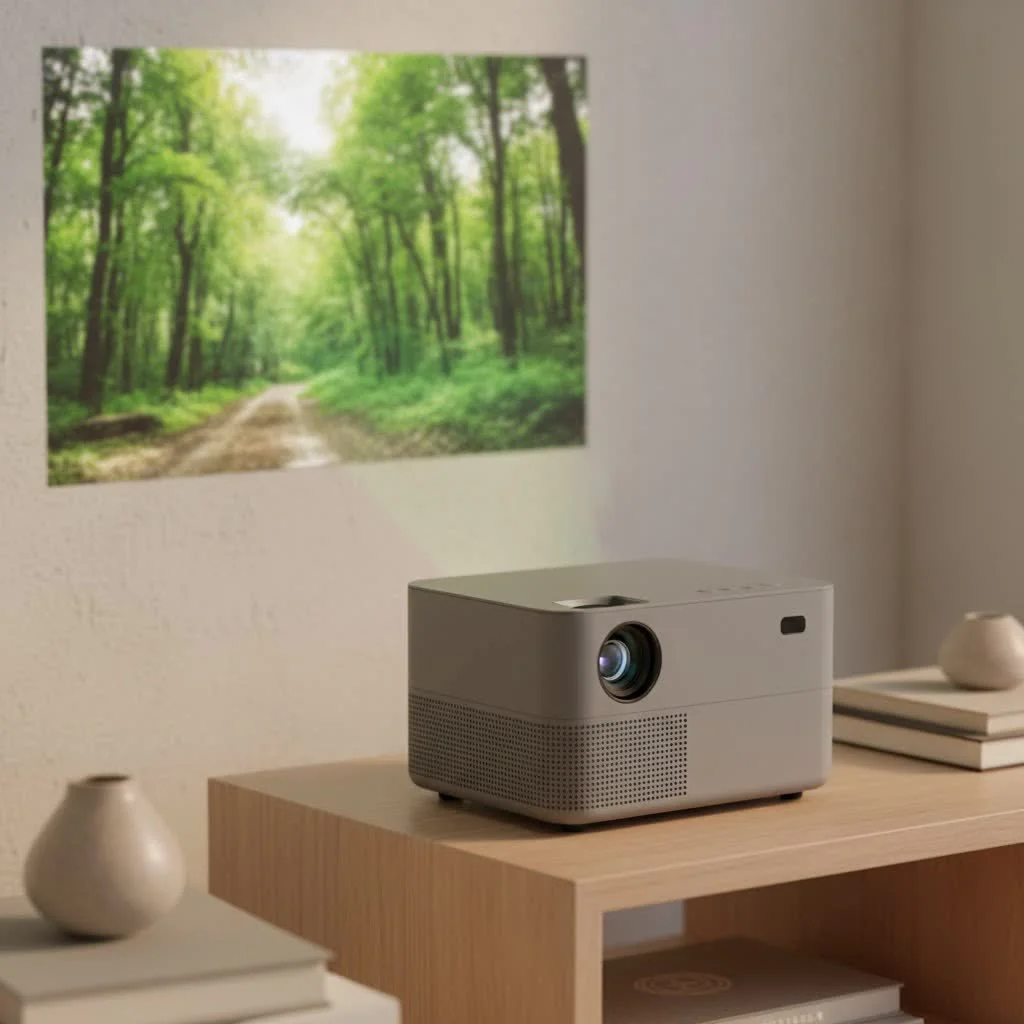 mini projector displaying a vibrant movie scene on a wall” style=”margin: 20px auto;width: 800px;max-width: 100%;height: auto” />
Whether you’re a professional needing a travel-friendly presentation tool or a movie lover wanting to host backyard film nights, this guide will walk you through the features, setup, and hidden tricks to make the most of your device. For more portable mini guides on this site.
What Makes a Kodak Mini Projector Stand Out?
In a crowded market of portable projectors, Kodak has carved out a niche by balancing performance, portability, and a user-friendly experience. They leverage their legendary imaging expertise to create products that are both reliable and impressive for their size.
Unmatched Portability and Design
The first thing you’ll notice about any Kodak mini projector is its size. Most models are genuinely palm-sized, easily slipping into a backpack, briefcase, or even a large pocket. They are designed with simplicity in mind, featuring sleek aesthetics and lightweight construction without feeling fragile. This makes them ideal companions for business trips, camping adventures, or impromptu movie nights at a friend’s house.
Surprising Image Quality
Don’t let the small size fool you. Kodak mini projectors utilize advanced DLP (Digital Light Processing) technology to deliver a surprisingly sharp and vibrant picture. While they won’t compete with a full-sized home theater projector, their color accuracy and contrast are top-tier in the pico projector category. Many models offer native resolutions that are perfect for enjoying HD content without significant downscaling.
Effortless Connectivity and Use
Kodak understands that a portable device needs to be simple to operate. Their mini projectors come equipped with a variety of connection options, including HDMI, USB, and Wi-Fi. This allows you to easily connect laptops, smartphones, gaming consoles, and streaming sticks. Most models in their popular Luma series run on an Android-based OS, giving you direct access to apps like Netflix and YouTube without needing an external device.
Exploring the Kodak Luma Series
The Luma series is Kodak’s flagship line of mini projectors. Each model offers a different balance of features, brightness, and price to suit various needs.
| Feature | Luma 150 | Luma 350 | Luma 450 |
|---|---|---|---|
| Brightness | 60 ANSI Lumens | 200 ANSI Lumens | 200 ANSI Lumens |
| Native Resolution | 854 x 480 | 854 x 480 | 1280 x 720 (HD) |
| Max Screen Size | 150 inches | 150 inches | 150 inches |
| Battery Life | Up to 2.5 hours | Up to 2 hours | Up to 3 hours |
| Operating System | Standard | Android OS | Android OS |
| Connectivity | HDMI, USB, Wi-Fi | HDMI, USB, Wi-Fi, Bluetooth | HDMI, USB, Wi-Fi, Bluetooth |
| Best For | Casual, dark-room use | All-around portable use | Demanding users wanting HD |
“When choosing a model, think about your primary use case,” advises David Harrison, our lead technician at Flasf. “If you’re mostly watching in a dark room, the Luma 150 is a great entry point. But for more flexibility in different lighting conditions and the convenience of built-in apps, the Luma 350 or 450 are fantastic upgrades.”
How to Set Up Your Kodak Mini Projector
|
Our Picks for the Best Mini Projector in 2026
As an Amazon Associate I earn from qualifying purchases.
|
||
| Num | Product | Action |
|---|---|---|
| 1 | 【Officially-Licensed APP & Native 1080P】Thinnest 1.81\" Smart Mini Projector with WiFi and Bluetooth, Auto Focus & Keystone Portable Outdoor Projector, VOPLLS 4K Support Home Movie Projector |

|
| 2 | Aurzen EAZZE D1 Smart Projector with WiFi and Bluetooth, Netflix-Officially-Licensed, Auto Focus & Keystone, DoIby Audio, Native 1080P Movie, Portable Outdoor Mini Projector, White |
|
| 3 | [Short Throw/1200ANSI/Built in Apps] 4K Outdoor Projector with WiFi and Bluetooth, Auto Focus Projector with Dual-Mode Stand, Smart Portable Proyector with Netflix/YouTube/PrimeVideo & Dolby |
|
| 4 | HAPPRUN Native 1080P Bluetooth Mini Projector, Full HD Portable Outdoor Movie Projector with Built-in Speaker, Compatible with Smartphone, HDMI, USB, AV, Fire Stick, PS5 for Home, Bedroom, Outdoor Use |
|
| 5 | Magcubic Mini Projector with WiFi 6 and Bluetooth 5.4, Portable Projector 4K Support, 5W Soundbase Speaker, Auto Vertical Keystone 180°Rotatable Smart Proyector for Movie Home Outdoor |
|
| 6 | Mini Portable Projector 4K WiFi 6 BT 5.2 Upgraded Portable Projector Full HD Supported for Phone /PC /TV /HDMI /PS5 /Laptop Auto Keystone Home Theater 180° Rotation [Built-in App] White |
|
| 7 | [Built-in Apps & 2025 Upgraded] Mini Projector Support 4K 1080P Auto Keystone 270° Rotatable with WiFi 6 and Bluetooth 5.4, Projector Portable Compatibile with HDMI/TV Stick/Memory Stick/Laptop-Black |
|
| 8 | [Compatible with Netflix & TOF Real-time Focus] Mini Projector with WiFi and Bluetooth, XuanPad Smart Projector 4K Support, Dolby Audio & Keystone, 210° Rotatable Stand for Home |
|
| 9 | Aurzen Roku TV Smart Projector with Wifi and Bluetooth, Roku Streaming Experience Built-in, 1080P FHD, Dolby Audio, Auto Focus & Keystone, Zoom, Movie Portable Outdoor Mini Projector, White |
|
| 10 | SOOMFON Mini Projector 1080P Support - Portable Small Video Movie Projector Bluetooth 5.1 Auto Keystone Electric Focus for Bedroom/Wall/Home/Outdoor/iPhone/Android/TV Stick |
|
Getting started is incredibly simple and usually takes less than five minutes.
- Charge It Up: Before your first use, fully charge the projector’s internal battery using the included adapter. This ensures you get the maximum playback time.
- Find Your Surface: Position the projector facing a flat, light-colored surface. A dedicated projector screen is best, but a smooth white wall works wonderfully.
- Power On: Press the power button. The Kodak logo should appear on your screen within a few seconds.
- Connect Your Source: Connect your device. You can use an HDMI cable for a laptop or gaming console, a USB drive with media files, or connect wirelessly via Wi-Fi or Bluetooth to mirror your smartphone’s screen.
- Focus the Image: Use the small focus wheel, typically located on the side of the projector, to dial in a crystal-clear image. Adjust it until the text and lines are perfectly sharp.
- Adjust the Angle: Most models have automatic vertical keystone correction, which straightens the image if the projector is tilted up or down. You can fine-tune this in the settings menu if needed.
Pro Tips for the Best Picture Quality
A little tweaking can take your viewing experience from good to great.
- Control the Lighting: The number one rule for any projector, especially a mini one, is to minimize ambient light. The darker the room, the more vibrant and bright your picture will be.
- The Right Screen Matters: While a wall works, a proper projector screen has special coatings that reflect light more effectively, which significantly boosts contrast and color saturation.
- Source Quality is Key: Your projector can only display the quality it receives. For the best results, use high-definition (720p or 1080p) source files or streaming settings.
- Positioning is Everything: For the sharpest image, try to position the projector so it’s pointing straight at the center of the screen. This minimizes the need for digital keystone correction, which can slightly reduce image detail.
Is a Kodak Mini Projector the Right Choice for You?
A Kodak mini projector is an excellent investment for anyone who values portability and convenience. It’s perfect for frequent travelers, students in dorm rooms, families looking for a fun movie night solution, or professionals who need to present on the fly.
However, it’s important to have realistic expectations. Due to their compact size, their brightness and speaker volume won’t match those of larger, more expensive home theater systems. They perform best in dimly lit or dark environments. If your primary goal is to replace a large TV in a bright living room, you might want to consider a more powerful option. But for its intended purpose—big-screen entertainment anywhere, anytime—the Kodak mini projector is a fantastic and reliable choice.
Frequently Asked Questions (FAQ)
How long does the battery on a Kodak projector mini last?
Battery life varies by model but typically ranges from 2 to 3 hours on a full charge when running in eco mode. This is usually enough to watch a full-length feature film.
Can I connect my iPhone or Android phone to it?
Yes. All modern Kodak mini projectors support screen mirroring for both iOS and Android devices over Wi-Fi. You can also connect via a wired adapter if your Wi-Fi signal is weak.
Is the built-in speaker loud enough?
The built-in speaker is adequate for a small group in a quiet room. For a more immersive audio experience, it’s highly recommended to connect the projector to an external Bluetooth speaker or soundbar.
Can I use the projector while it’s charging?
Absolutely. You can plug the projector into a power outlet for unlimited viewing time, which is perfect for movie marathons or extended gaming sessions.
What is the lamp life of a Kodak mini projector?
Kodak mini projectors use LED light sources, which have an incredibly long lifespan. Most are rated for 20,000 to 30,000 hours of use, meaning you could watch a movie every day for years without ever needing to replace the lamp.
Your Portable Cinema Awaits
The Kodak mini projector successfully packs impressive technology into a surprisingly small package. It empowers you to break free from the confines of small screens and share experiences in a bigger, more engaging way. By understanding its capabilities and following a few simple tips, you can unlock a world of portable entertainment that was once impossible. So, grab some popcorn, pick a wall, and get ready to be amazed by the power of pocket-sized cinema.
Frequently Asked Questions
How long does the battery on a Kodak mini projector typically last?
Battery life for a Kodak mini projector typically ranges from 2 to 3 hours on a full charge when operating in eco mode. This duration is generally sufficient for watching a complete feature film or for a standard presentation.
Can I connect my iPhone or Android smartphone to a Kodak mini projector?
Yes, all modern Kodak mini projectors support screen mirroring for both iOS and Android devices via Wi-Fi. For situations with a weak Wi-Fi signal, you also have the option to connect your smartphone using a wired adapter.
Is the built-in speaker on a Kodak mini projector powerful enough for a group?
The built-in speaker on a Kodak mini projector is adequate for a small group in a quiet room. For a more immersive and robust audio experience, it is highly recommended to connect the projector to an external Bluetooth speaker or a soundbar.
Can a Kodak mini projector be used continuously while it is charging?
Absolutely, a Kodak mini projector can be used while it is charging. You can plug the projector into a power outlet for unlimited viewing time, which is ideal for extended movie marathons or prolonged gaming sessions without interruption.
What is the expected lamp life for a Kodak mini projector's light source?
Kodak mini projectors utilize LED light sources, which boast an incredibly long lifespan. Most models are rated for 20,000 to 30,000 hours of use, meaning the lamp could last for many years even with daily use without needing replacement.
Set Up Your Kodak Mini Projector
Follow these simple steps to quickly set up your Kodak mini projector and enjoy your portable cinema experience in under five minutes.
Before initial use, fully charge the internal battery of your projector using the provided adapter. This ensures you achieve the maximum possible playback time for your viewing session.
Place the projector facing a flat, light-colored surface. While a dedicated projector screen offers the best quality, a smooth white wall can also serve as an excellent display surface.
Connect your desired device to the projector. Options include an HDMI cable for laptops or gaming consoles, a USB drive for media files, or wireless connection via Wi-Fi or Bluetooth for smartphone screen mirroring.
Locate the small focus wheel, typically on the side of the projector, and adjust it until the projected image is crystal clear. Ensure that all text and lines appear perfectly sharp.
Most Kodak mini projectors feature automatic vertical keystone correction to straighten the image if the projector is tilted. You can fine-tune this setting further within the projector's menu if necessary for optimal alignment.
Get our weekly buyer guide
Practical specs, not advice. Unsubscribe anytime.
I was skeptical about a ‘mini’ projector, but the imaging expertise Kodak brings really shines through. I use mine to watch movies in my bedroom and it feels like having a private cinema. The connectivity options are fantastic, and I love how compact it is. It’s exactly what I needed for a flexible home entertainment setup without taking up much space.
Got this Kodak mini projector mainly for presentations when I travel for work. It’s definitely travel-friendly and the size is perfect. My only complaint is that the brightness could be a bit better in well-lit rooms. It works great in darker environments, but I sometimes struggle to get a clear picture if there’s too much ambient light. Still, it gets the job done for quick meetings.
I’ve been wanting a portable projector for ages, and the Kodak Luma series really caught my eye. I picked one up for backyard movie nights and it’s been a game-changer! The image quality is surprisingly good, even outside. Setup was super easy, and connecting my phone was a breeze. Definitely recommend for anyone looking to upgrade their outdoor entertainment.
This little Kodak projector is awesome for gaming on the go! I took it to my friend’s place last weekend and we projected our Switch onto a wall. It was so much fun and the picture was clear enough for us to really enjoy it. The sound isn’t amazing, but I just hooked up a small Bluetooth speaker and it was perfect. Great for casual gaming sessions anywhere.