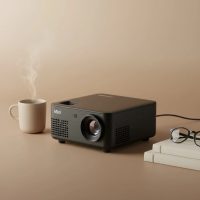
Welcome to the world of big-screen entertainment, packed into a device that can fit in your hand. The wifi projector mini is revolutionizing how we watch movies, share presentations, and even play games. Gone are the days of bulky, complicated projectors that required a tangled mess of cables. Today, seamless wireless connectivity is the standard, bringing cinematic experiences to any room, or even the great outdoors. As the lead content creator at Flasf.com, I’ve spent over a decade testing and analyzing these incredible gadgets, and I’m here to share everything you need to know.
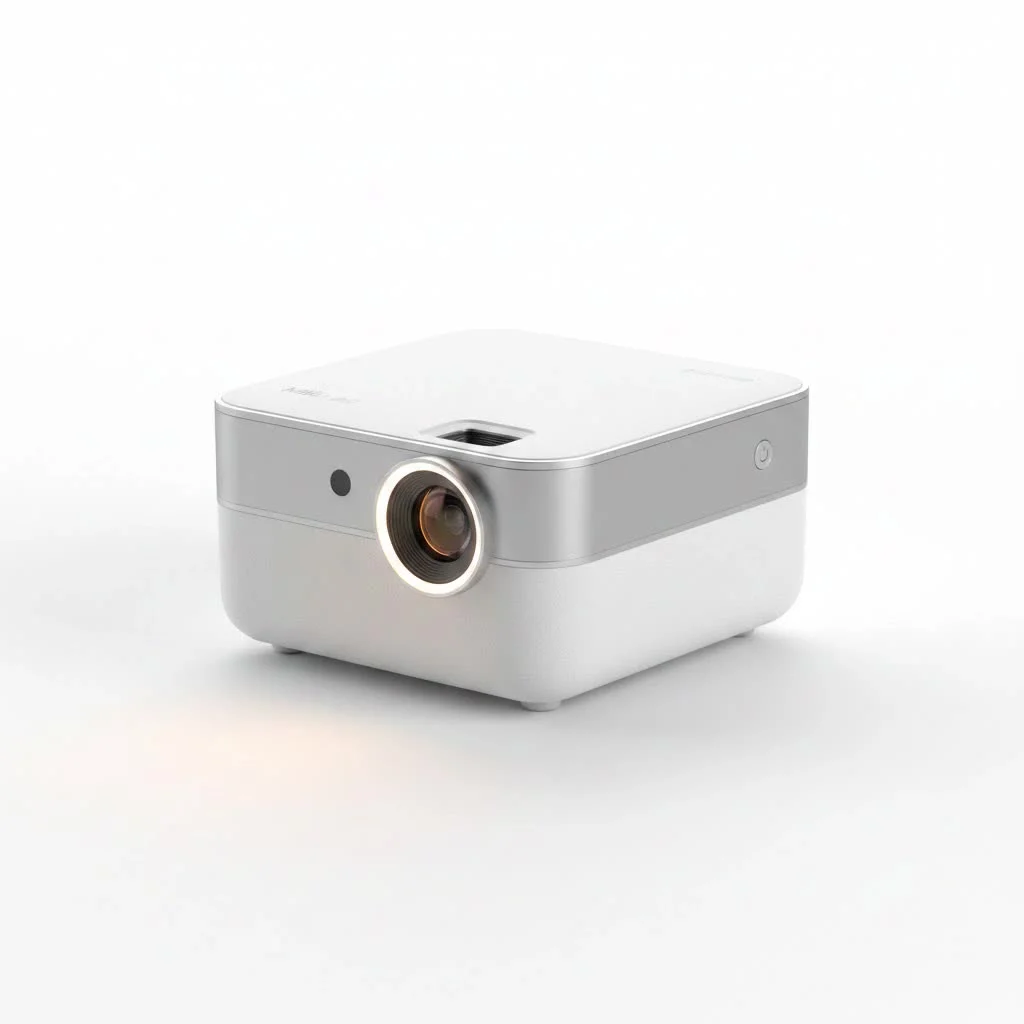
This guide will walk you through the essentials, from understanding the technology to choosing the perfect model for your needs. We’ll demystify terms like lumens and resolution and show you just how easy it is to set up your portable cinema.
What Exactly Is a Wifi Projector Mini?
A wifi projector mini is a compact, portable device that can project a large image onto a screen or wall without needing a physical video cable. Its defining feature is built-in Wi-Fi, allowing it to connect directly to your home network or create a direct link with your smartphone, tablet, or laptop. This enables you to stream content wirelessly from your favorite apps like Netflix and YouTube, or mirror your device’s screen effortlessly. Think of it as a smart TV that you can carry in your backpack.
How Does Wireless Connectivity Work?
Understanding how these projectors connect is key to unlocking their full potential. They primarily use two methods for wireless streaming: screen mirroring and native apps.
Screen Mirroring
This is the most common feature. It allows you to display an exact copy of your smartphone or laptop screen on the projector. It’s incredibly simple to use:
- For iOS Devices (iPhone, iPad): This technology is typically called AirPlay or Screen Mirroring. You simply connect both your Apple device and the projector to the same Wi-Fi network, open the Control Center, and select the projector from the list of available devices.
- For Android and Windows Devices: The technology is often called Miracast, Smart View, or simply Screen Cast. Similar to AirPlay, you connect both devices to the same network and activate the screen sharing feature in your device’s settings.
Screen mirroring is perfect for presentations, showing photos and videos from your phone, or playing mobile games on a massive screen.
Smart Projectors with Native Apps
More advanced wifi projector mini models run on an operating system, much like a smart TV (often a version of Android). This is a game-changer because it allows you to install streaming apps like Netflix, Hulu, Disney+, and YouTube directly onto the projector itself. You no longer need your phone. You just connect the projector to Wi-Fi, log into your accounts with the remote, and start streaming. This provides the most stable and highest-quality viewing experience.
Key Features to Consider Before You Buy
Navigating the specifications of a wifi projector mini can feel overwhelming. Let’s break down the most important features to focus on.
Brightness (Lumens)
|
Our Picks for the Best Mini Projector in 2026
As an Amazon Associate I earn from qualifying purchases.
|
||
| Num | Product | Action |
|---|---|---|
| 1 | [Short Throw/1200ANSI/Built in Apps] 4K Outdoor Projector with WiFi and Bluetooth, Auto Focus Projector with Dual-Mode Stand, Smart Portable Proyector with Netflix/YouTube/PrimeVideo & Dolby |
![Check [Short Throw/1200ANSI/Built in Apps] 4K Outdoor Projector with WiFi and Bluetooth, Auto Focus Projector with Dual-Mode Stand, Smart Portable Proyector with Netflix/YouTube/PrimeVideo & Dolby on Amazon](https://flasf.com/wp-content/plugins/amazon-tables/assets/images/buy.png)
|
| 2 | SOOMFON Mini Projector 1080P Support - Portable Small Video Movie Projector Bluetooth 5.1 Auto Keystone Electric Focus for Bedroom/Wall/Home/Outdoor/iPhone/Android/TV Stick |
|
| 3 | Mini Portable Projector 4K WiFi 6 BT 5.2 Upgraded Portable Projector Full HD Supported for Phone /PC /TV /HDMI /PS5 /Laptop Auto Keystone Home Theater 180° Rotation [Built-in App] White |
|
| 4 | Aurzen Roku TV Smart Projector with Wifi and Bluetooth, Roku Streaming Experience Built-in, 1080P FHD, Dolby Audio, Auto Focus & Keystone, Zoom, Movie Portable Outdoor Mini Projector, White |
|
| 5 | 【Officially-Licensed APP & Native 1080P】Thinnest 1.81\" Smart Mini Projector with WiFi and Bluetooth, Auto Focus & Keystone Portable Outdoor Projector, VOPLLS 4K Support Home Movie Projector |
|
| 6 | [Compatible with Netflix & TOF Real-time Focus] Mini Projector with WiFi and Bluetooth, XuanPad Smart Projector 4K Support, Dolby Audio & Keystone, 210° Rotatable Stand for Home |
|
| 7 | Magcubic Mini Projector with WiFi 6 and Bluetooth 5.4, Portable Projector 4K Support, 5W Soundbase Speaker, Auto Vertical Keystone 180°Rotatable Smart Proyector for Movie Home Outdoor |
|
| 8 | [Built-in Apps & 2025 Upgraded] Mini Projector Support 4K 1080P Auto Keystone 270° Rotatable with WiFi 6 and Bluetooth 5.4, Projector Portable Compatibile with HDMI/TV Stick/Memory Stick/Laptop-Black |
|
| 9 | HAPPRUN Native 1080P Bluetooth Mini Projector, Full HD Portable Outdoor Movie Projector with Built-in Speaker, Compatible with Smartphone, HDMI, USB, AV, Fire Stick, PS5 for Home, Bedroom, Outdoor Use |
|
| 10 | Aurzen EAZZE D1 Smart Projector with WiFi and Bluetooth, Netflix-Officially-Licensed, Auto Focus & Keystone, DoIby Audio, Native 1080P Movie, Portable Outdoor Mini Projector, White |
|
Brightness is measured in lumens, and it’s one of the most critical factors. A higher lumen count means a brighter image, which is better at combating ambient light.
- Under 500 Lumens: Best for very dark rooms. Ideal for a classic movie night with the lights off.
- 500 – 1500 Lumens: A versatile range that can handle a bit of ambient light, like a dim lamp. Good for living rooms in the evening.
- 1500+ Lumens: Capable of producing a watchable image even in rooms with some daylight. These are less common in the “mini” category but offer the most flexibility.
“Don’t just chase the highest number,” advises tech expert David Chen. “Think about your primary viewing environment. For most home users, a projector in the 500-1000 lumen range provides a fantastic, cinematic experience in a properly darkened room without breaking the bank.”
Resolution
Resolution determines the clarity and sharpness of the image. It’s measured in pixels (width x height).
- Native Resolution: This is the true, physical resolution of the projector’s display chip. It’s the most important number to look for.
- Supported Resolution: This indicates the maximum resolution the projector can accept as an input, which it will then downscale to its native resolution. Ignore this marketing term and focus on the native resolution.
- 720p (1280×720): A good starting point for a clear picture. Great for casual movie watching and gaming.
- 1080p (1920×1080): The sweet spot for most users. It offers a sharp, detailed Full HD image that makes movies and text look crisp.
Battery Life
The “portable” aspect of a wifi projector mini is only as good as its battery. If you plan to use it for backyard movies or camping trips, battery life is non-negotiable. Look for models that offer at least 2-3 hours of playback time on a single charge, which is enough to get through most feature films.
Connectivity Beyond Wifi
While Wi-Fi is the main event, having other connection options adds versatility.
- HDMI: Essential for connecting devices that don’t support wireless casting, like a Blu-ray player, PlayStation, or Xbox.
- USB: Allows you to play movies, music, or view photos directly from a USB flash drive. It can also sometimes be used to power other small devices.
- Bluetooth: Crucial for audio. The built-in speakers on mini projectors are typically small. Bluetooth lets you wirelessly connect to a powerful soundbar or portable speaker for a truly immersive audio experience.
How to Set Up Your Wifi Projector Mini
Getting started is surprisingly simple. Here’s a typical step-by-step process:
- Position the Projector: Place the projector on a stable surface, pointing at a plain, light-colored wall or a projector screen. The further back you move it, the larger the image will be.
- Power It On: Plug it in or ensure the battery is charged, and turn it on.
- Focus the Image: Use the focus wheel or dial on the projector to make the image sharp and clear. Most models also have a “keystone correction” feature to square up the image if the projector is at an angle.
- Connect to Wi-Fi: Go into the projector’s settings menu using the remote control. Find the network or Wi-Fi settings and connect it to your home network, just like you would with a phone or computer.
- Start Streaming: Choose your method. Either open the screen mirroring function on your phone or launch a native app like YouTube directly from the projector’s main menu.
That’s it! You’re ready to enjoy your favorite content on a screen that can easily exceed 100 inches.
Frequently Asked Questions (FAQ)
Can I use a wifi projector mini without a Wi-Fi network?
Yes, many models support a direct connection (sometimes called a hotspot mode) with your phone, allowing you to mirror your screen without an external Wi-Fi network. However, for streaming from apps like Netflix, a stable internet connection is required.
What is the difference between Wi-Fi and Bluetooth on a projector?
Wi-Fi is used for video and internet connectivity. It allows you to stream content from the web or mirror your phone’s screen. Bluetooth is used almost exclusively for audio, letting you connect to external speakers or headphones wirelessly.
Can I watch Netflix or Disney+ on any wifi projector mini?
Not always. Due to content protection (DRM), some projectors may not support screen mirroring from certain streaming apps. The most reliable way to watch these services is to choose a “smart” projector that has the official apps available for download directly on the device.
How important is keystone correction?
Very important for flexibility. Keystone correction allows you to place the projector off-center from the screen (e.g., on a side table) and still get a perfectly rectangular image. Automatic keystone correction is a premium feature that adjusts the image for you.
Do I need to buy a projector screen?
While not strictly necessary—a smooth, white wall works well—a dedicated projector screen will always provide a better viewing experience. Screens are designed to reflect light more uniformly, which enhances brightness, color accuracy, and contrast.
Your Pocket-Sized Cinema Awaits
A wifi projector mini is more than just a gadget; it’s a passport to flexible, large-scale entertainment. It breaks down the barriers of traditional TVs, allowing you to create a shared viewing experience anywhere you go. By focusing on the key features—brightness, native resolution, battery, and smart capabilities—you can confidently choose a device that will bring you countless hours of enjoyment. Now, grab some popcorn, connect your device, and get ready to be amazed by the power of portable cinema.
Get our weekly buyer guide
Practical specs, not advice. Unsubscribe anytime.