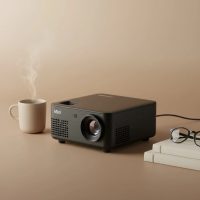
Imagine turning your smartphone’s screen into a 100-inch cinematic display, anywhere you go. With a mini projector from phone, this isn’t just a dream; it’s an accessible reality. Whether you’re planning an impromptu movie night in the backyard, need to share a presentation on the fly, or want to enjoy your mobile games on a massive scale, connecting your phone to a portable projector is the ultimate tech upgrade. This guide will walk you through everything you need to know, from making the connection to choosing the right device for your needs.
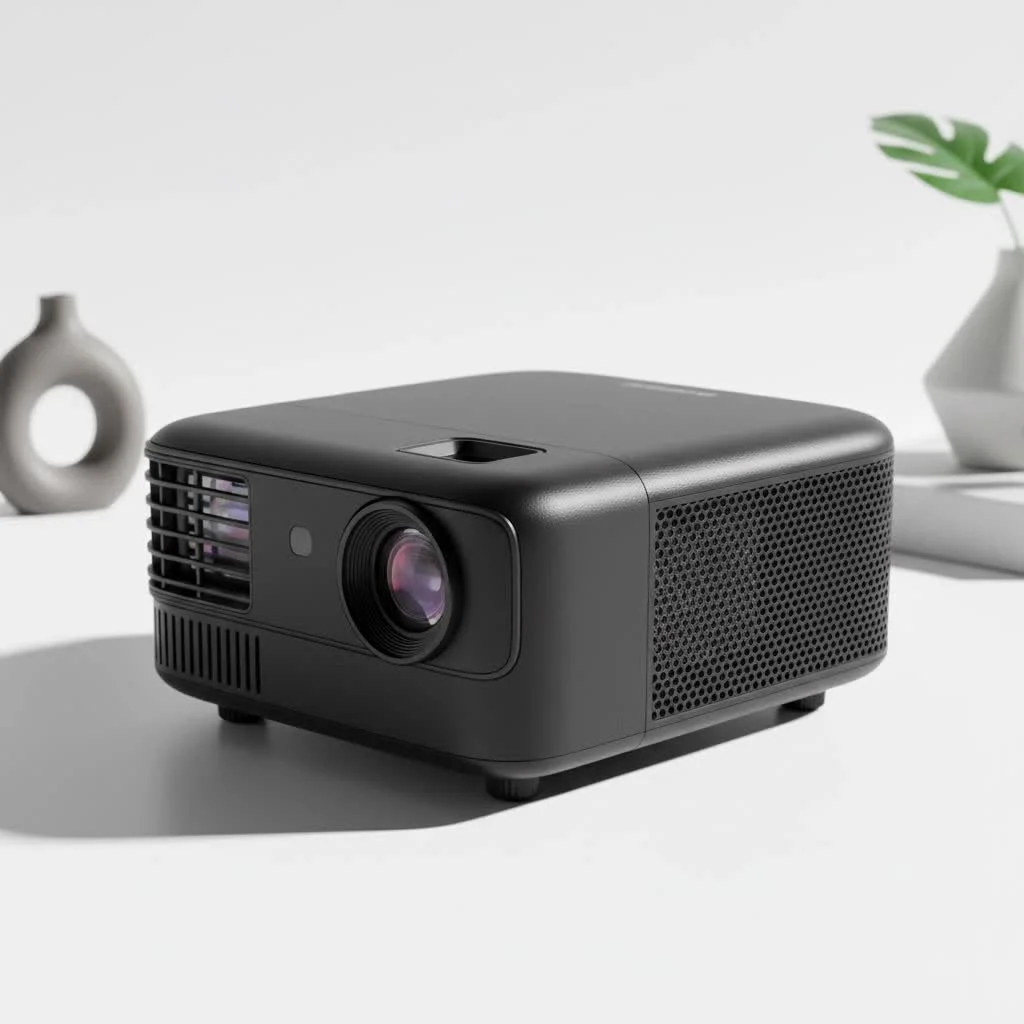
Why Bother with a Mini Projector for Your Phone?
In a world where we consume most media on small screens, the appeal of going big is undeniable. A mini projector acts as a direct extension of your phone, unlocking a new level of versatility. The primary benefits include: For compare top portable mini on this site.
- Ultimate Portability: These devices are small enough to fit in a backpack, allowing you to set up a big screen for movies, gaming, or presentations wherever there’s a flat surface.
- Effortless Entertainment: Instantly transform any room into a home theater. Stream your favorite shows from Netflix, YouTube, or other services directly from your phone.
- Professional Presentations: Ditch the huddle around a tiny phone screen. Project your slides, reports, or portfolio onto a wall for a clear and professional presentation.
- Enhanced Gaming: Experience your favorite mobile games in a more immersive way by casting them onto a large screen.
Connecting Your Phone: Wired vs. Wireless
There are two primary ways to connect your phone to a mini projector: with a cable or wirelessly. Each method has its pros and cons, and the best choice often depends on your specific device and situation.
The Wired Route: Stability and Simplicity
A wired connection is often the most straightforward and reliable method. It provides a stable, lag-free signal, which is crucial for watching movies or gaming.
For iPhone and iPad Users (Lightning)
If you have an Apple device with a Lightning port, you will need a specific adapter.
- Get a Lightning to Digital AV Adapter. This is an official Apple accessory that has an HDMI port on one end and a Lightning connector on the other. It also includes an extra Lightning port so you can charge your device while projecting.
- Connect the adapter to your iPhone’s charging port.
- Plug an HDMI cable into the adapter’s HDMI port.
- Connect the other end of the HDMI cable to the HDMI input on your mini projector.
- Power on the projector and select the correct HDMI source. Your phone’s screen should now be mirrored on the projection surface.
For Android Users (USB-C)
Most modern Android phones use a USB-C port, which often supports video output.
- Check Your Phone’s Compatibility. First, ensure your Android phone supports video output over USB-C (this feature is often called “DisplayPort Alternate Mode”). High-end models from Samsung, Google, and others typically do.
- Use a USB-C to HDMI Adapter or Cable. Connect the USB-C end to your phone and the HDMI end to your projector.
- Select the HDMI source on your projector, and you’re good to go. The connection is plug-and-play, with no extra software required.
Expert Tip: “A common issue users face with wired connections is a black screen when trying to play content from apps like Netflix or Disney+. This is usually due to HDCP (High-bandwidth Digital Content Protection) restrictions. In these cases, a wireless connection using the app’s built-in casting feature is often the best workaround,” notes Alex Rivera, a senior technician with over a decade of experience.
The Wireless Way: Convenience and Freedom
|
Our Picks for the Best Mini Projector in 2026
As an Amazon Associate I earn from qualifying purchases.
|
||
| Num | Product | Action |
|---|---|---|
| 1 | Magcubic Mini Projector with WiFi 6 and Bluetooth 5.4, Portable Projector 4K Support, 5W Soundbase Speaker, Auto Vertical Keystone 180°Rotatable Smart Proyector for Movie Home Outdoor |

|
| 2 | HAPPRUN Native 1080P Bluetooth Mini Projector, Full HD Portable Outdoor Movie Projector with Built-in Speaker, Compatible with Smartphone, HDMI, USB, AV, Fire Stick, PS5 for Home, Bedroom, Outdoor Use |
|
| 3 | [Short Throw/1200ANSI/Built in Apps] 4K Outdoor Projector with WiFi and Bluetooth, Auto Focus Projector with Dual-Mode Stand, Smart Portable Proyector with Netflix/YouTube/PrimeVideo & Dolby |
|
| 4 | 【Officially-Licensed APP & Native 1080P】Thinnest 1.81\" Smart Mini Projector with WiFi and Bluetooth, Auto Focus & Keystone Portable Outdoor Projector, VOPLLS 4K Support Home Movie Projector |
|
| 5 | [Built-in Apps & 2025 Upgraded] Mini Projector Support 4K 1080P Auto Keystone 270° Rotatable with WiFi 6 and Bluetooth 5.4, Projector Portable Compatibile with HDMI/TV Stick/Memory Stick/Laptop-Black |
|
| 6 | Aurzen Roku TV Smart Projector with Wifi and Bluetooth, Roku Streaming Experience Built-in, 1080P FHD, Dolby Audio, Auto Focus & Keystone, Zoom, Movie Portable Outdoor Mini Projector, White |
|
| 7 | [Compatible with Netflix & TOF Real-time Focus] Mini Projector with WiFi and Bluetooth, XuanPad Smart Projector 4K Support, Dolby Audio & Keystone, 210° Rotatable Stand for Home |
|
| 8 | Mini Portable Projector 4K WiFi 6 BT 5.2 Upgraded Portable Projector Full HD Supported for Phone /PC /TV /HDMI /PS5 /Laptop Auto Keystone Home Theater 180° Rotation [Built-in App] White |
|
| 9 | Aurzen EAZZE D1 Smart Projector with WiFi and Bluetooth, Netflix-Officially-Licensed, Auto Focus & Keystone, DoIby Audio, Native 1080P Movie, Portable Outdoor Mini Projector, White |
|
| 10 | SOOMFON Mini Projector 1080P Support - Portable Small Video Movie Projector Bluetooth 5.1 Auto Keystone Electric Focus for Bedroom/Wall/Home/Outdoor/iPhone/Android/TV Stick |
|
A wireless connection frees you from the clutter of cables. This is perfect for a clean setup or when you need to move around with your phone. The most common methods are Wi-Fi-based screen mirroring and casting.
For iPhone and iPad Users (AirPlay)
Most modern mini projectors designed for phones come with built-in support for Apple’s AirPlay.
- Connect both devices to the same Wi-Fi network. Your iPhone and your mini projector must be on the same network for AirPlay to work.
- Open the Control Center on your iPhone. (Swipe down from the top-right corner on newer models or up from the bottom on older ones).
- Tap the Screen Mirroring icon (it looks like two overlapping rectangles).
- Select your mini projector from the list of available devices. Your screen will instantly be mirrored.
For Android Users (Miracast/Smart View/Screen Cast)
Android’s screen mirroring technology is often called Miracast, but manufacturers have different names for it (like Samsung’s “Smart View”).
- Ensure Wi-Fi is enabled on your phone.
- Find the screen casting feature. This is usually in the quick settings panel (swipe down from the top of the screen). Look for an icon labeled “Screen Cast,” “Smart View,” “Screen Mirroring,” or something similar.
- Select your mini projector from the list of detected devices.
- Accept the connection request, and your phone’s display will appear on the wall.
Key Features in a Mini Projector for Your Phone
When shopping for a mini projector from phone, it’s easy to get lost in technical specs. Focus on these four key areas to find the perfect device.
1. Connectivity Options
This is the most critical factor. A good projector should offer multiple ways to connect.
- Must-Haves: At least one HDMI port and built-in Wi-Fi that supports both AirPlay and Miracast.
- Nice-to-Haves: A USB-C port that accepts video input, a standard USB-A port for flash drives, and Bluetooth for connecting external speakers.
2. Brightness and Resolution
- Brightness (Lumens): For a mini projector, brightness is measured in ANSI lumens. For a dark room, 200-300 ANSI lumens is sufficient. For rooms with some ambient light or for outdoor use after dusk, aim for 500 ANSI lumens or more.
- Resolution: While many projectors claim to “support” 1080p or 4K, what matters is the native resolution. A native resolution of 720p (1280×720) is a great starting point for clear, sharp images. Native 1080p (1920×1080) will provide an even better, crisper picture.
3. Battery Life
The whole point of a portable projector is to use it anywhere. Look for a model with a built-in rechargeable battery. A battery that provides at least 2-3 hours of continuous playback is ideal, enough to get through most movies.
4. Portability and Build
Consider the size and weight. The most portable models can fit in the palm of your hand, while more powerful options might be the size of a small book. Also, look for useful features like a built-in speaker, a tripod mount, and keystone correction (which allows you to fix a distorted image if the projector isn’t perfectly perpendicular to the screen).
Frequently Asked Questions (FAQ)
Can any mini projector connect to a phone?
Most modern mini projectors can, but it’s essential to check. Look for models that explicitly advertise Wi-Fi screen mirroring (AirPlay/Miracast) or have an HDMI port. Older or very cheap models may lack these essential features.
Do I need to install a special app?
For direct mirroring via a cable or using native features like AirPlay and Miracast, you typically do not need a special app. However, some projectors come with a companion app that can offer additional controls or make the Wi-Fi connection process easier.
How do I get audio when using a mini projector from my phone?
Mini projectors have small built-in speakers, but they are often not very powerful. For a better experience, you have three options:
- Use the projector’s built-in speaker.
- Use the projector’s 3.5mm audio-out jack to connect to headphones or external speakers.
- Connect your phone or the projector to a Bluetooth speaker wirelessly for the best and most flexible audio setup.
Can I watch Netflix through a mini projector from my phone?
Yes, but it can be tricky. As mentioned, using a wired HDMI connection may be blocked by copy protection. The most reliable method is to use a projector with a built-in operating system (like Android TV) that has the Netflix app, or to use a wireless casting method that is supported by the app.
What is the best type of surface to project onto?
A dedicated projector screen will always give you the best results. However, a smooth, white, or light-gray wall works surprisingly well. Avoid textured walls or dark colors, as they will degrade the image quality.
Your Pocket-Sized Cinema Awaits
Connecting a mini projector from phone is a simple and effective way to super-size your digital life. Whether you opt for the foolproof stability of a wired connection or the clean convenience of wireless mirroring, you’re just a few steps away from a breathtaking big-screen experience. By focusing on essential features like connectivity, brightness, and battery life, you can find a device that perfectly complements your smartphone and opens up a new world of entertainment and productivity.
Get our weekly buyer guide
Practical specs, not advice. Unsubscribe anytime.