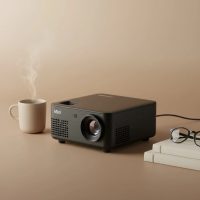
Imagine this: you’re hosting an impromptu movie night, but instead of everyone crowding around a small TV, you transform your living room wall into a massive, crystal-clear 100-inch screen. Or perhaps you’re delivering a killer presentation at a client’s office, projecting your slides with confidence and clarity. This is the freedom and flexibility an HD mini projector 1080p offers. These compact powerhouses have revolutionized portable entertainment and professional presentations, but navigating the technical jargon can be tricky.
As the creative force behind Flasf.com, I’ve spent over a decade testing, reviewing, and demystifying these devices. My goal is to help you cut through the noise and find a projector that not only meets your needs but exceeds your expectations. This guide will break down everything you need to know, from understanding what “1080p” truly means to identifying the key features that deliver a stunning viewing experience. For complete portable mini library on this site.
What “1080p” Really Means in a Mini Projector
The first and most crucial concept to grasp is resolution. You’ll see “1080p” advertised everywhere, but not all 1080p projectors are created equal. This is where manufacturers can be a bit sneaky, so understanding the difference between “native” and “supported” resolution is essential.
Native vs. Supported Resolution: The Critical Difference
- Native Resolution: This is the true, physical resolution of the projector’s display chip. A projector with a native 1080p resolution has 1920 x 1080 individual pixels, which means it can display a Full HD image in all its sharp, detailed glory. This is what you should always look for.
- Supported Resolution: This means the projector can accept a 1080p signal from a device like a laptop or streaming stick, but it will downscale the image to fit its lower native resolution (often 720p or even 480p). The result is a visibly softer, less detailed image.
Expert Take: “Always prioritize native resolution,” advises David Chen, a senior display technology analyst at Flasf. “A projector that only ‘supports’ 1080p is not a true HD projector. The difference in clarity is night and day. Check the spec sheet for the ‘Native Resolution’ line item before making any purchase.”
Key Features to Look for in an HD Mini Projector 1080p
Beyond resolution, several other factors determine a mini projector’s performance. Getting these right will ensure your investment pays off with a brilliant, reliable picture every time.
Brightness (Measured in Lumens)
Brightness is arguably the second most important feature after resolution. It determines how vibrant and visible the image will be, especially in rooms with some ambient light.
Projector brightness is measured in lumens. However, you’ll see different types, like “LED lumens” or just “lumens,” which can be inflated marketing terms. The industry standard is ANSI lumens, which provides a more accurate and standardized measurement.
- Under 500 ANSI Lumens: Best for completely dark rooms. Ideal for a dedicated movie night setup.
- 500 – 1000 ANSI Lumens: A versatile range suitable for rooms with low ambient light, like a living room with curtains drawn.
- 1000+ ANSI Lumens: Capable of handling rooms with more significant ambient light, making them suitable for presentations or daytime viewing, though direct sunlight is still a challenge.
Contrast Ratio
|
Our Picks for the Best Mini Projector in 2026
As an Amazon Associate I earn from qualifying purchases.
|
||
| Num | Product | Action |
|---|---|---|
| 1 | HAPPRUN Native 1080P Bluetooth Mini Projector, Full HD Portable Outdoor Movie Projector with Built-in Speaker, Compatible with Smartphone, HDMI, USB, AV, Fire Stick, PS5 for Home, Bedroom, Outdoor Use |

|
| 2 | [Compatible with Netflix & TOF Real-time Focus] Mini Projector with WiFi and Bluetooth, XuanPad Smart Projector 4K Support, Dolby Audio & Keystone, 210° Rotatable Stand for Home |
|
| 3 | [Short Throw/1200ANSI/Built in Apps] 4K Outdoor Projector with WiFi and Bluetooth, Auto Focus Projector with Dual-Mode Stand, Smart Portable Proyector with Netflix/YouTube/PrimeVideo & Dolby |
|
| 4 | 【Officially-Licensed APP & Native 1080P】Thinnest 1.81\" Smart Mini Projector with WiFi and Bluetooth, Auto Focus & Keystone Portable Outdoor Projector, VOPLLS 4K Support Home Movie Projector |
|
| 5 | Magcubic Mini Projector with WiFi 6 and Bluetooth 5.4, Portable Projector 4K Support, 5W Soundbase Speaker, Auto Vertical Keystone 180°Rotatable Smart Proyector for Movie Home Outdoor |
|
| 6 | Aurzen EAZZE D1 Smart Projector with WiFi and Bluetooth, Netflix-Officially-Licensed, Auto Focus & Keystone, DoIby Audio, Native 1080P Movie, Portable Outdoor Mini Projector, White |
|
| 7 | Aurzen Roku TV Smart Projector with Wifi and Bluetooth, Roku Streaming Experience Built-in, 1080P FHD, Dolby Audio, Auto Focus & Keystone, Zoom, Movie Portable Outdoor Mini Projector, White |
|
| 8 | SOOMFON Mini Projector 1080P Support - Portable Small Video Movie Projector Bluetooth 5.1 Auto Keystone Electric Focus for Bedroom/Wall/Home/Outdoor/iPhone/Android/TV Stick |
|
| 9 | [Built-in Apps & 2025 Upgraded] Mini Projector Support 4K 1080P Auto Keystone 270° Rotatable with WiFi 6 and Bluetooth 5.4, Projector Portable Compatibile with HDMI/TV Stick/Memory Stick/Laptop-Black |
|
| 10 | Mini Portable Projector 4K WiFi 6 BT 5.2 Upgraded Portable Projector Full HD Supported for Phone /PC /TV /HDMI /PS5 /Laptop Auto Keystone Home Theater 180° Rotation [Built-in App] White |
|
Contrast ratio measures the difference between the darkest black and the brightest white a projector can produce. A higher contrast ratio results in deeper blacks, more vibrant colors, and a greater sense of depth in the image. An image with a low contrast ratio will look washed out and flat. Look for a contrast ratio of at least 2,000:1 for a decent home viewing experience.
Connectivity Options
A great projector is useless if you can’t connect your devices to it. Modern mini projectors should offer a variety of options:
- HDMI: The essential port for connecting laptops, gaming consoles (like PS5 or Xbox), Blu-ray players, and streaming sticks (Roku, Apple TV).
- USB: Useful for playing media files directly from a thumb drive or for powering a streaming stick.
- Wi-Fi: Enables wireless screen mirroring from your smartphone or laptop.
- Bluetooth: Allows you to connect external speakers or headphones for a much-improved audio experience, as built-in speakers are often quite weak.
Portability and Battery Life
The “mini” in mini projector implies portability. Consider the device’s weight and dimensions if you plan to travel with it. Many models are now small enough to fit in a backpack. For true on-the-go use, look for a model with a built-in battery. A decent battery will provide at least 2-3 hours of playback, enough for a full-length movie without needing to be plugged in.
Are HD Mini Projectors Good for Movies and Gaming?
Absolutely, provided you choose the right one. For a cinematic movie experience, a native 1080p resolution, high contrast ratio, and good color accuracy are key. For gaming, you’ll also want to consider input lag—the delay between your controller input and the action appearing on screen. A lower input lag is crucial for fast-paced games.
Setting Up Your Mini Projector for the Best Experience
Getting a great image isn’t just about the projector; it’s also about the setup.
- Positioning: Place the projector on a stable surface. The distance from the screen or wall will determine the image size—this is known as the “throw distance.”
- Screen: While a white wall works, a dedicated projector screen will absorb light better and significantly improve image quality.
- Keystone Correction: If the projector isn’t perfectly perpendicular to the screen, the image will look like a trapezoid. Keystone correction (both manual and automatic) fixes this distortion.
- Focus: Use the focus wheel or auto-focus feature to ensure the image is sharp from edge to edge.
- Audio: For an immersive experience, connect a Bluetooth speaker or a soundbar. The built-in speakers are rarely sufficient.
Frequently Asked Questions (FAQ)
Q: How many lumens do I really need for home use?
A: For a typical living room where you can control the lighting (e.g., draw the curtains), 500-800 ANSI lumens is a great starting point for vibrant movie nights.
Q: Can I use an HD mini projector in a bright room?
A: Most mini projectors struggle in brightly lit environments. While models with over 1000 ANSI lumens can be visible, they lose significant color and contrast. For the best results, use them in dim or dark settings.
Q: What is the difference between DLP and LCD projectors?
A: DLP (Digital Light Processing) projectors often offer higher contrast and a smoother image, while LCD (Liquid Crystal Display) projectors can produce slightly sharper and more color-saturated images. Both technologies can deliver excellent 1080p quality.
Q: How long does the lamp or light source last?
A: Most modern mini projectors use an LED light source, which typically lasts for 20,000 to 30,000 hours. That’s years of use, even if you watch movies every single day.
Q: Can I easily connect my phone to the projector?
A: Yes, most modern projectors with Wi-Fi support screen mirroring technologies like Miracast (for Android) and AirPlay (for iPhone), allowing you to wirelessly project your phone’s screen.
Your Portable Cinema Awaits
Choosing the right HD mini projector 1080p opens up a world of big-screen entertainment and professional flexibility. By focusing on native resolution, understanding your brightness needs, and ensuring you have the right connectivity, you can confidently select a device that will deliver a stunning, high-definition experience anywhere you go. Armed with this knowledge, you are now ready to make an informed decision and bring that larger-than-life picture home.
Get our weekly buyer guide
Practical specs, not advice. Unsubscribe anytime.