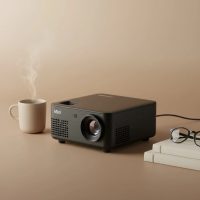
In my decade-plus journey exploring the world of projection technology, few devices have revolutionized personal entertainment quite like the wireless mini projector. These compact powerhouses have transformed our concept of a home theater, breaking down the walls of dedicated media rooms and turning any space—from a bedroom ceiling to a campsite tent wall—into a cinematic canvas. As the lead content creator for Flasf.com, I’ve tested countless models, and I’m here to demystify this technology for you. We’ll explore what makes a great wireless mini projector, how to choose the perfect one for your needs, and how to get the most out of it.
What Exactly is a Wireless Mini Projector?
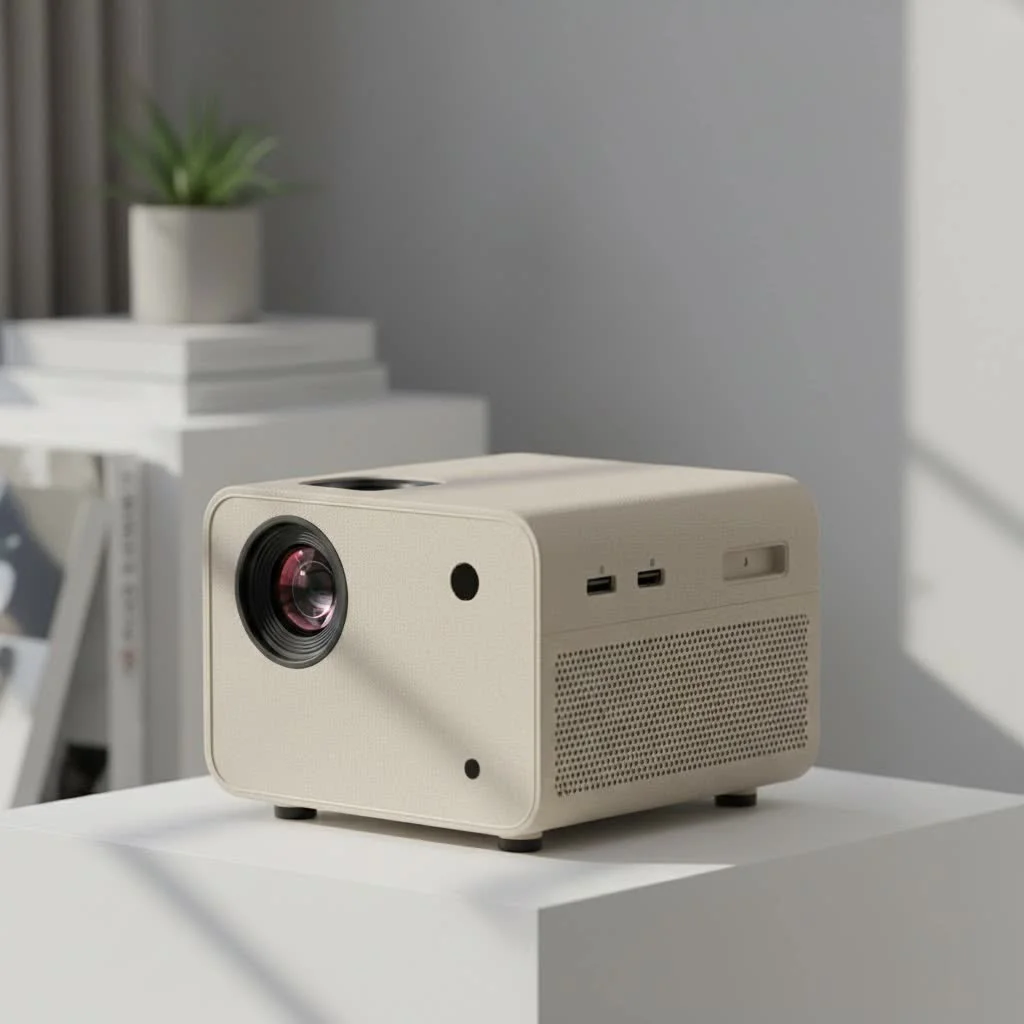
A wireless mini projector is a compact, portable device that can display images and video from your phone, laptop, or tablet without the need for physical cables. Unlike traditional projectors that are often bulky and require a permanent setup, these devices are designed for convenience and flexibility. They connect to your source devices using technologies like Wi-Fi and Bluetooth, allowing you to stream content effortlessly. Most models are small enough to fit in a backpack, and many even come with a built-in battery, offering true on-the-go entertainment.
How Do These Compact Projectors Work?
The magic of a wireless mini projector lies in its connectivity. While they still use a light source (typically LED or laser) and a lens to create an image, the key is how they receive the video signal.
- Wi-Fi Connectivity: This is the primary feature. The projector connects to your home network, allowing devices on the same network to “cast” or “mirror” their screens.
- Screen Mirroring Protocols: Technologies like Miracast (for Android/Windows) and AirPlay (for Apple devices) enable a direct wireless connection between your device and the projector, duplicating your screen in real-time.
- Built-in Smart OS: Many modern projectors run on operating systems like Android TV or Google TV. This essentially turns the projector into a smart TV, allowing you to install streaming apps like Netflix, YouTube, and Hulu directly on the device, eliminating the need for a separate source.
- Bluetooth: This is mainly used for audio. While most mini projectors have built-in speakers, their quality can be limited. Bluetooth allows you to connect the projector to a high-quality portable speaker or soundbar for a more immersive audio experience.
Key Features to Consider Before You Buy
Choosing the right wireless mini projector can feel overwhelming with all the technical jargon out there. Let’s break down the most important specifications to focus on.
Brightness (Measured in ANSI Lumens)
|
Our Picks for the Best Mini Projector in 2026
As an Amazon Associate I earn from qualifying purchases.
|
||
| Num | Product | Action |
|---|---|---|
| 1 | [Compatible with Netflix & TOF Real-time Focus] Mini Projector with WiFi and Bluetooth, XuanPad Smart Projector 4K Support, Dolby Audio & Keystone, 210° Rotatable Stand for Home |
![Check [Compatible with Netflix & TOF Real-time Focus] Mini Projector with WiFi and Bluetooth, XuanPad Smart Projector 4K Support, Dolby Audio & Keystone, 210° Rotatable Stand for Home on Amazon](https://flasf.com/wp-content/plugins/amazon-tables/assets/images/buy.png)
|
| 2 | [Short Throw/1200ANSI/Built in Apps] 4K Outdoor Projector with WiFi and Bluetooth, Auto Focus Projector with Dual-Mode Stand, Smart Portable Proyector with Netflix/YouTube/PrimeVideo & Dolby |
|
| 3 | Aurzen Roku TV Smart Projector with Wifi and Bluetooth, Roku Streaming Experience Built-in, 1080P FHD, Dolby Audio, Auto Focus & Keystone, Zoom, Movie Portable Outdoor Mini Projector, White |
|
| 4 | SOOMFON Mini Projector 1080P Support - Portable Small Video Movie Projector Bluetooth 5.1 Auto Keystone Electric Focus for Bedroom/Wall/Home/Outdoor/iPhone/Android/TV Stick |
|
| 5 | Mini Portable Projector 4K WiFi 6 BT 5.2 Upgraded Portable Projector Full HD Supported for Phone /PC /TV /HDMI /PS5 /Laptop Auto Keystone Home Theater 180° Rotation [Built-in App] White |
|
| 6 | [Built-in Apps & 2025 Upgraded] Mini Projector Support 4K 1080P Auto Keystone 270° Rotatable with WiFi 6 and Bluetooth 5.4, Projector Portable Compatibile with HDMI/TV Stick/Memory Stick/Laptop-Black |
|
| 7 | 【Officially-Licensed APP & Native 1080P】Thinnest 1.81\" Smart Mini Projector with WiFi and Bluetooth, Auto Focus & Keystone Portable Outdoor Projector, VOPLLS 4K Support Home Movie Projector |
|
| 8 | HAPPRUN Native 1080P Bluetooth Mini Projector, Full HD Portable Outdoor Movie Projector with Built-in Speaker, Compatible with Smartphone, HDMI, USB, AV, Fire Stick, PS5 for Home, Bedroom, Outdoor Use |
|
| 9 | Magcubic Mini Projector with WiFi 6 and Bluetooth 5.4, Portable Projector 4K Support, 5W Soundbase Speaker, Auto Vertical Keystone 180°Rotatable Smart Proyector for Movie Home Outdoor |
|
| 10 | Aurzen EAZZE D1 Smart Projector with WiFi and Bluetooth, Netflix-Officially-Licensed, Auto Focus & Keystone, DoIby Audio, Native 1080P Movie, Portable Outdoor Mini Projector, White |
|
Brightness is arguably the most critical factor. If a projector isn’t bright enough for your environment, the image will look washed out and disappointing. Always look for brightness measured in ANSI lumens, which is a standardized measurement. Be wary of marketing terms like “LED lumens” or “light source lumens,” which can be inflated.
- 100-300 ANSI Lumens: Suitable for completely dark rooms.
- 500-700+ ANSI Lumens: A good range for rooms with some ambient light, like a living room with curtains drawn.
- 1000+ ANSI Lumens: Necessary for use in brighter environments or for outdoor viewing after sunset.
Resolution (Native vs. Supported)
Resolution determines the clarity and sharpness of the image. It’s crucial to distinguish between “native” and “supported” resolution.
“A common mistake is buying a projector that ‘supports 1080p’ but only has a native resolution of 480p,” notes David Chen, Lead Product Engineer at Flasf.com. “The projector will downscale the image, resulting in a blurry, pixelated picture. Always prioritize the native resolution for the truest image quality.”
- Native 480p (854×480): Basic quality, okay for casual viewing or cartoons for kids.
- Native 720p (1280×720): A solid entry point for movie lovers on a budget.
- Native 1080p (1920×1080): The sweet spot for most users, offering an excellent balance of quality and cost.
Battery Life and Portability
If your goal is ultimate freedom, a built-in battery is a must-have. Check the specifications for the expected runtime, which typically ranges from two to four hours—enough for a full-length movie. Consider the device’s size and weight as well. Some “pico” projectors can fit in your pocket, while others are slightly larger but may offer better performance.
Connectivity Options
A great wireless mini projector should still have good wired options for maximum flexibility.
- HDMI: Essential for connecting devices that don’t support wireless casting, like a PlayStation, Xbox, or a Blu-ray player.
- USB Port: Useful for playing media files directly from a flash drive or connecting streaming sticks.
- Audio Out (3.5mm or Bluetooth): Gives you the option to connect to external speakers for better sound.
Smart Features and Ease of Use
Features that make life easier can significantly enhance your experience.
- Auto-Focus: Automatically adjusts the image for sharpness, saving you from fiddling with manual controls.
- Keystone Correction: This feature squares the image if the projector is placed at an angle to the screen. Automatic keystone correction is a huge convenience.
- Built-in Operating System: Having an OS like Google TV means you have a world of content at your fingertips without ever needing to connect another device.
Setting Up Your Wireless Mini Projector: A Quick Guide
Getting started is usually straightforward. Here’s a typical setup process:
- Position the Projector: Place the projector on a stable surface. The distance from the wall or screen will determine the image size—further away means a larger picture.
- Power On and Focus: Turn on the device. If it has auto-focus and auto-keystone, it will adjust the image for you. Otherwise, use the manual controls to get a sharp, rectangular picture.
- Connect to Wi-Fi: In the settings menu, connect the projector to your home Wi-Fi network, just like you would with a phone or laptop.
- Connect Your Device:
- For Screen Mirroring: Open the screen mirroring app on the projector (it might be called Miracast, Screen Share, or AirPlay). Then, on your phone or laptop, find the “Cast” or “Screen Mirroring” option and select the projector from the list of available devices.
- For Built-in Apps: If your projector has a smart OS, simply navigate to the app you want (e.g., YouTube) and start streaming.
- Connect Your Audio: For better sound, connect the projector to a Bluetooth speaker through the Bluetooth settings menu.
Frequently Asked Questions (FAQ)
Can I watch Netflix on a wireless mini projector?
Yes, but with a caveat. If your projector has a certified version of a smart OS like Google TV, you can download and run the Netflix app directly. However, due to copy protection, many phones will not allow you to screen mirror Netflix content. In those cases, you may need to use an HDMI cable or a streaming stick like a Chromecast or Fire TV Stick.
How big of a screen can I project?
This depends on the projector’s brightness and resolution. Most mini projectors can create a viewable image from 30 to 120 inches. However, remember that the larger the image, the dimmer it will appear. For the best quality, aim for a screen size of around 80-100 inches in a dark room.
Are wireless mini projectors good for gaming?
They can be, but you need to look for a model with low input lag (latency). For casual gaming, most projectors will be fine. For competitive gaming, look for a model with a dedicated “Game Mode” and an input lag below 50ms, usually connected via HDMI for the fastest response time.
Do I need a special screen?
While a dedicated projector screen will always provide the best image quality by reflecting light evenly, it’s not a requirement. A smooth, plain white wall works wonderfully for casual viewing.
How long does the lamp last?
Most modern mini projectors use LED or laser light sources instead of traditional bulbs. These have an incredibly long lifespan, often rated for 20,000 to 30,000 hours of use. That means you could watch a two-hour movie every single day for over 25 years before the light source needs replacing.
The Final Takeaway
A wireless mini projector is an incredibly versatile piece of technology that brings big-screen entertainment to any location. By focusing on the key features—native resolution, ANSI lumens, and connectivity—you can find a device that perfectly fits your lifestyle, whether you’re a movie buff, a casual gamer, or someone who loves to share photos and videos with friends and family. The freedom to create an instant theater wherever you go is a game-changer, and with the right knowledge, you’re now ready to make a choice that will bring you years of enjoyment.
Get our weekly buyer guide
Practical specs, not advice. Unsubscribe anytime.