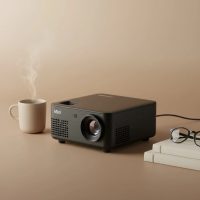
Transforming your iPhone’s small screen into a massive, cinematic display is no longer a fantasy. With the right device, you can host movie nights in your backyard, deliver impressive presentations on the go, or enjoy a larger-than-life gaming session anywhere you please. The key to this magic is finding the best mini projector for your iPhone, a task that can feel daunting with so many options available. As the lead content creator at Flasf.com with over a decade of hands-on experience, I’m here to guide you through everything you need to know to make a confident choice.
This guide will break down the essential features to look for, from connectivity to brightness, and help you understand how to pair your iPhone seamlessly for the ultimate big-screen experience. For best portable mini roundups on this site.
Why a Mini Projector for Your iPhone is a Game-Changer
The beauty of a mini projector lies in its portability and convenience. These compact devices are designed to work effortlessly with the smartphone in your pocket, creating an instant home theater or presentation tool. Unlike traditional, bulky projectors, an iPhone-compatible mini projector allows you to stream content directly, often wirelessly, freeing you from a tangle of cables and complicated setups. It’s about bringing your digital world to a bigger canvas, whenever and wherever you want.
Key Features to Look for in an iPhone Mini Projector
Navigating the technical specifications of mini projectors can be confusing. Let’s break down the most important features to consider to ensure you get a device that perfectly meets your needs.
Connectivity: The Most Crucial Factor
How a projector connects to your iPhone is the most critical feature. You have two main options: wireless and wired.
- Wireless: Look for projectors with built-in Wi-Fi that support screen mirroring technologies like AirPlay. This is the most convenient method, allowing you to stream content from your iPhone without any physical connection. Many modern projectors also come with built-in operating systems like Google TV, giving you direct access to apps like Netflix and YouTube.
- Wired: A wired connection via an HDMI port is the most reliable option, ensuring a stable, lag-free picture. To connect your iPhone, you will need a separate Lightning to Digital AV Adapter. While less convenient, it’s a foolproof method that bypasses potential wireless interference or software compatibility issues.
- Bluetooth: This is essential for audio. While most mini projectors have built-in speakers, they are often small and lack power. Bluetooth connectivity allows you to easily connect to a portable speaker or soundbar for a more immersive audio experience.
Brightness (Lumens): Lighting Up Your World
|
Our Picks for the Best Mini Projector in 2026
As an Amazon Associate I earn from qualifying purchases.
|
||
| Num | Product | Action |
|---|---|---|
| 1 | 【Officially-Licensed APP & Native 1080P】Thinnest 1.81\" Smart Mini Projector with WiFi and Bluetooth, Auto Focus & Keystone Portable Outdoor Projector, VOPLLS 4K Support Home Movie Projector |

|
| 2 | Aurzen Roku TV Smart Projector with Wifi and Bluetooth, Roku Streaming Experience Built-in, 1080P FHD, Dolby Audio, Auto Focus & Keystone, Zoom, Movie Portable Outdoor Mini Projector, White |
|
| 3 | Magcubic Mini Projector with WiFi 6 and Bluetooth 5.4, Portable Projector 4K Support, 5W Soundbase Speaker, Auto Vertical Keystone 180°Rotatable Smart Proyector for Movie Home Outdoor |
|
| 4 | HAPPRUN Native 1080P Bluetooth Mini Projector, Full HD Portable Outdoor Movie Projector with Built-in Speaker, Compatible with Smartphone, HDMI, USB, AV, Fire Stick, PS5 for Home, Bedroom, Outdoor Use |
|
| 5 | Aurzen EAZZE D1 Smart Projector with WiFi and Bluetooth, Netflix-Officially-Licensed, Auto Focus & Keystone, DoIby Audio, Native 1080P Movie, Portable Outdoor Mini Projector, White |
|
| 6 | [Compatible with Netflix & TOF Real-time Focus] Mini Projector with WiFi and Bluetooth, XuanPad Smart Projector 4K Support, Dolby Audio & Keystone, 210° Rotatable Stand for Home |
|
| 7 | [Short Throw/1200ANSI/Built in Apps] 4K Outdoor Projector with WiFi and Bluetooth, Auto Focus Projector with Dual-Mode Stand, Smart Portable Proyector with Netflix/YouTube/PrimeVideo & Dolby |
|
| 8 | [Built-in Apps & 2025 Upgraded] Mini Projector Support 4K 1080P Auto Keystone 270° Rotatable with WiFi 6 and Bluetooth 5.4, Projector Portable Compatibile with HDMI/TV Stick/Memory Stick/Laptop-Black |
|
| 9 | SOOMFON Mini Projector 1080P Support - Portable Small Video Movie Projector Bluetooth 5.1 Auto Keystone Electric Focus for Bedroom/Wall/Home/Outdoor/iPhone/Android/TV Stick |
|
| 10 | Mini Portable Projector 4K WiFi 6 BT 5.2 Upgraded Portable Projector Full HD Supported for Phone /PC /TV /HDMI /PS5 /Laptop Auto Keystone Home Theater 180° Rotation [Built-in App] White |
|
A projector’s brightness, measured in lumens (often ANSI lumens for a standardized measurement), determines how clear and vibrant the image will be. For a mini projector, the ideal brightness depends on your viewing environment. In a completely dark room, 150-200 ANSI lumens can provide a great picture. If you plan to use it in rooms with some ambient light, look for a model with 500 ANSI lumens or more for a watchable image.
Resolution: The Key to a Crisp Image
Resolution refers to the number of pixels that make up the image. While many projectors will state they “support 1080p,” what truly matters is the native resolution.
As our lead product analyst at Flasf.com, David Chen, often says, “Don’t be misled by ‘supported resolution.’ The native resolution is the true measure of a projector’s clarity. For a truly sharp and detailed image that does justice to your iPhone’s display, aim for a native resolution of at least 720p (1280×720).”
A higher native resolution, like 1080p (Full HD), will provide a significantly sharper and more detailed picture, which is especially noticeable on larger screen sizes.
Battery Life and Portability
True portability requires a built-in battery. Look for projectors that offer at least 2-2.5 hours of playtime on a single charge, which is enough to get through most feature films. The physical size and weight are also crucial. The most portable models, often called “pico projectors,” can be as small as a soda can and weigh just over a pound, making them easy to toss in a bag.
How to Connect Your iPhone to a Mini Projector
Getting your content from the small screen to the big screen is simple once you know how. Here are the two primary methods for connecting your iPhone.
Wireless Connection (Screen Mirroring)
This is the most popular and cable-free method.
- Turn on your mini projector and ensure it is connected to the same Wi-Fi network as your iPhone.
- On your iPhone, swipe down from the top-right corner to open the Control Center.
- Tap the Screen Mirroring button (it looks like two overlapping rectangles).
- Select your mini projector from the list of available devices.
- Your iPhone’s screen will now be mirrored onto the projected display.
Wired Connection (Lightning to HDMI Adapter)
This method provides the most stable connection.
- Plug the Lightning to Digital AV Adapter into your iPhone’s charging port.
- Connect one end of an HDMI cable to the adapter.
- Connect the other end of the HDMI cable to the HDMI port on your mini projector.
- Turn on the projector and select the correct HDMI input source.
- Your iPhone’s screen will automatically be displayed by the projector.
Frequently Asked Questions (FAQ)
Can I watch Netflix or other streaming apps with a mini projector?
Yes, but with a catch. Due to Digital Rights Management (DRM) protections, some streaming apps may block screen mirroring from your iPhone. The best way to bypass this is to use a projector with a built-in smart OS (like Google TV) that has the apps licensed and available directly on the device.
Do I need a special app to connect my iPhone to the projector?
For most modern projectors with Wi-Fi, you do not need a special app. You can use your iPhone’s native Screen Mirroring (AirPlay) feature. Some specific brands may offer an optional companion app for additional controls.
How important is keystone correction?
Keystone correction is very important for setup flexibility. This feature allows you to correct image distortion that occurs when the projector is not placed perfectly perpendicular to the screen. It lets you adjust the image to be a perfect rectangle, even if the projector is at an angle.
What is the difference between ANSI lumens and regular lumens?
ANSI lumens is the standardized and more accurate measurement of brightness recognized by the American National Standards Institute. A regular “lumen” measurement can often be inflated by manufacturers. When comparing projectors, always look for the ANSI lumen rating for a more reliable comparison.
Final Thoughts
Choosing the best mini projector for your iPhone opens up a new world of entertainment and productivity. By focusing on the key features of connectivity, brightness, native resolution, and battery life, you can find a device that perfectly suits your mobile lifestyle. Whether you’re planning an outdoor movie night, need a portable presentation tool, or want to enjoy your favorite content on a massive screen, the right mini projector will turn that possibility into a reality.
Get our weekly buyer guide
Practical specs, not advice. Unsubscribe anytime.